3 - 222
Chapter 3 Removal and Replacement Procedures (RRPs)
Version 1 2006.11.28
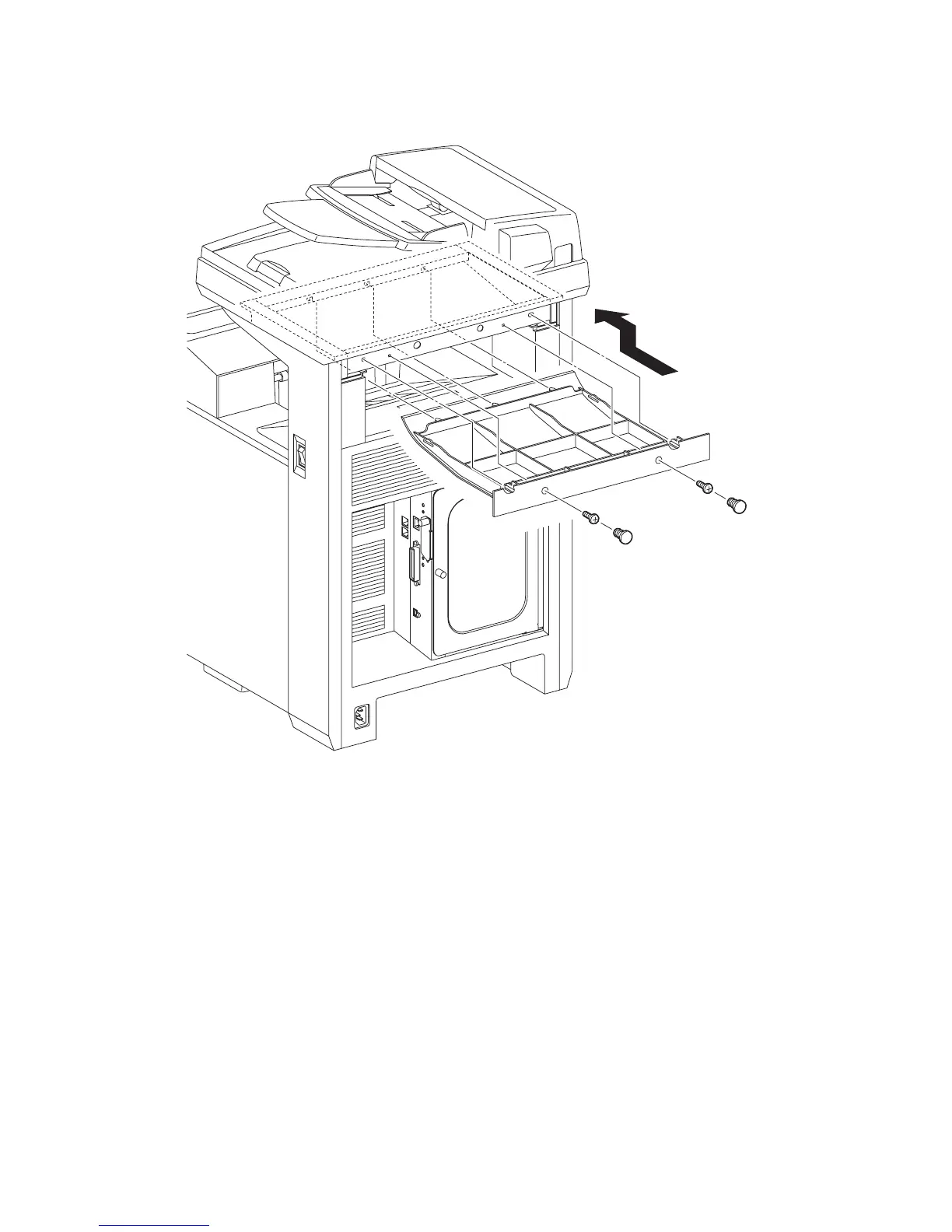
Replacement 72 COVER BOTTOM (PL13.1.5)
1) Replace the COVER BOTTOM to printer by mating the five lugs of the COVER BOTTOM
with the holes of the printer.
2) Secure the COVER BOTTOM to the printer using the two screws (silver, 6mm).
3) Attach the two CAP SCREWs to the holes of the screw.
Go to the next replacement step:
Replacement 73 REAR COVER (PL13.1.6)
Gnb03220KB
2)
2)
3)
3)
1)















 To Next Page