3 - 223
Chapter 3 Removal and Replacement Procedures (RRPs)
Version 1 2006.11.28
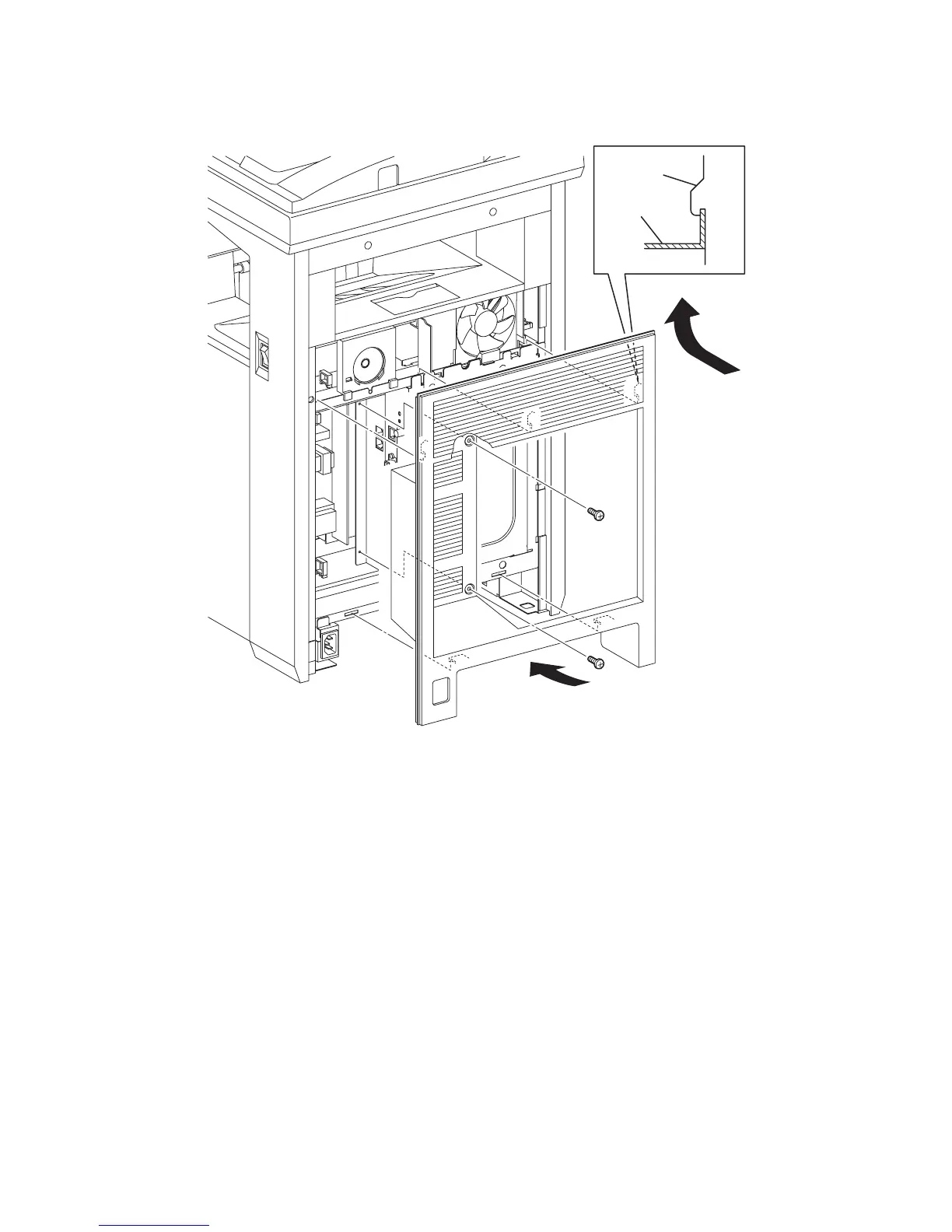
Replacement 73 REAR COVER (PL13.1.6)
1) Insert the rim on the upper side of the REAR COVER into the inside of the TOP COVER, and
then secure the REAR COVER to the printer with the five hooks of the REAR COVER.
2) Secure the REAR COVER to the printer using the two screws (silver, 6mm).
Go to the next replacement step:
Replacement 38 FUSER (PL6.1.10)
Gnb03221KA
1)-1
1)-2
REAR
COVER
FRAME
2)
2)















 To Next Page