3 - 72
Chapter 3 Removal and Replacement Procedures (RRPs)
Version 1 2006.11.28
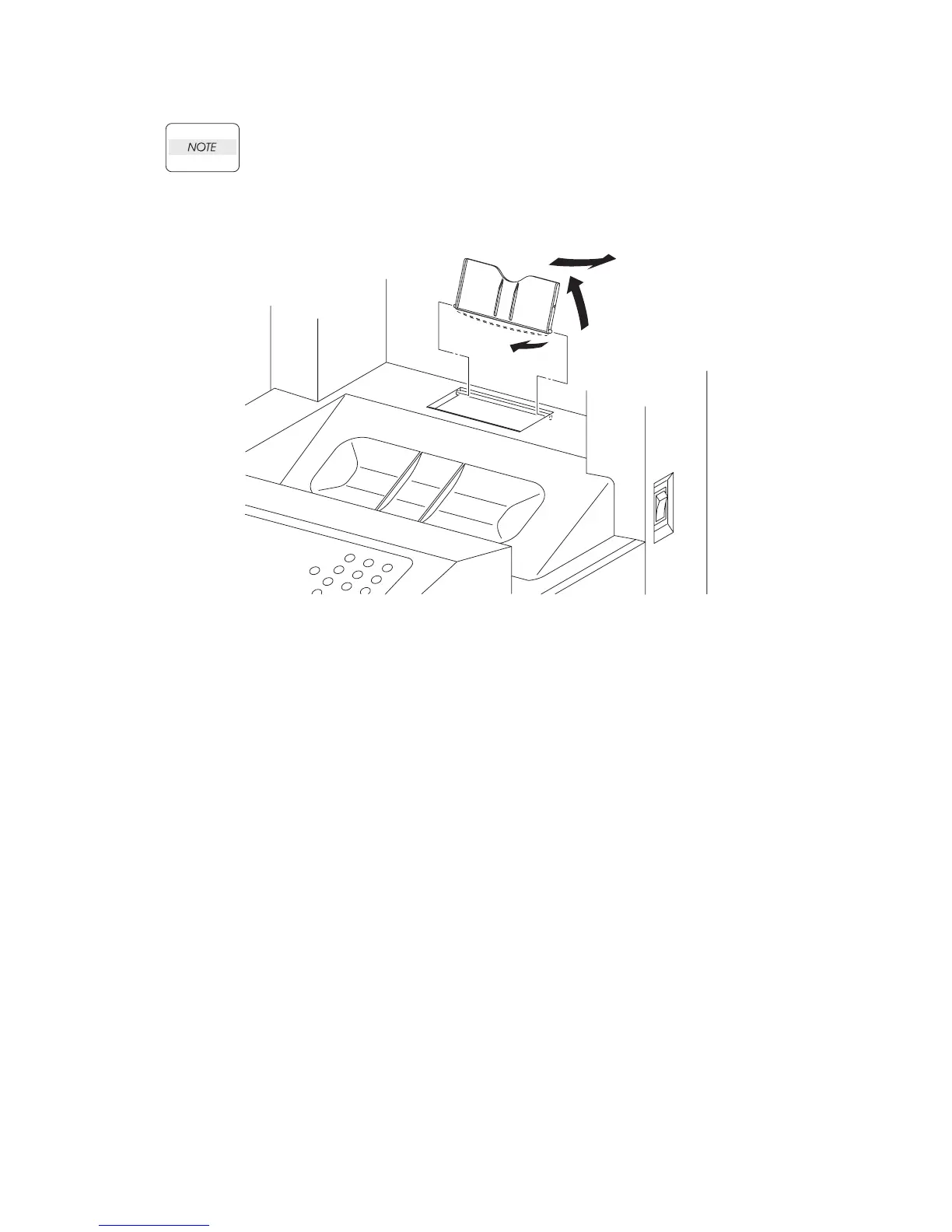
Removal 48 COVER EXTENDER (PL13.1.2)
When performing the step described below, take care not to damage the bosses on the
COVER EXTENDER.
1) Open the COVER EXTENDER (PL13.1.2).
2) Remove the COVER EXTENDER by bending it and removing its left and right bosses from the
holes on the TOP COVER. (PL13.1.1)
For the replacement procedure of this part, go to:
Replacement 74 COVER EXTENDER (PL13.1.2)
Gnb03003KA
2)-1
2)-2
2)-3















 To Next Page