3 - 219
Chapter 3 Removal and Replacement Procedures (RRPs)
Version 1 2006.11.28
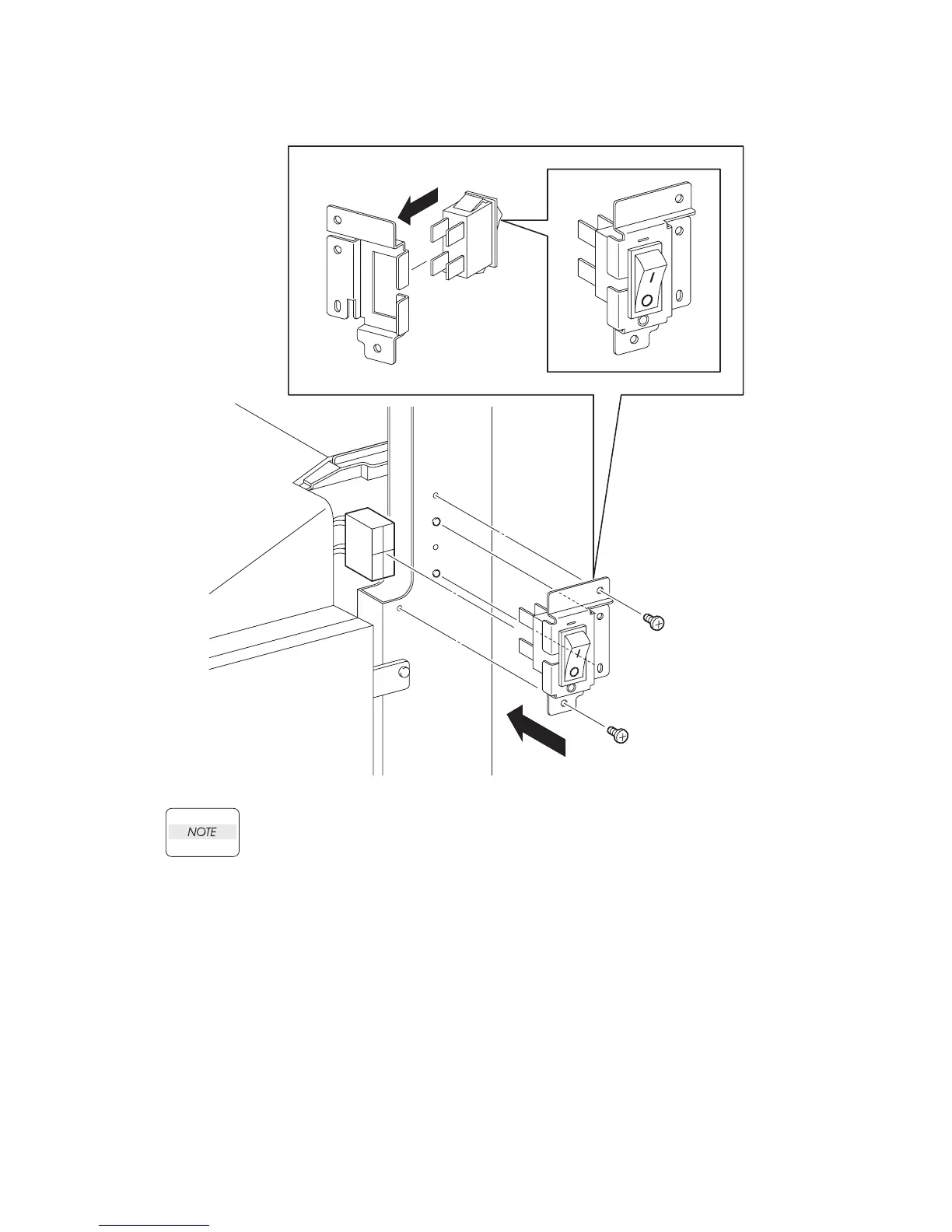
Replacement 69 POWER SWITCH (PL13.5.4)
When replacing the POWER SWITCH, match the ON/OFF mark of the POWER SWITCH
with the mark on the FRAME.
1) Replace the POWER SWITCH to the BRACKET MAIN SW, and secure with the hooks.
2) Mate the two holes on the BRACKET MAIN SW with the bosses on the printer.
3) Secure the BRACKET MAIN SW to the printer using the two screws (silver, 6mm).
4) Engage the connector (P/J481) of the POWER SWITCH.
Go to the next replacement step:
Replacement 70 COVER POLE R (PL13.1.8)
Gnb03217KA
4)
3)
2)
1)
3)
NOTE















 To Next Page