3 - 164
Chapter 3 Removal and Replacement Procedures (RRPs)
Version 1 2006.11.28
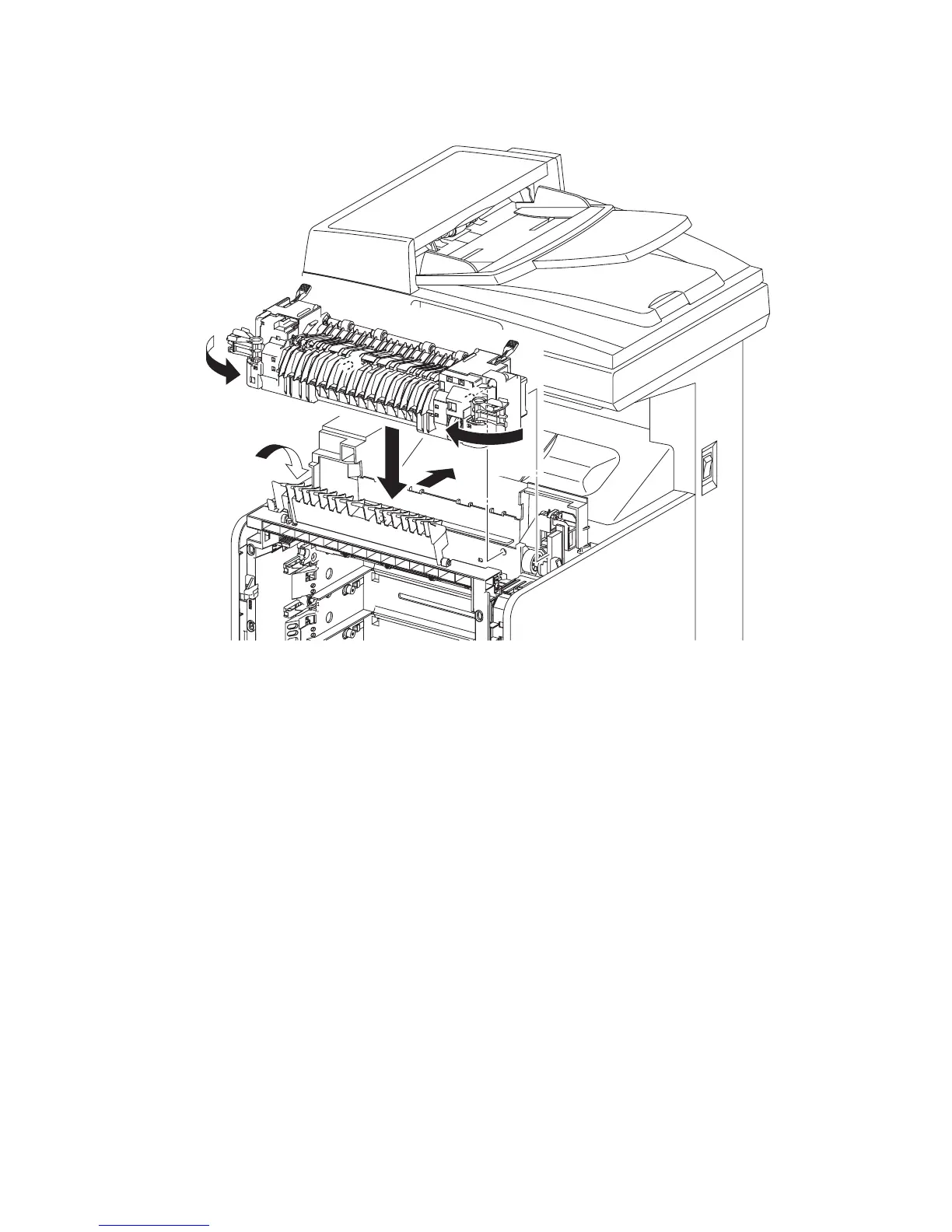
Replacement 38 FUSER (PL6.1.10)
1) Put the FUSER on the printer.
2) Insert the two rear side bosses of the FUSER into the holes on the printer by moving the
FUSER slightly backward, engage the connector (P/J171) of the FUSER.
3) Rotate the left and right levers of the FUSER inward.
4) Close the DUPLEX GATE.
5) Close the FRONT COVER.
Gnb03070KA
4)
3)
3)
1)
2)















 To Next Page