3 - 84
Chapter 3 Removal and Replacement Procedures (RRPs)
Version 2 2007.03.20
Removal 56 OPERATOR PANEL (PL13.2.97)
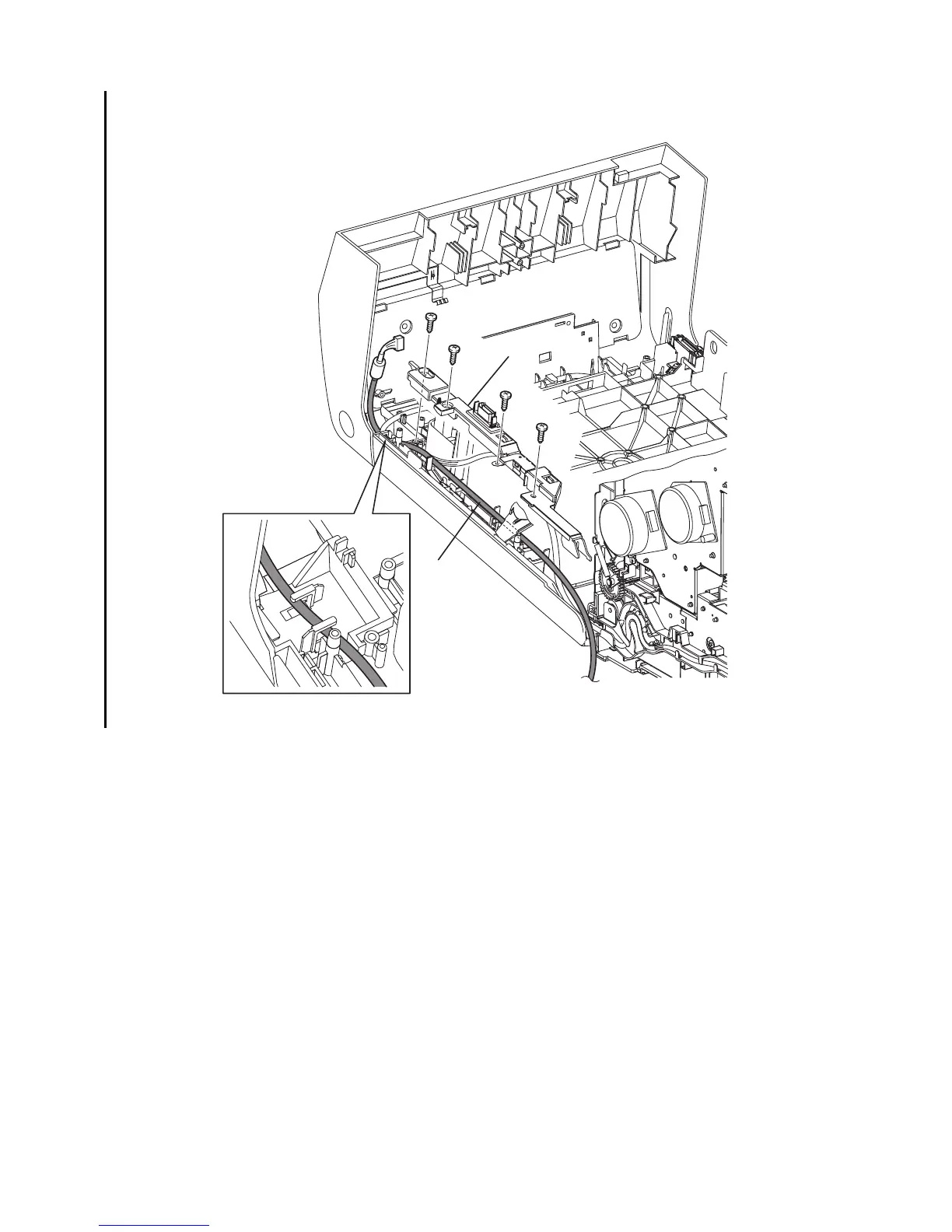
21) Remove the four screws (silver, tap, 8mm) that fix the COVER HARNESS (PL13.2.7) to the
FRONT COVER.
22) Remove the COVER HARNESS from the FRONT COVER.
23) Remove the HARNESS ASSY A-OP-OPP from the FRONT COVER.
Gnb03163KB
21)
21)
21)
22)
23)
21)






 To Next Page