3 - 126
Chapter 3 Removal and Replacement Procedures (RRPs)
Version 2 2007.03.20
Replacement 12 PRINT HEAD (PL13.3.99)
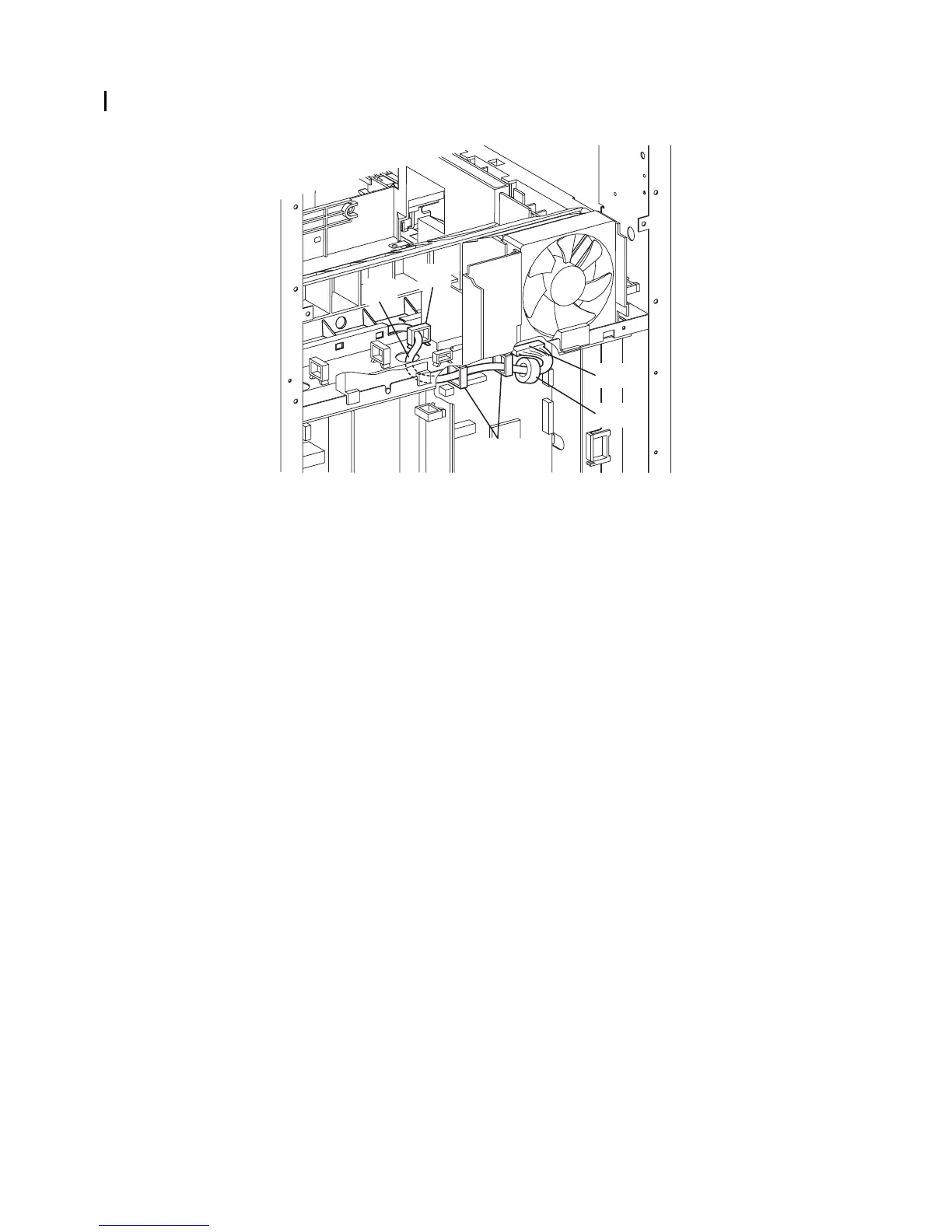
4) Route the harness of the PRINT HEAD through the hole of the printer.
5) Replace the CORE to the harness of the PRINT HEAD, and then engage the connector (P/J12)
to the connector of the MACHINE CONTROL UNIT.
6) Secure the harness of the PRNT HEAD with the three clamps.
Continues to the next page.
Gnb03132KA
6)
6)
5)-2
5)-1
4)















 To Next Page