3 - 74
Chapter 3 Removal and Replacement Procedures (RRPs)
Version 1 2006.11.28
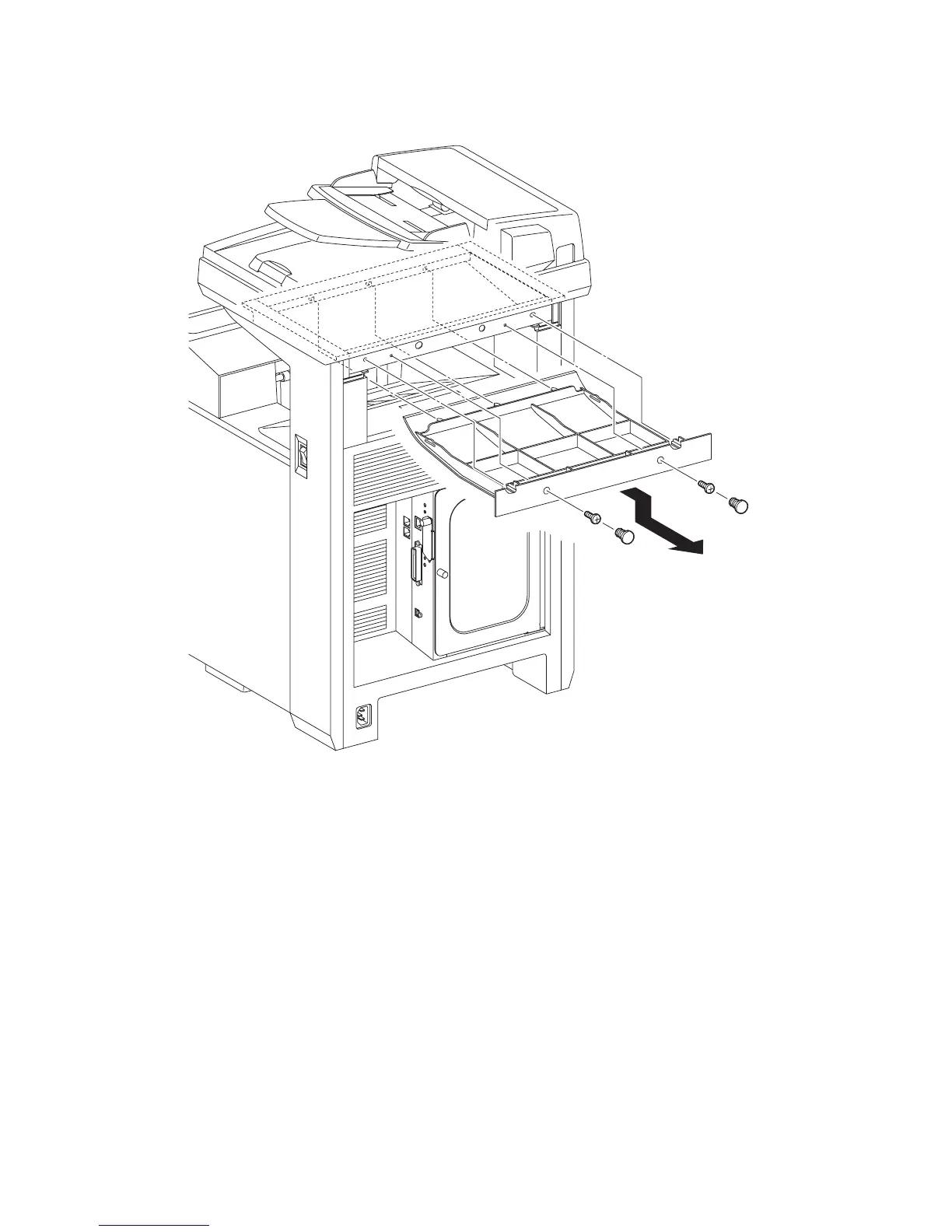
Removal 50 COVER BOTTOM (PL13.1.5)
1) Remove the two CAP SCREWs (PL13.1.12) from the screw holes of the COVER BOTTOM
(PL13.1.5).
2) Remove the two screws (silver, 6mm) that fix the COVER BOTTOM to the printer.
3) Release the five lugs on the COVER BOTTOM by sliding the COVER BOTTOM backward,
and then remove the COVER BOTTOM from the printer.
Go to the next removal steps:
Removal 51 COVER POLE IN R (PL13.1.4) or Removal 58 COVER POLE L (PL13.1.11)
Gnb03155KB
2)
1)
2)
1)
3)















 To Next Page