1‑37
Chapter 1 Troubleshooting
Version 1 2006.11.21
Arrow Symbol Semantics
Protocol Monitor displays various symbols in combination with arrows (--> / <--) depending on the
communication status. Listed below are examples of symbols and their semantics. They may vary
depending on the model.
Some models display simple arrows ( → / ← ) without symbols in Protocol Monitor.
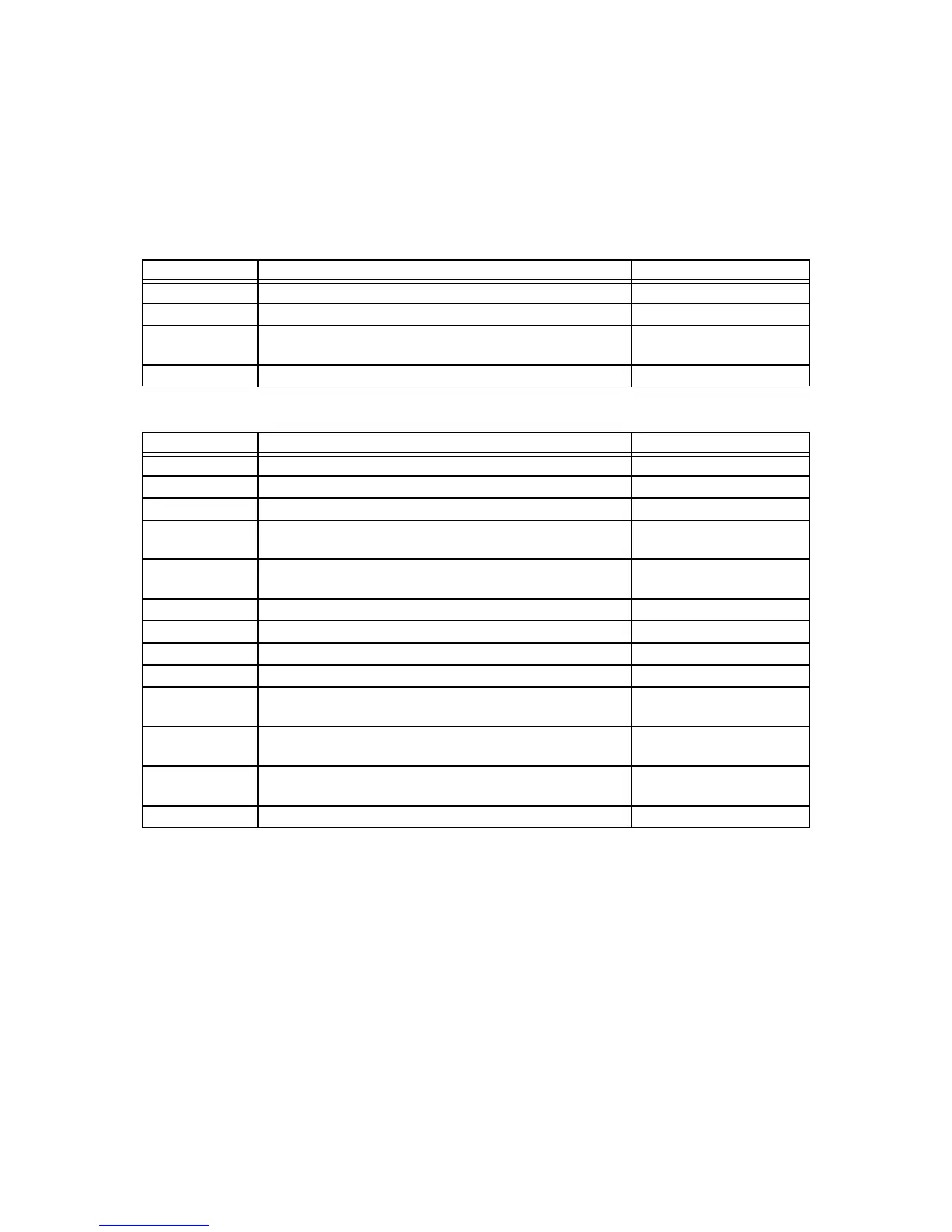
Signals sent:
Signals received:
--> Normal. Yes
-+> Underrun was detected at the MODEM. No
-F> STOP instruction was given during image data transmis-
sion.
No
-@> FTT was forcefully sent out. No
<-- Normal. Yes
<x- A CRC error was detected. No
<#- An aborted sequence was detected. No
<!- No carrier was detected for 1.5 seconds during image
data reception.
No
<=- No carrier was detected for 150 milliseconds during
image data reception.
No
</- FSK was detected during TCF signal reception. No
<+- An overrun was detected at the modem. No
<A- Failed to detect EOL during the 10-second timeout. No
<B- Buffer became full during image reception. No
<C- Failed to detect any normal line for 60 seconds during
image data reception.
No
<D- Failed to decode normal lines for 60 seconds after image
data reception.
No
<E- Interframe timeout occurred during image data reception
in ECM mode.
No
<F- STOP instruction was given during image data reception. No
Symbol Semantics
Relevance to Dell 3115cn
Symbol Semantics
Relevance to Dell 3115cn






 To Next Page