problems with optical devices. This feature, referred to as Digital Diagnostic
Monitoring (DDM) provides information on transceiver parameters.
Web Interface
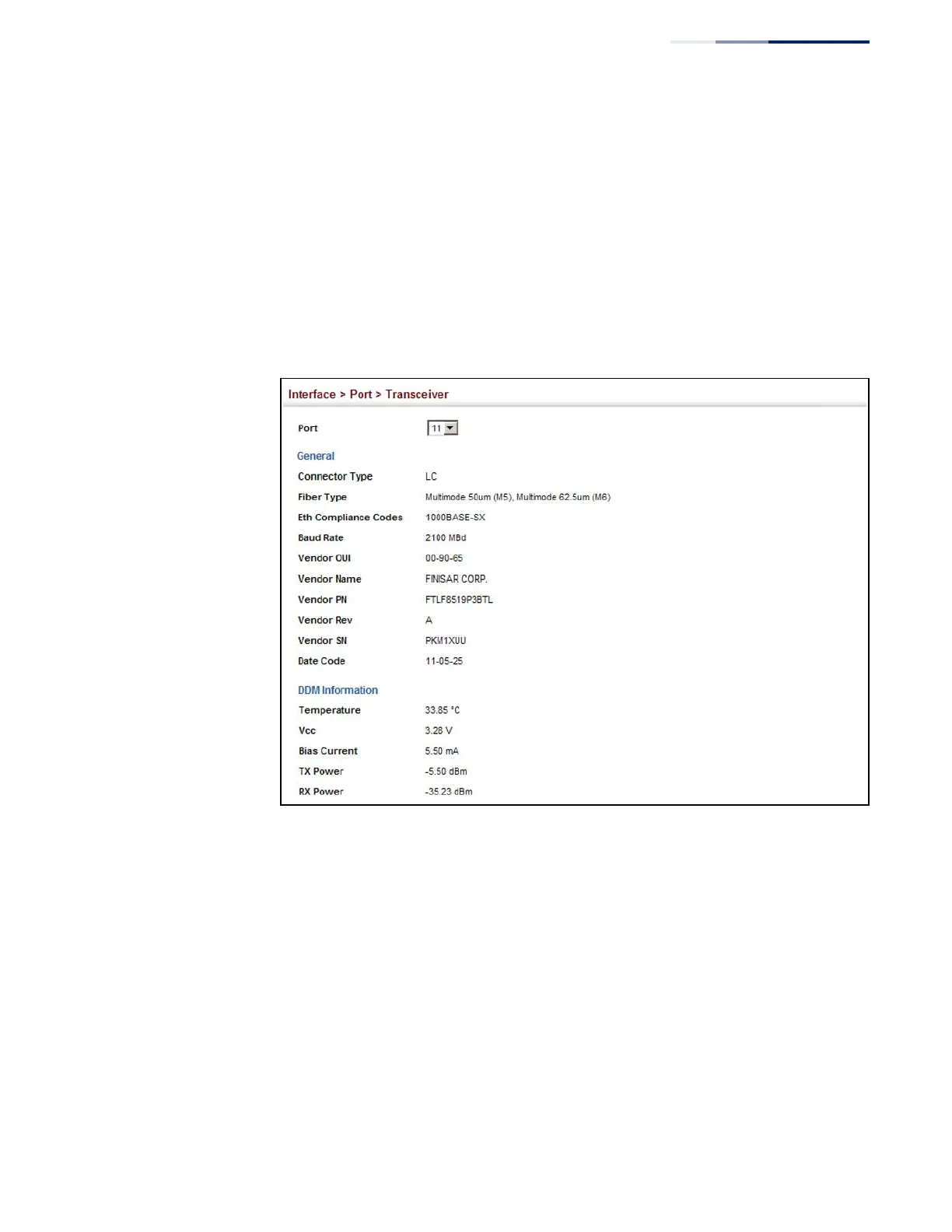
To display identifying information and functional parameters for optical
transceivers:
1.
Click Interface, Port, Transceiver.
2.
Select a port from the scroll-down list.
Figure 40: Displaying Transceiver Data
Configuring
Transceiver
Thresholds
Use the Interface > Port > Transceiver page to configure thresholds for alarm and
warning messages for optical transceivers which support Digital Diagnostic
Monitoring (DDM). This page also displays identifying information for supported
transceiver types, and operational parameters for transceivers which support DDM.
Parameters
These parameters are displayed:
◆
Port – Port number. (Range: 49-52)
◆
General – Information on connector type and vendor-related parameters.
◆
DDM Information – Information on temperature, supply voltage, laser bias
current, laser power, and received optical power.















 To Next Page