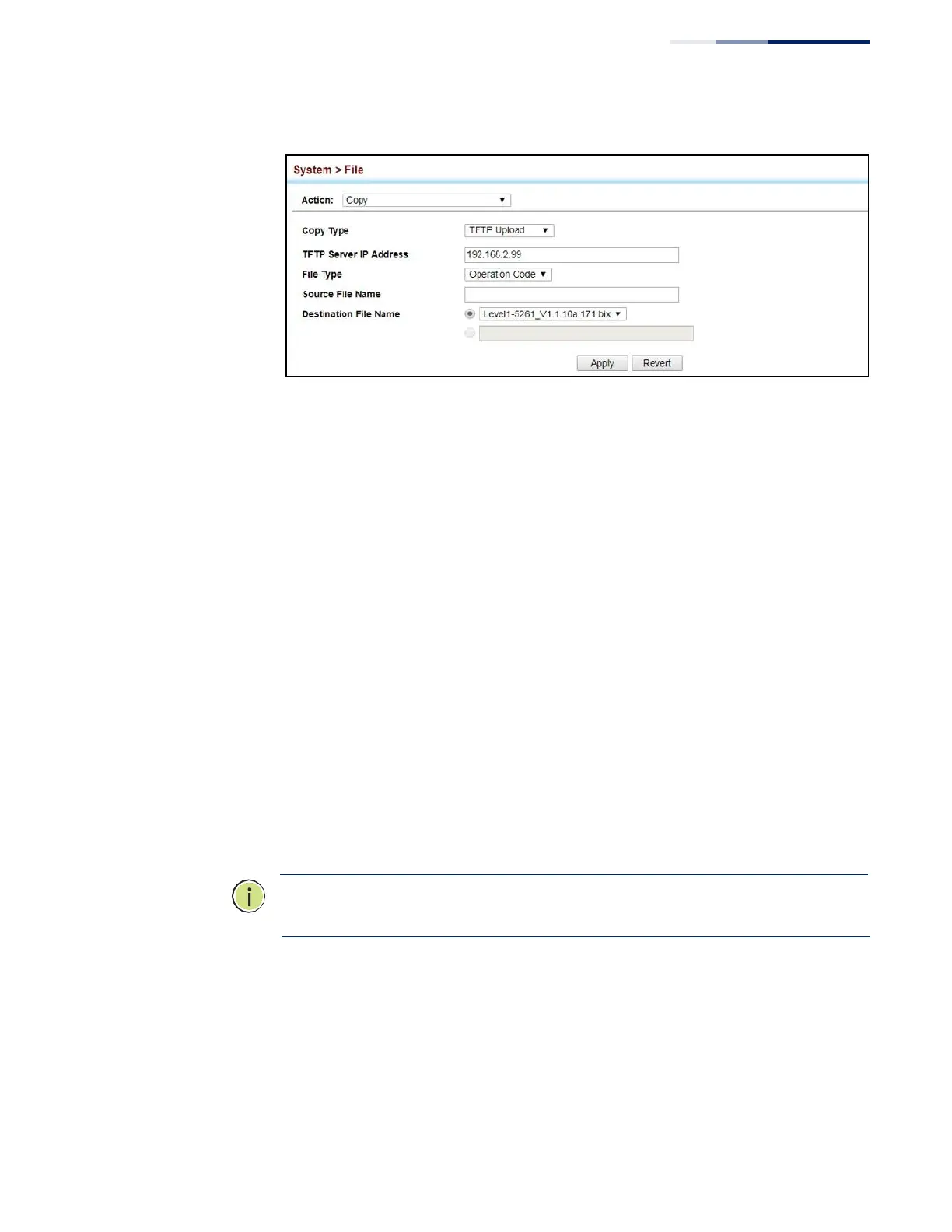
Figure 6: Copy Firmware
If you replaced a file currently used for startup and want to start using the new file,
reboot the system via the System > Reset menu.
Saving the Running
Configuration to a
Local File
Use the System > File (Copy) page to save the current configuration settings to a
local file on the switch. The configuration settings are not automatically saved by
the system for subsequent use when the switch is rebooted. You must save these
settings to the current startup file, or to another file which can be subsequently set
as the startup file.
Parameters
The following parameters are displayed:
◆
Copy Type
– The copy operation includes this option:
■
Running-Config – Copies the current configuration settings to a local file on
the switch.
◆
Destination File Name – Copy to the currently designated startup file, or to a
new file. The file name should not contain slashes (\ or /), the leading letter of
the file name should not be a period (.), and the maximum length for file names
is 32 characters. (Valid characters: A-Z, a-z, 0-9, “.”, “-”, “_”)
Note:
The maximum number of user-defined configuration files is limited only by
available flash memory space.
Web Interface
To save the running configuration file:
1.
Click System, then File.
2.
Select Copy from the Action list.
3.
Select Running-Config from the Copy Type list.















 To Next Page