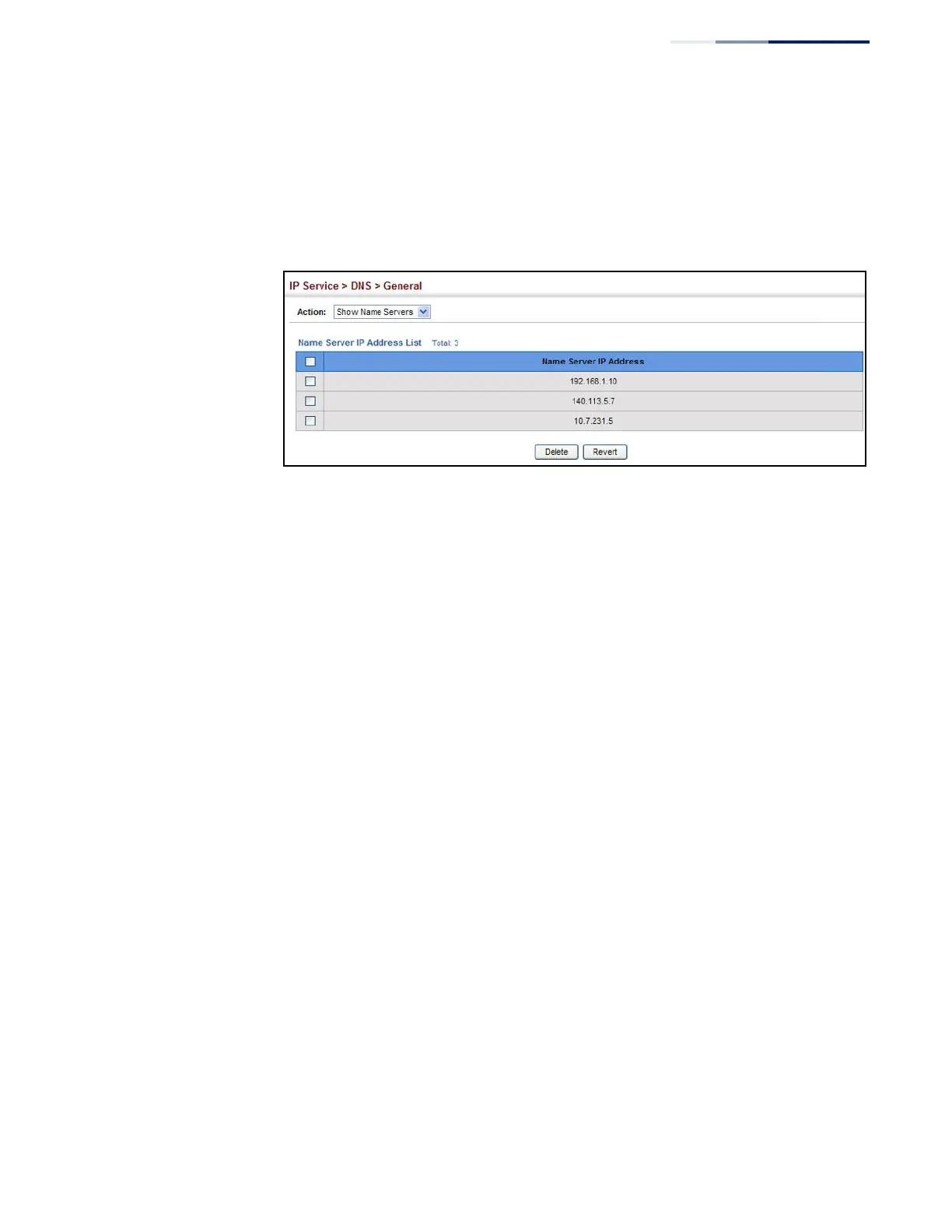
To show the list name servers:
1.
Click IP Service, DNS.
2.
Select Show Name Servers from the Action list.
Figure 349: Showing the List of Name Servers for DNS
Configuring
Static DNS Host
to Address Entries
Use the IP Service > DNS - Static Host Table (Add) page to manually configure static
entries in the DNS table that are used to map domain names to IP addresses.
Command Usage
Static entries may be used for local devices connected directly to the attached
network, or for commonly used resources located elsewhere on the network.
Parameters
These parameters are displayed:
◆
Host Name – Name of a host device that is mapped to one or more IP
addresses. (Range: 1-127 characters)
◆
IP Address – IPv4 or IPv6 address(es) associated with a host name.
Web Interface
To configure static entries in the DNS table:
1.
Click IP Service, DNS, Static Host Table.
2.
Select Add from the Action list.
3.
Enter a host name and the corresponding address.
4.
Click Apply.















 To Next Page