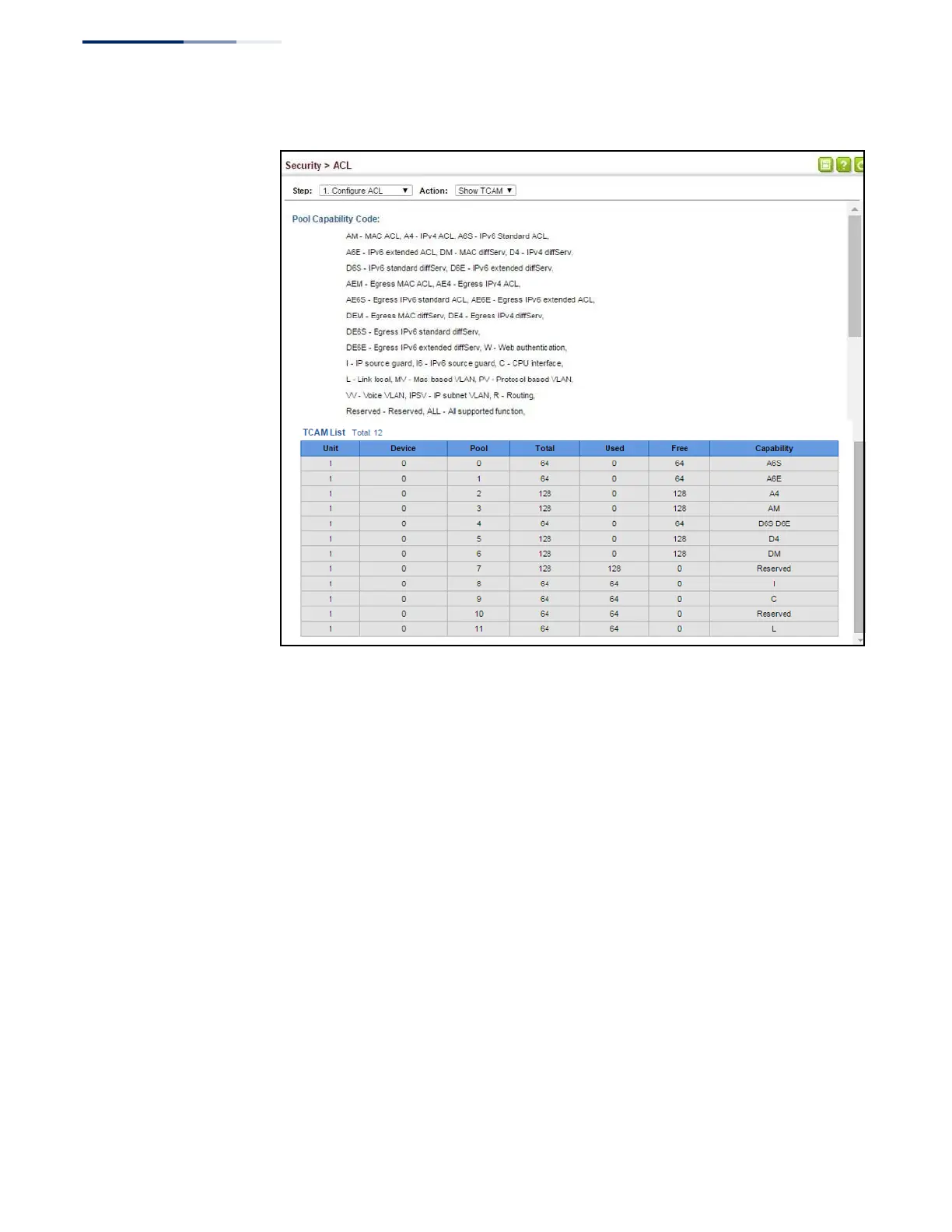
Figure 176: Showing TCAM Utilization
Setting the
ACL Name and Type
Use the Security > ACL (Configure ACL - Add) page to create an ACL.
Parameters
These parameters are displayed:
◆
ACL Name – Name of the ACL. (Maximum length: 32 characters)
◆
Type – The following filter modes are supported:
■
IP Standard
: IPv4 ACL mode filters packets based on the source IPv4
address.
■
IP Extended: IPv4 ACL mode filters packets based on the source or
destination IPv4 address, as well as the protocol type and protocol port
number. If the “TCP” protocol is specified, then you can also filter packets
based on the TCP control code.
■
IPv6 Standard
: IPv6 ACL mode filters packets based on the source IPv6
address.
■
IPv6 Extended: IPv6 ACL mode filters packets based on the source or
destination IP address, as well as DSCP, and the next header type.















 To Next Page