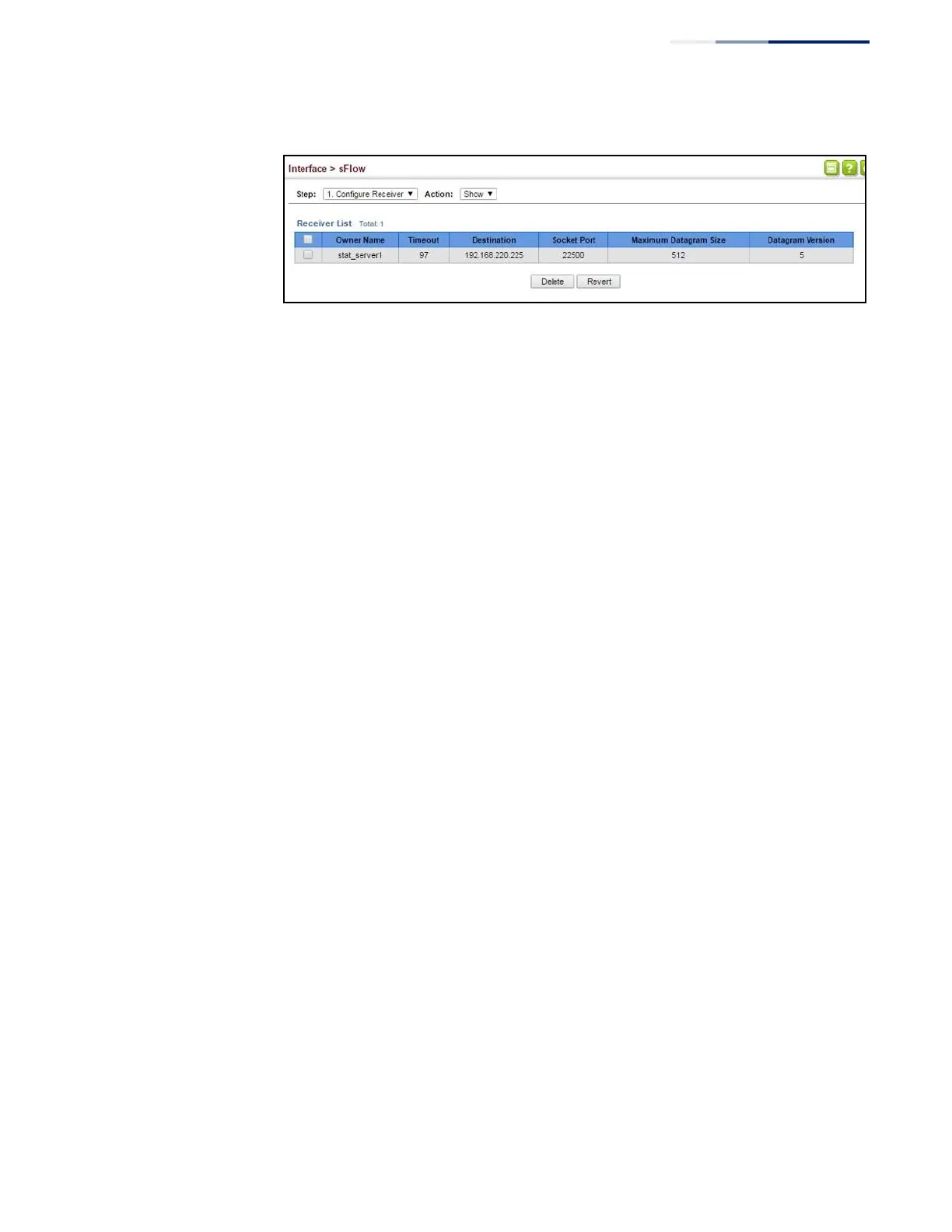
Figure 68: Showing sFlow Receivers
Configuring an sFlow
Polling Instance
Use the Interface > sFlow (Configure Details – Add) page to enable an sFlow polling
data source that polls periodically based on a specified time interval, or an sFlow
data source instance that takes samples periodically based on the number of
packets processed.
Parameters
These parameters are displayed in the web interface:
◆
Receiver Owner Name – The name of the receiver. (Range: 1-256 characters;
Default: None)
◆
Type – Specifies the polling type as an sFlow polling data source for a specified
interface that polls periodically based on a specified time interval, or an sFlow
data source instance for a specific interface that takes samples periodically
based on the number of packets processed.
◆
Data Source – The source from which the samples will be taken and sent to a
collector.
◆
Instance ID – An instance ID used to identify the sampling source. (Range: 1)
◆
Sampling Rate – The number of packets out of which one sample will be
taken. (Range: 256-16777215 packets; Default: Disabled)
◆
Maximum Header Size – Maximum size of the sFlow datagram header.
(Range: 64-256 bytes)
Web Interface
To configure an sFlow sampling or polling instance:
1.
Click Interface, sFlow.
2.
Select Configure Details from the Step list.
3.
Select Add from the Action list.
4.
Fill in the parameters for the sFlow instance, including sampling rate and
maximum header size.















 To Next Page