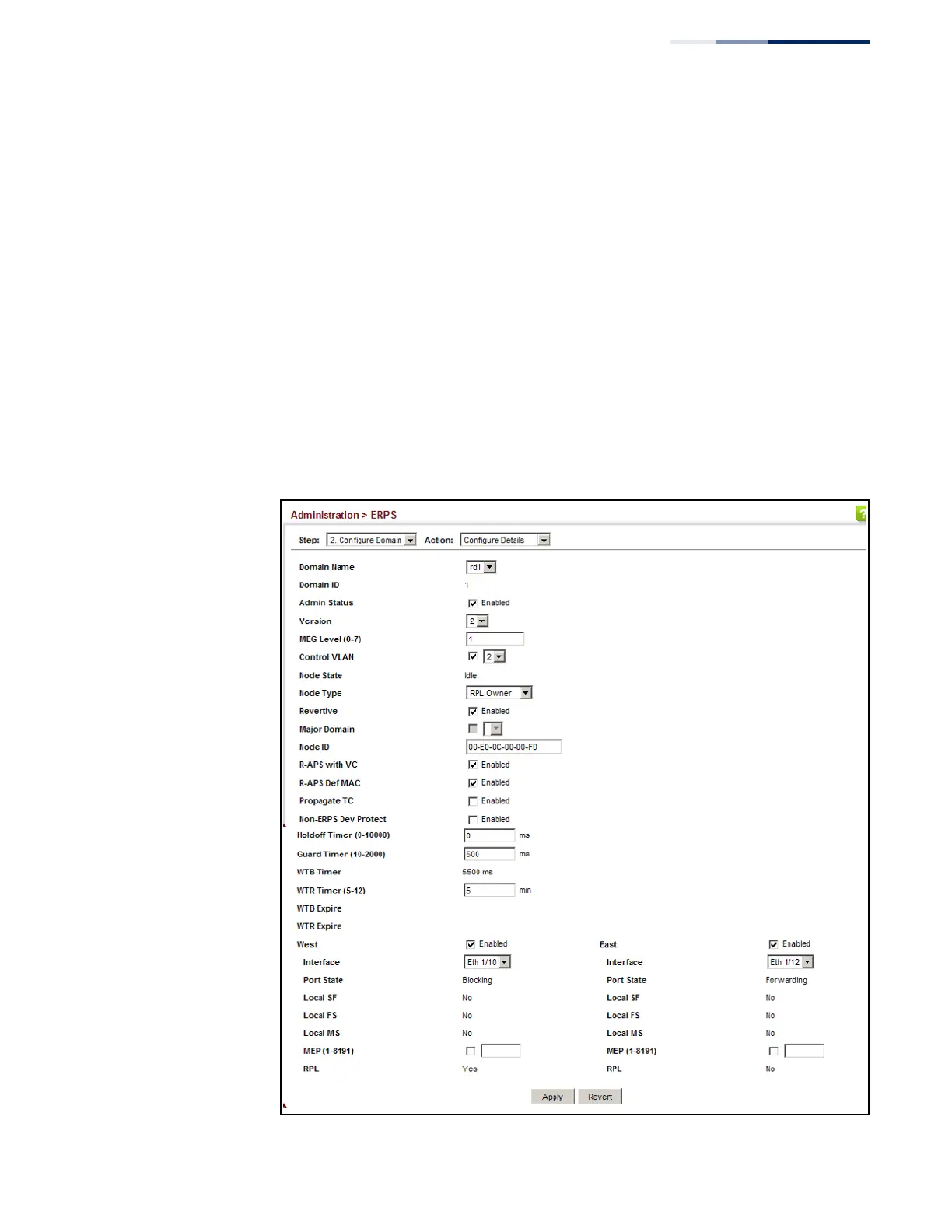
To configure the ERPS parameters for a ring:
1.
Click Administration, ERPS.
2.
Select Configure Domain from the Step list.
3.
Select Configure Details from the Action list.
4.
Configure the ERPS parameters for this node. Note that spanning tree protocol
cannot be configured on the ring ports, nor can these ports be members of a
static or dynamic trunk. And the control VLAN must be unique for each ring.
Adjust the protocol timers as required. The RPL owner must be set on one of
the rings. And the administrative status enabled once all of the other settings
have been entered.
5.
Click Apply.
Figure 274: Creating an ERPS Ring















 To Next Page