5.
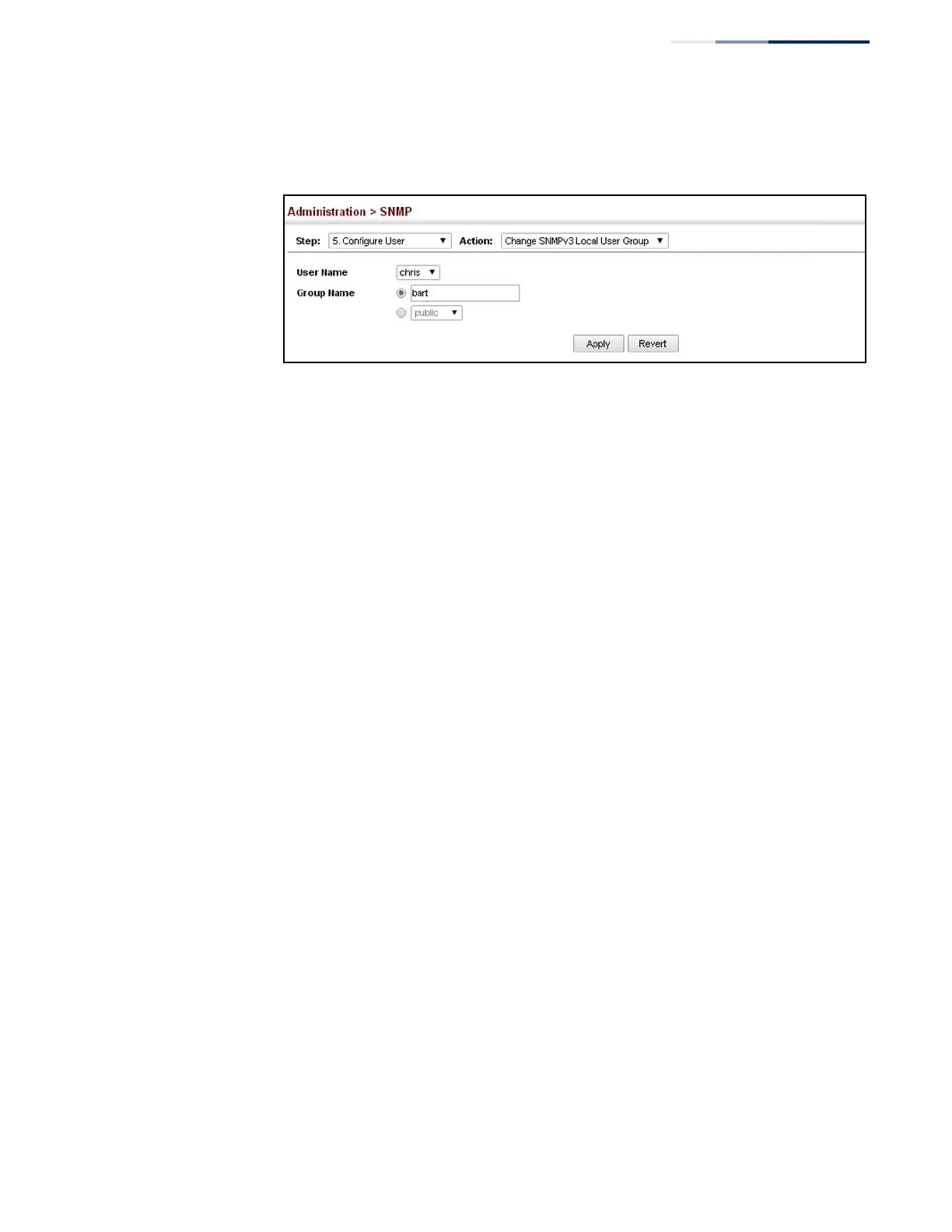
Click Apply
Figure 238: Changing a Local SNMPv3 User Group
Configuring
Remote SNMPv3 Users
Use the Administration > SNMP (Configure User - Add SNMPv3 Remote User) page
to identify the source of SNMPv3 inform messages sent from the local switch. Each
SNMPv3 user is defined by a unique name. Users must be configured with a specific
security level and assigned to a group. The SNMPv3 group restricts users to a
specific read, write, and notify view.
Command Usage
◆
To grant management access to an SNMPv3 user on a remote device, you must
first specify the engine identifier for the SNMP agent on the remote device
where the user resides. The remote engine ID is used to compute the security
digest for authentication and encryption of packets passed between the switch
and the remote user. (See “Specifying Trap Managers” on page 382 and
“Specifying a Remote Engine ID” on page 366.)
Parameters
These parameters are displayed:
◆
User Name – The name of user connecting to the SNMP agent.
(Range: 1-32 characters)
◆
Group Name – The name of the SNMP group to which the user is assigned.
(Range: 1-32 characters)
◆
Remote IP – IPv4 address of the remote device where the user resides.
◆
Security Model – The user security model; SNMP v1, v2c or v3. (Default: v3)
◆
Security Level
– The following security levels are only used for the groups
assigned to the SNMP security model:
■
noAuthNoPriv – There is no authentication or encryption used in SNMP
communications. (This is the default security level.)
■
AuthNoPriv – SNMP communications use authentication, but the data is
not encrypted.















 To Next Page