to an RSPAN VLAN. Also, note that the VLAN > Static (Show) page will not
display any members for an RSPAN VLAN, but will only show configured RSPAN
VLAN identifiers.
◆
Type – Specifies the traffic type to be mirrored remotely. (Options: Rx, Tx, Both)
◆
Destination Port – Specifies the destination port
1
to monitor the traffic
mirrored from the source ports. Only one destination port can be configured
on the same switch per session, but a destination port can be configured on
more than one switch for the same session. Also note that a destination port
can still send and receive switched traffic, and participate in any Layer 2
protocols to which it has been assigned.
◆
Tag – Specifies whether or not the traffic exiting the destination port to the
monitoring device carries the RSPAN VLAN tag.
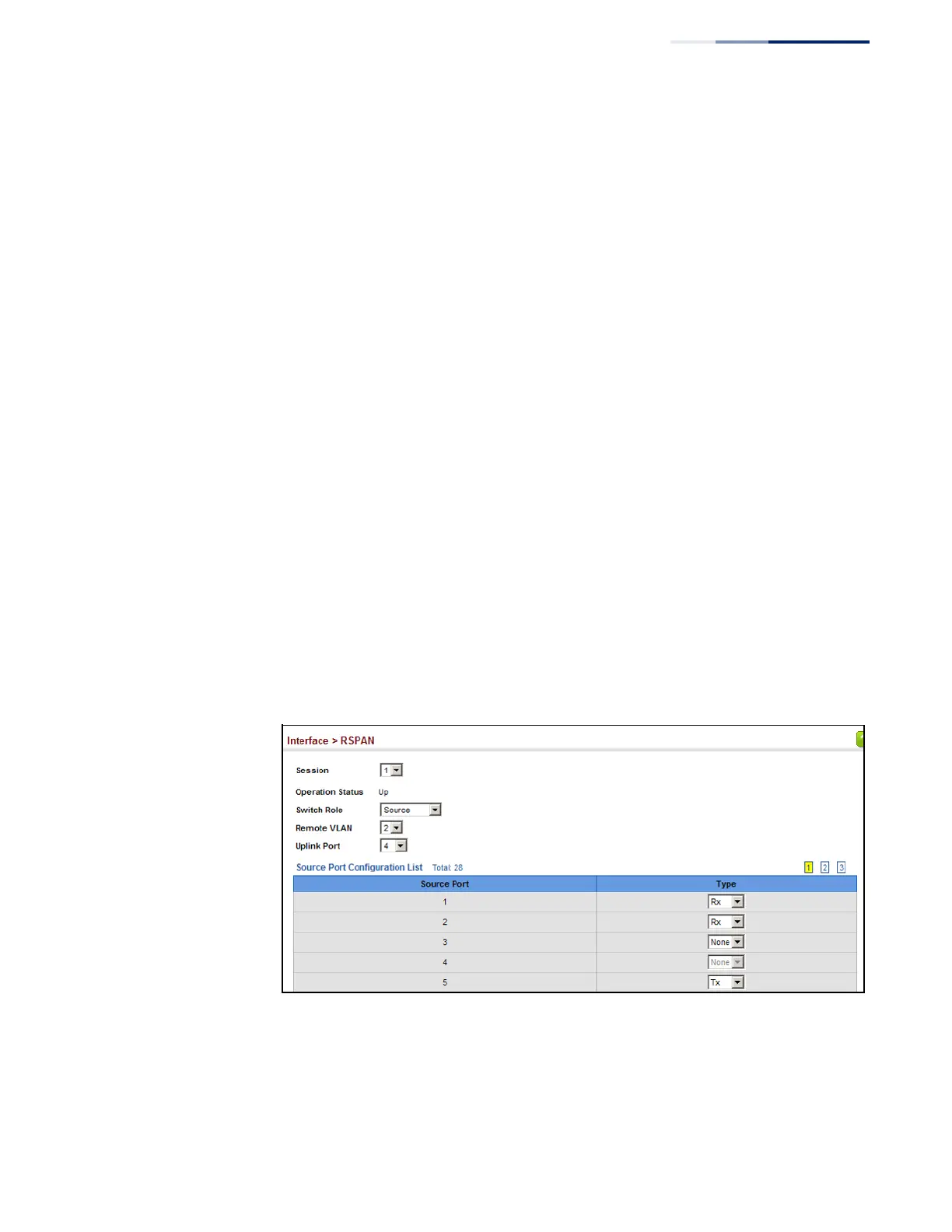
Web Interface
To configure a remote mirror session:
1.
Click Interface, RSPAN.
2.
Set the Switch Role to None, Source, Intermediate, or Destination.
3.
Configure the required settings for each switch participating in the RSPAN
VLAN.
4.
Click Apply.
Figure 64: Configuring Remote Port Mirroring
(Source)















 To Next Page