Web Interface
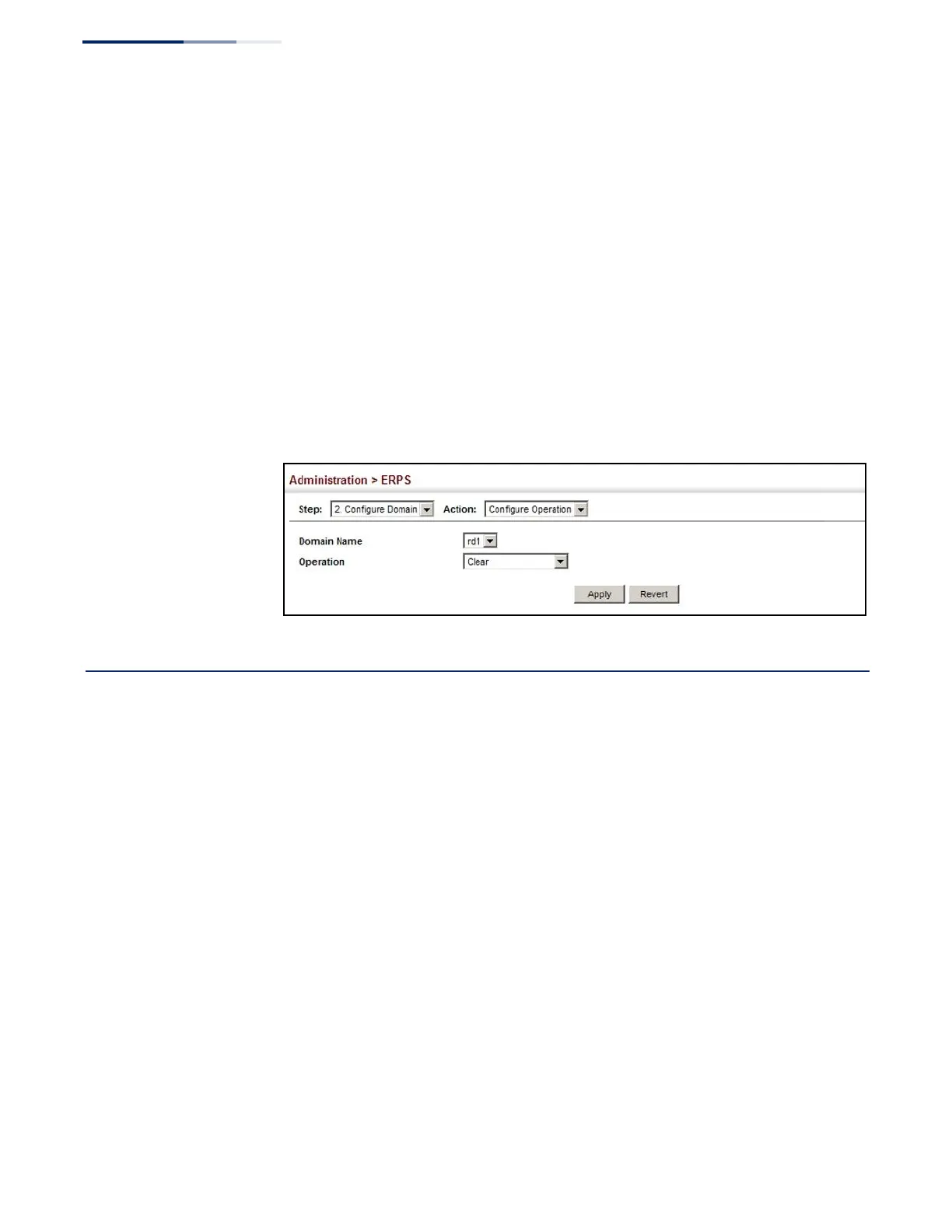
To block a ring port:
1.
Click Administration, ERPS.
2.
Select Configure Domain from the Step list.
3.
Select Configure Operation from the Action list.
4.
Select the domain name from the drop-down list.
5.
Specify a Forced Switch, Manual Switch, or Clear operation.
6.
Click Apply.
Figure 276: Blocking an ERPS Ring Port
LBD Configuration
The switch can be configured to detect general loopback conditions caused by
hardware problems or faulty protocol settings. When loopback detection (LBD) is
enabled, a control frame is transmitted on the participating ports, and the switch
monitors inbound traffic to see if the frame is looped back.
Usage Guidelines
◆
The default settings for the control frame transmit interval and recover time
may be adjusted to improve performance for your specific environment. The
shutdown mode may also need to be changed once you determine what kind
of packets are being looped back.
◆
General loopback detection provided by the commands described in this
section and loopback detection provided by the spanning tree protocol cannot
both be enabled at the same time. If loopback detection is enabled for the
spanning tree protocol, general loopback detection cannot be enabled on the
same interface.
◆
When a loopback event is detected on an interface or when a interface is
released from a shutdown state caused by a loopback event, a trap message is
sent and the event recorded in the system log.















 To Next Page