◆
Service VLAN ID – VLAN ID for the outer VLAN tag. (Range: 1-4094)
Web Interface
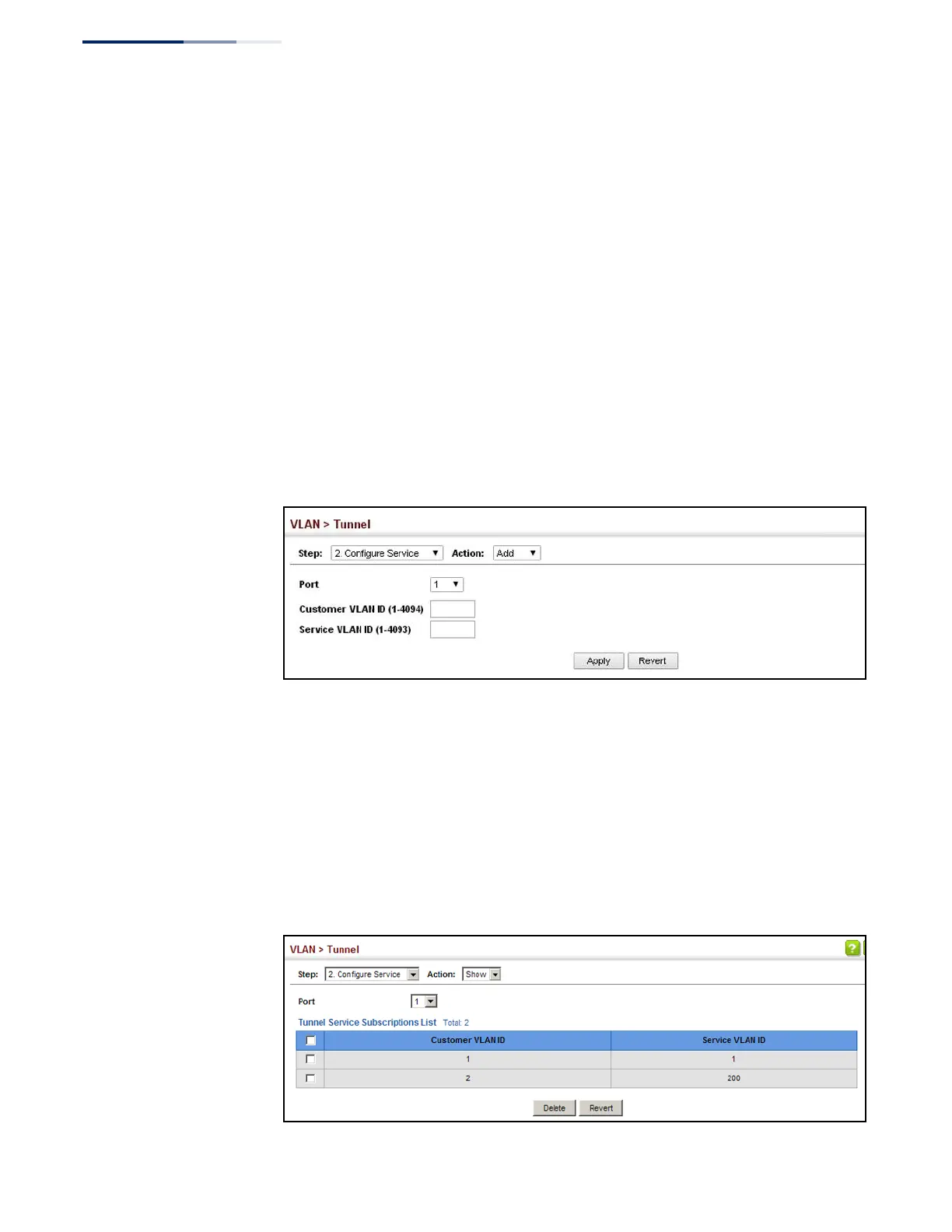
To configure a mapping entry:
1.
Click VLAN, Tunnel.
2.
Select Configure Service from the Step list.
3.
Select Add from the Action list.
4.
Select an interface from the Port list.
5.
Specify the CVID to SVID mapping for packets exiting the specified port.
6.
Click Apply.
Figure 83: Configuring CVLAN to SPVLAN Mapping Entries
To show the mapping table:
1.
Click VLAN, Tunnel.
2.
Select Configure Service from the Step list.
3.
Select Show from the Action list.
4.
Select an interface from the Port list.
Figure 84: Showing CVLAN to SPVLAN Mapping Entries















 To Next Page