◆
WinNuke Attack Rate – Maximum allowed rate. (Range: 64-2000 kbits/second;
Default: 1000 kbits/second)
Web Interface
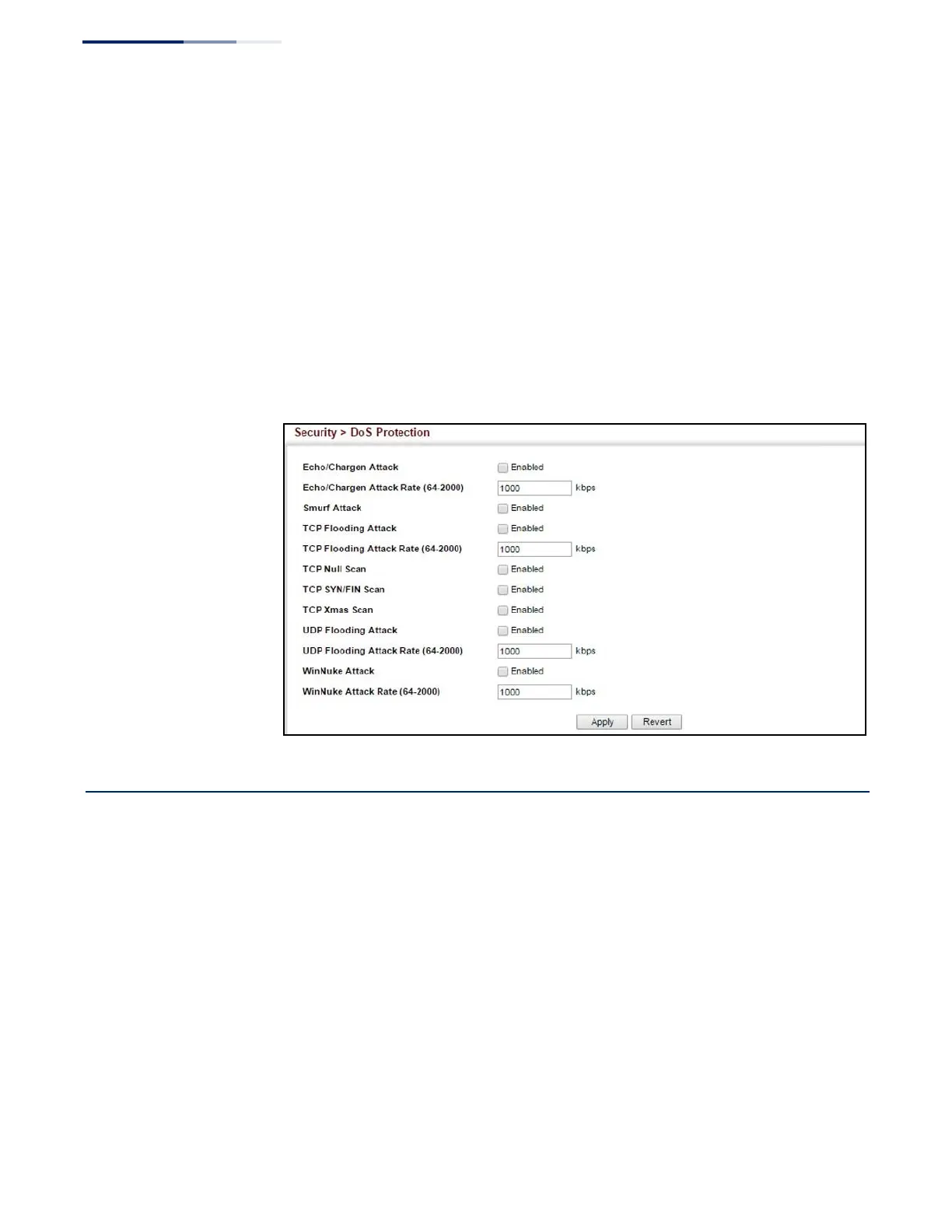
To protect against DoS attacks:
1.
Click Security, DoS Protection.
2.
Enable protection for specific DoS attacks, and set the maximum allowed rate
as required.
3.
Click Apply
Figure 194: Protecting Against DoS Attacks
DHCP Snooping
The addresses assigned to DHCP clients on insecure ports can be carefully
controlled using the dynamic bindings registered with DHCP Snooping (or using
the static bindings configured with IP Source Guard). DHCP snooping allows a
switch to protect a network from rogue DHCP servers or other devices which send
port-related information to a DHCP server. This information can be useful in
tracking an IP address back to a physical port.
Command Usage
DHCP Snooping Process
◆
Network traffic may be disrupted when malicious DHCP messages are received
from an outside source. DHCP snooping is used to filter DHCP messages
received on a non-secure interface from outside the network or fire wall. When
DHCP snooping is enabled globally and enabled on a VLAN interface, DHCP















 To Next Page