◆
DHCP Snooping Information Option TR101 Board ID – Sets the board
identifier used in Option 82 information based on TR-101 syntax. (Range: 0-9;
Default: undefined)
◆
DHCP Snooping Information Option Policy – Specifies how to handle DHCP
client request packets which already contain Option 82 information.
■
Drop – Drops the client’s request packet instead of relaying it.
■
Keep – Retains the Option 82 information in the client request, and
forwards the packets to trusted ports.
■
Replace – Replaces the Option 82 information circuit-id and remote-id
fields in the client’s request with information about the relay agent itself,
inserts the relay agent’s address (when DHCP snooping is enabled), and
forwards the packets to trusted ports. (This is the default policy.)
Web Interface
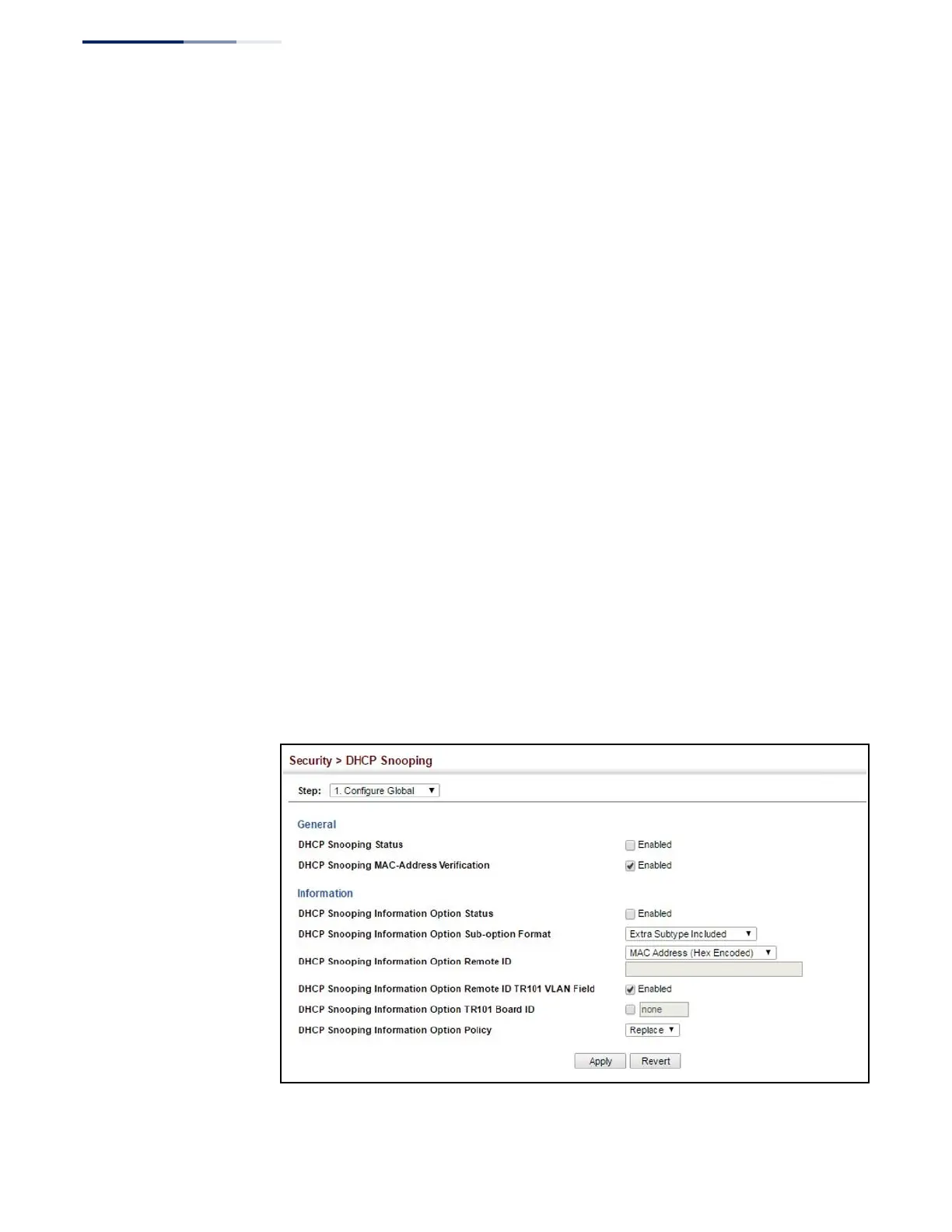
To configure global settings for DHCP Snooping:
1.
Click IP Service, DHCP, Snooping.
2.
Select Configure Global from the Step list.
3.
Select the required options for the general DHCP snooping process and for the
DHCP snooping information option.
4.
Click Apply
Figure 195: Configuring Global Settings for DHCP Snooping















 To Next Page