This combination is known as DHCPv6 stateless autoconfiguration, in
which a DHCPv6 server does not assign stateful addresses to IPv6 hosts, but
does assign stateless configuration settings.
Web Interface
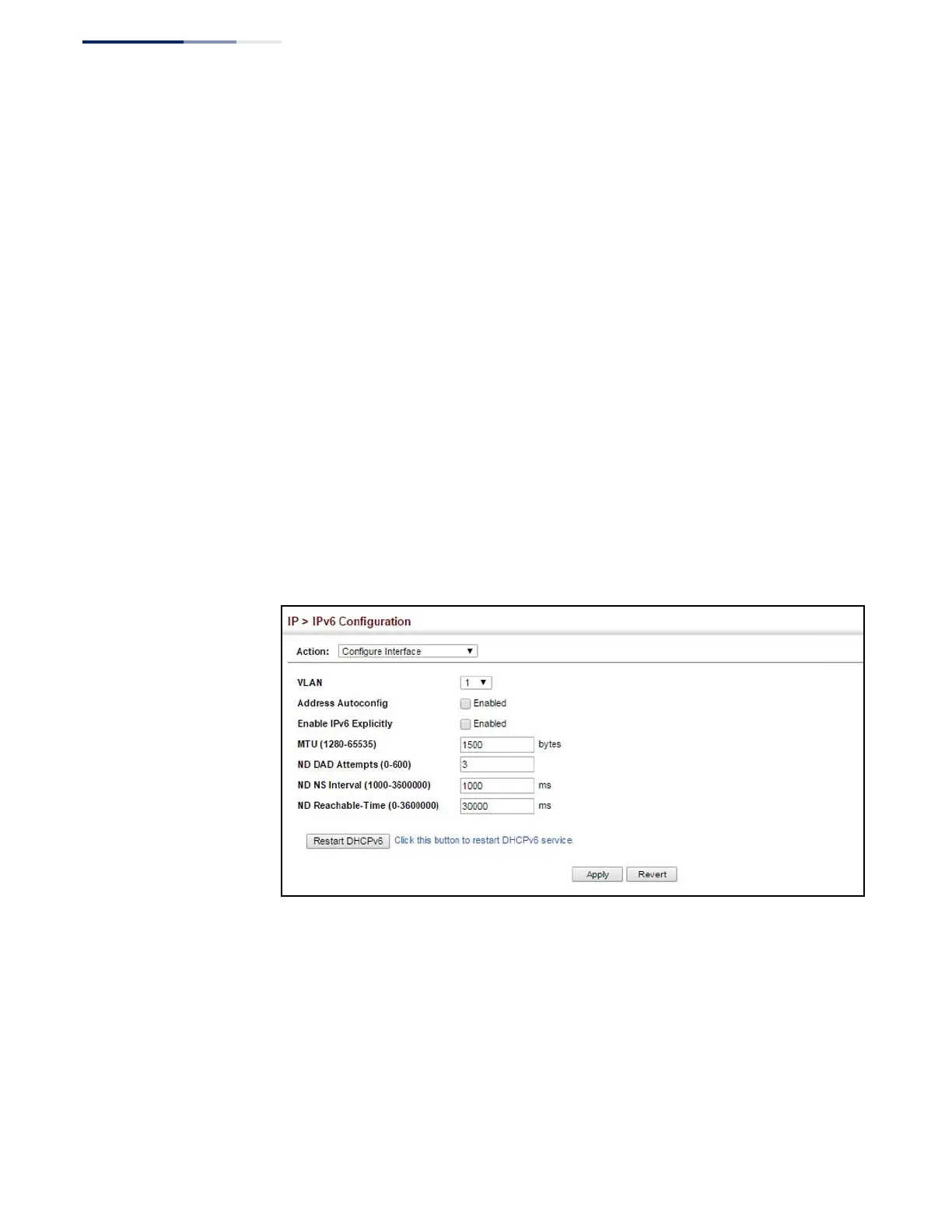
To configure general IPv6 settings for the switch:
1.
Click IP, IPv6 Configuration.
2.
Select Configure Interface from the Action list.
3.
Specify the VLAN to configure.
4.
Enable address auto-configuration, or enable IPv6 explicitly to automatically
configure a link-local address and enable IPv6 on the selected interface. (To
manually configure the link-local address, use the Add IPv6 Address page.) Set
the MTU size, the maximum number of duplicate address detection messages,
the neighbor solicitation message interval, and the amount of time that a
remote IPv6 node is considered reachable.
5.
Click Apply.
Figure 333: Configuring General Settings for an IPv6 Interface















 To Next Page