◆
Interval - The polling interval. (Range: 1-3600 seconds; Default: 1800 seconds)
◆
Buckets - The number of buckets requested for this entry. (Range: 1-65536;
Default: 8)
The number of buckets granted are displayed on the Show page.
◆
Owner - Name of the person who created this entry. (Range: 1-32 characters)
Web Interface
To periodically sample statistics on a port:
1.
Click Administration, RMON.
2.
Select Configure Interface from the Step list.
3.
Select Add from the Action list.
4.
Click History.
5.
Select a port from the list as the data source.
6.
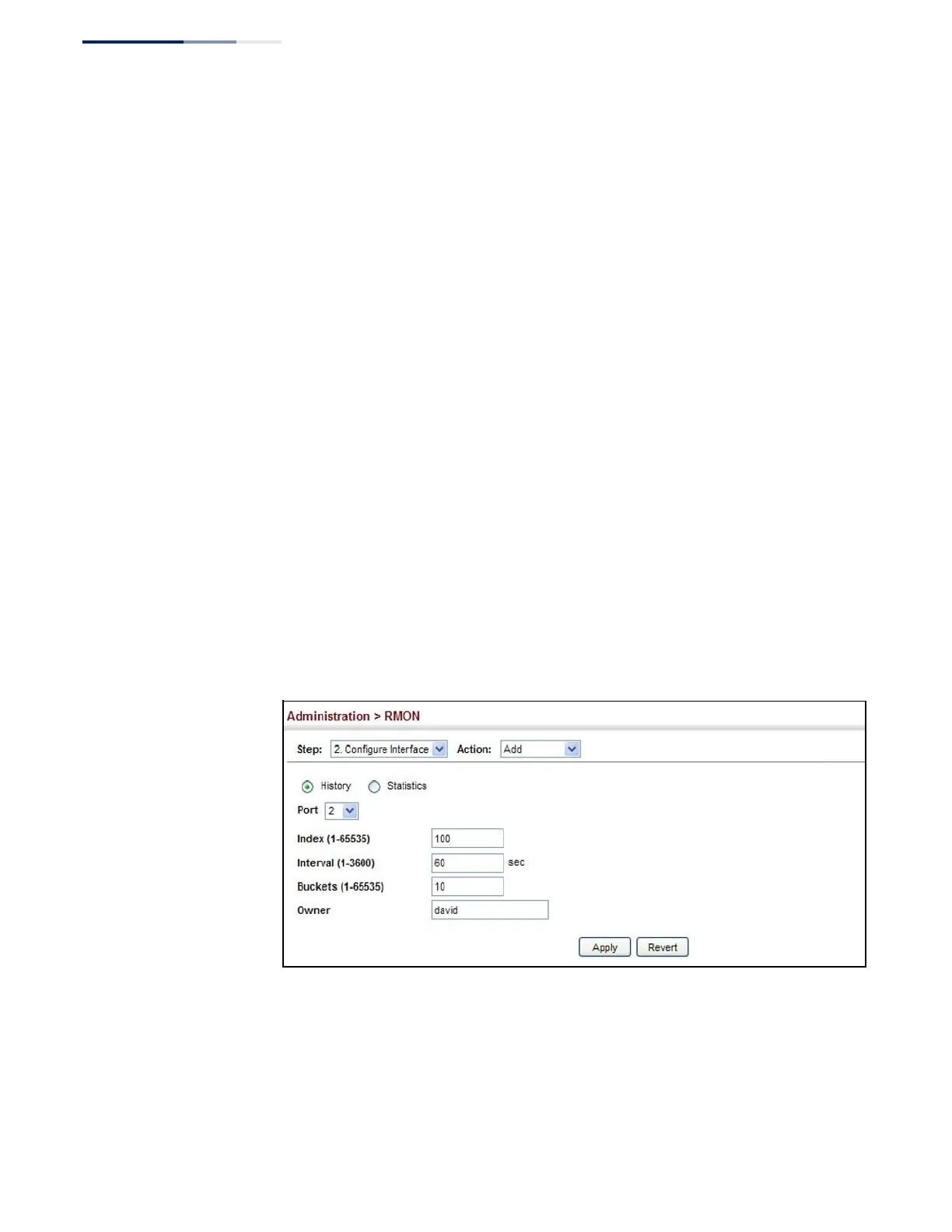
Enter an index number, the sampling interval, the number of buckets to use,
and the name of the owner for this entry.
7.
Click Apply
Figure 252: Configuring an RMON History Sample
To show configured RMON history samples:
1.
Click Administration, RMON.
2.
Select Configure Interface from the Step list.
3.
Select Show from the Action list.















 To Next Page