Configuring a List
of Name Servers
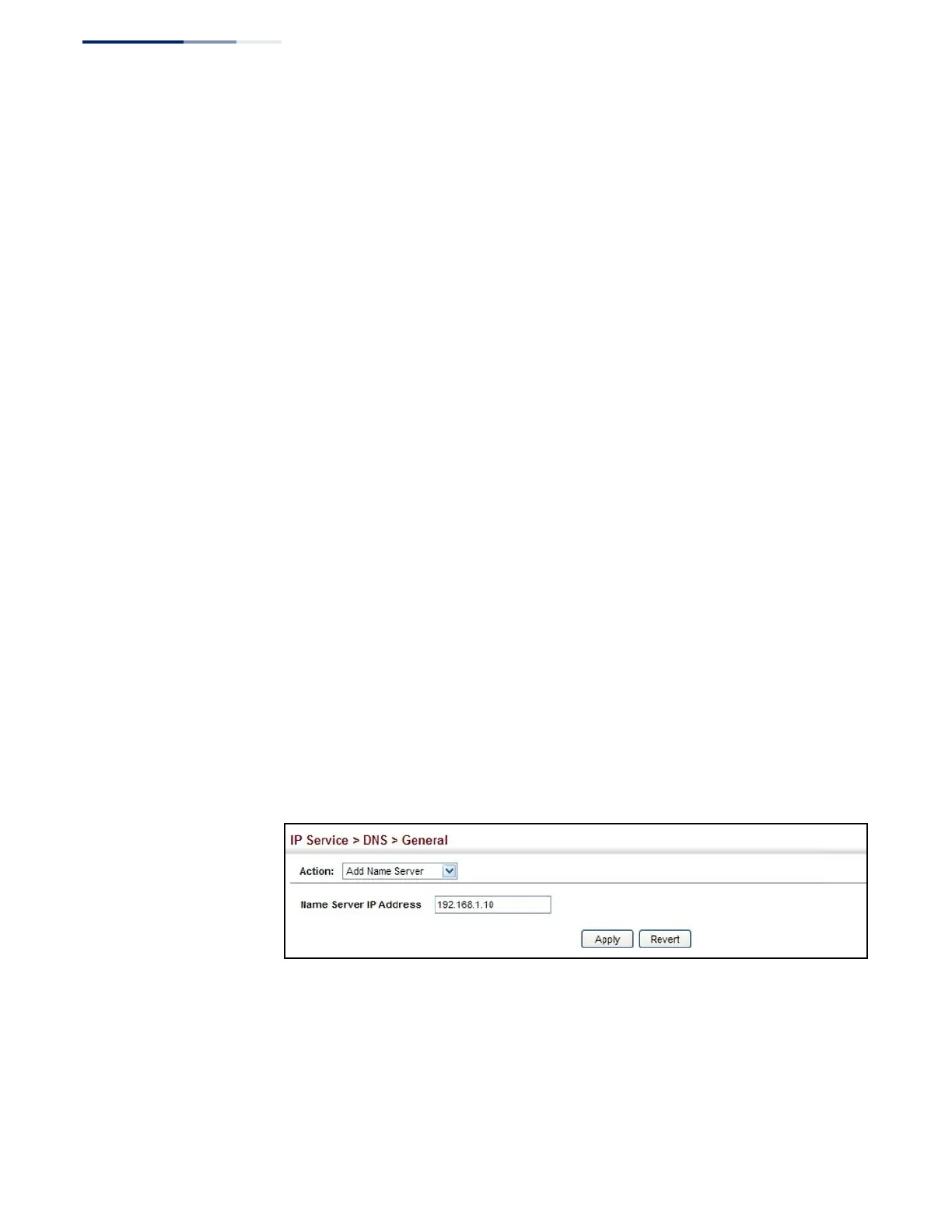
Use the IP Service > DNS - General (Add Name Server) page to configure a list of
name servers to be tried in sequential order.
Command Usage
◆
To enable DNS service on this switch, configure one or more name servers, and
enable domain lookup status (see “Configuring General DNS Service
Parameters” on page 527).
◆
When more than one name server is specified, the servers are queried in the
specified sequence until a response is received, or the end of the list is reached
with no response.
◆
If all name servers are deleted, DNS will automatically be disabled. This is done
by disabling the domain lookup status.
Parameters
These parameters are displayed:
Name Server IP Address – Specifies the IPv4 or IPv6 address of a domain name
server to use for name-to-address resolution. Up to six IP addresses can be added
to the name server list.
Web Interface
To create a list name servers:
1.
Click IP Service, DNS.
2.
Select Add Name Server from the Action list.
3.
Enter one name server at a time.
4.
Click Apply.
Figure 348: Configuring a List of Name Servers for DNS















 To Next Page