◆
SNMP packets output – The total number of SNMP Messages which were
passed from the SNMP protocol entity to the transport service.
◆
Too big errors – The total number of SNMP PDUs which were generated by the
SNMP protocol entity and for which the value of the error-status field is
“tooBig.”
◆
No such name errors – The total number of SNMP PDUs which were delivered
to, or generated by, the SNMP protocol entity and for which the value of the
error-status field is “noSuchName.”
◆
Bad values errors – The total number of SNMP PDUs which were delivered to, or
generated by, the SNMP protocol entity and for which the value of the error-
status field is “badValue.”
◆
General errors – The total number of SNMP PDUs which were delivered to, or
generated by, the SNMP protocol entity and for which the value of the error-
status field is “genErr.”
◆
Response PDUs – The total number of SNMP Get-Response PDUs which have
been accepted and processed by, or generated by, the SNMP protocol entity.
◆
Trap PDUs – The total number of SNMP Trap PDUs which have been accepted
and processed by, or generated by, the SNMP protocol entity.
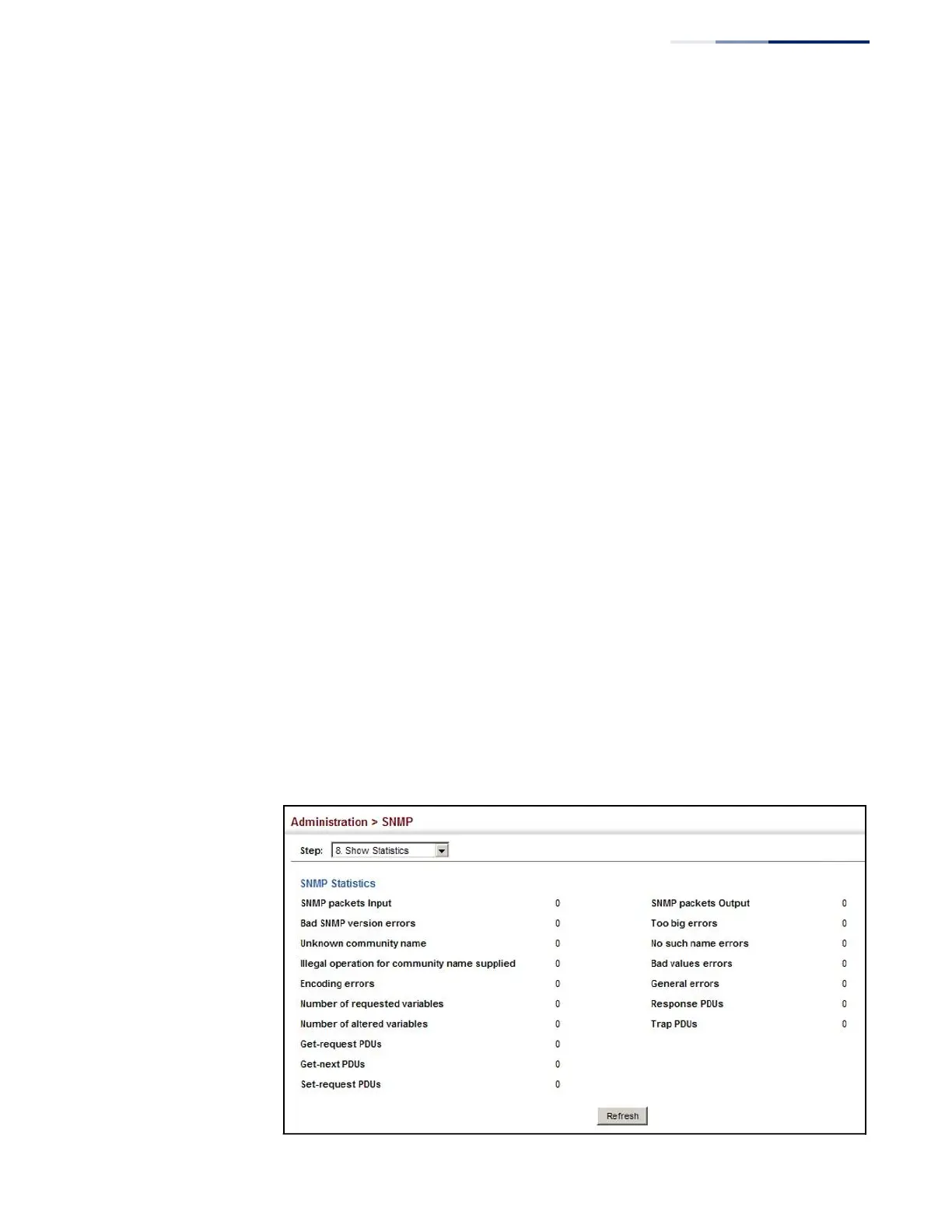
Web Interface
To show SNMP statistics:
1.
Click Administration, SNMP.
2.
Select Show Statistics from the Step list.
Figure 247: Showing SNMP Statistics















 To Next Page