■
If an LAG already exists with the maximum number of allowed port
members, and LACP is subsequently enabled on another port using a
higher priority than an existing member, the newly configured port will
replace an existing port member that has a lower priority.
Note: Configuring LACP settings for a port only applies to its administrative state,
not its operational state, and will only take effect the next time an aggregate link is
established with that port.
Note:
Configuring the port partner sets the remote side of an aggregate link; i.e.,
the ports on the attached device. The command attributes have the same meaning
as those used for the port actor.
Web Interface
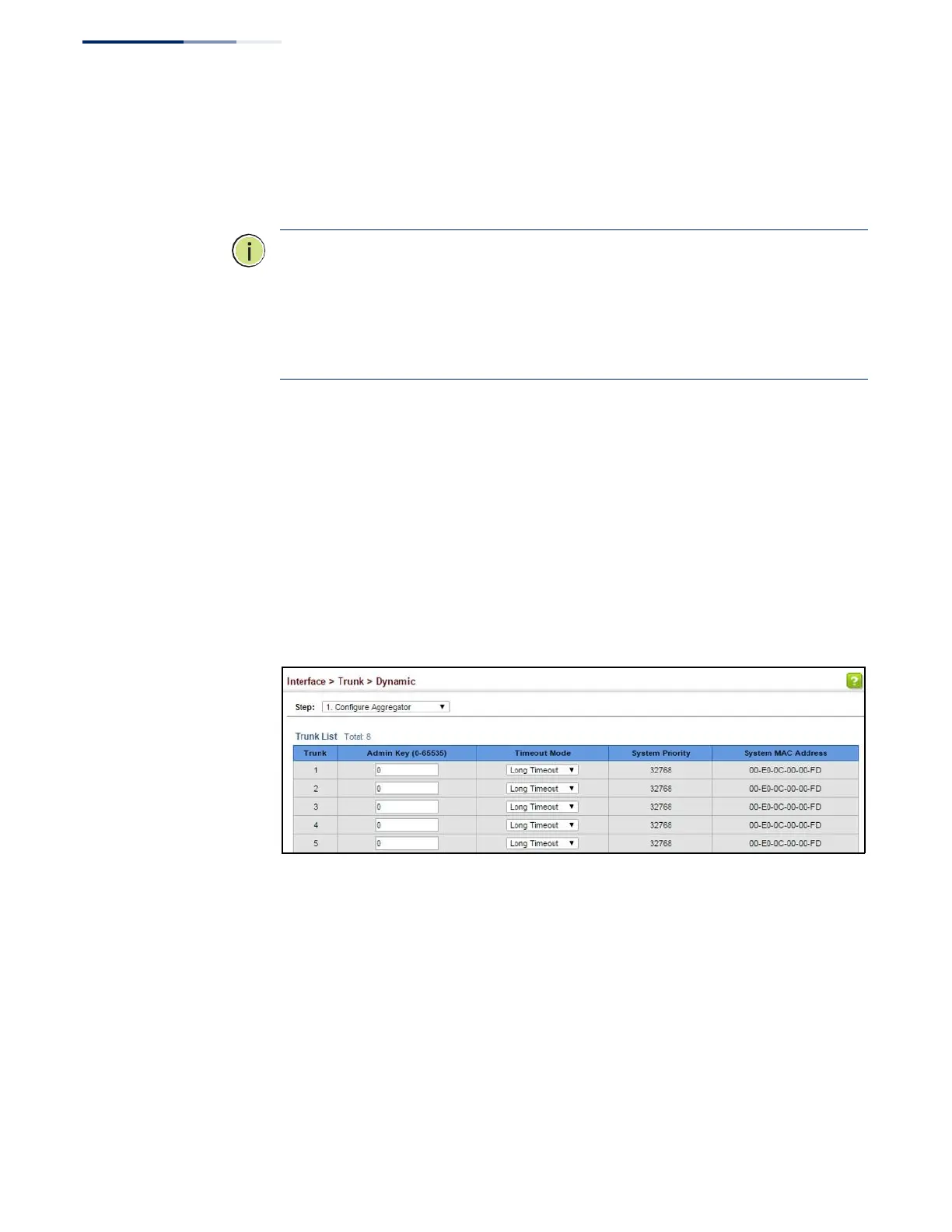
To configure the admin key for a dynamic trunk:
1.
Click Interface, Trunk, Dynamic.
2.
Select Configure Aggregator from the Step list.
3.
Set the Admin Key and timeout mode for the required LACP group.
4.
Click Apply.
Figure 49: Configuring the LACP Aggregator Admin Key
To enable LACP for a port:
1.
Click Interface, Trunk, Dynamic.
2.
Select Configure Aggregation Port from the Step list.
3.
Select Configure from the Action list.
4.
Click General.
5.
Enable LACP on the required ports.















 To Next Page