◆
Revert – Restores the previous configuration settings.
◆
Re-authenticate – Ends all authenticated web sessions for selected host IP
addresses in the Authenticated Host List, and forces the users to re-
authenticate.
◆
Revert – Restores the previous configuration settings.
Web Interface
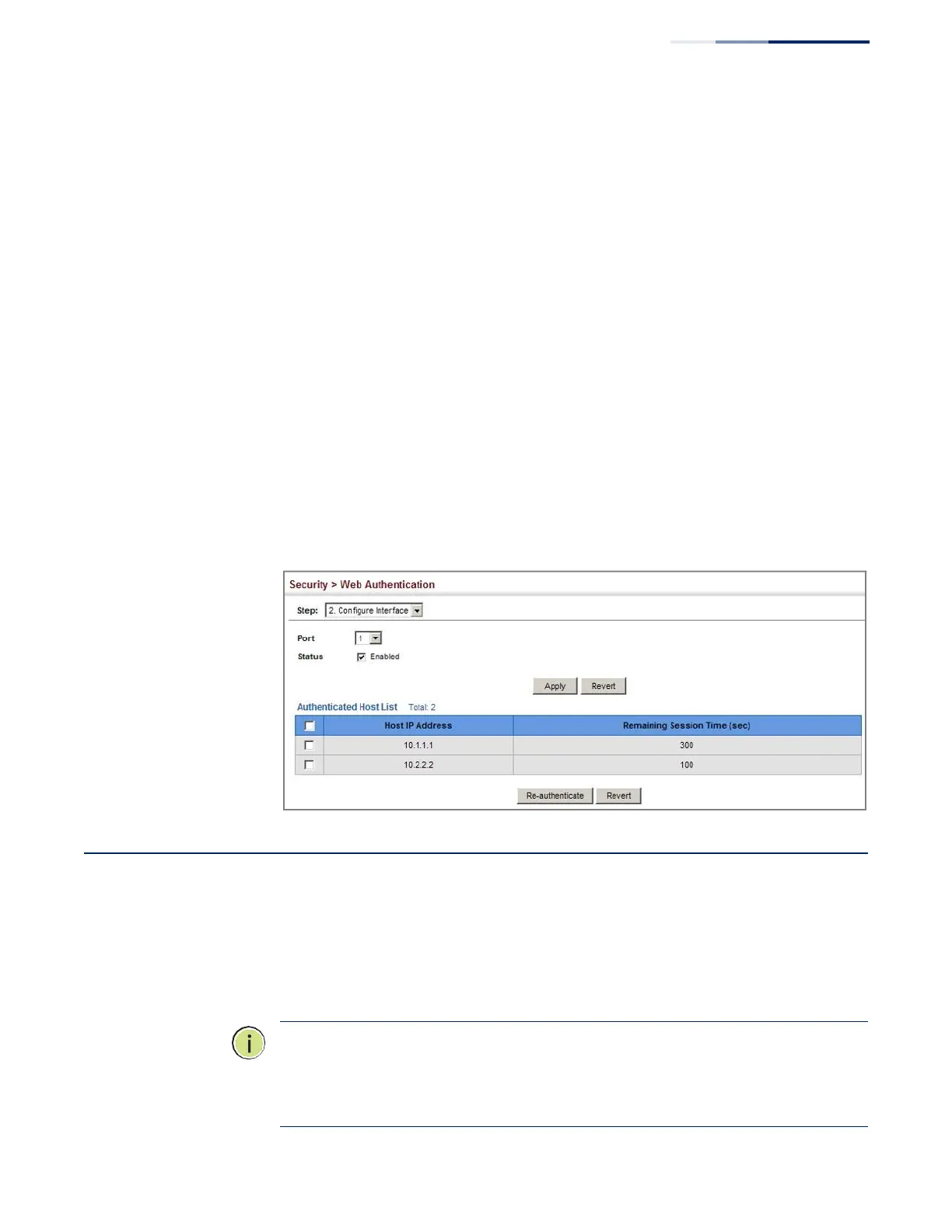
To enable web authentication for a port:
1.
Click Security, Web Authentication.
2.
Select Configure Interface from the Step list.
3.
Set the status box to enabled for any port that requires web authentication,
and click Apply.
4.
Mark the check box for any host addresses that need to be re-authenticated,
and click Re-authenticate.
Figure 163: Configuring Interface Settings for Web Authentication
Network Access (MAC Address Authentication)
Some devices connected to switch ports may not be able to support 802.1X
authentication due to hardware or software limitations. This is often true for
devices such as network printers, IP phones, and some wireless access points. The
switch enables network access from these devices to be controlled by
authenticating device MAC addresses with a central RADIUS server.
Note: RADIUS authentication must be activated and configured properly for the
MAC Address authentication feature to work properly. (See “Configuring
Remote Logon Authentication Servers” on page 238.)
Note: MAC authentication cannot be configured on trunk ports.















 To Next Page