The switch uses only RSA Version 1 for SSHv1.5 clients and DSA Version 2 for
SSHv2 clients.
◆
TFTP Server IP Address – The IP address of the TFTP server that contains the
public key file you wish to import.
◆
Source File Name – The public key file to upload.
Web Interface
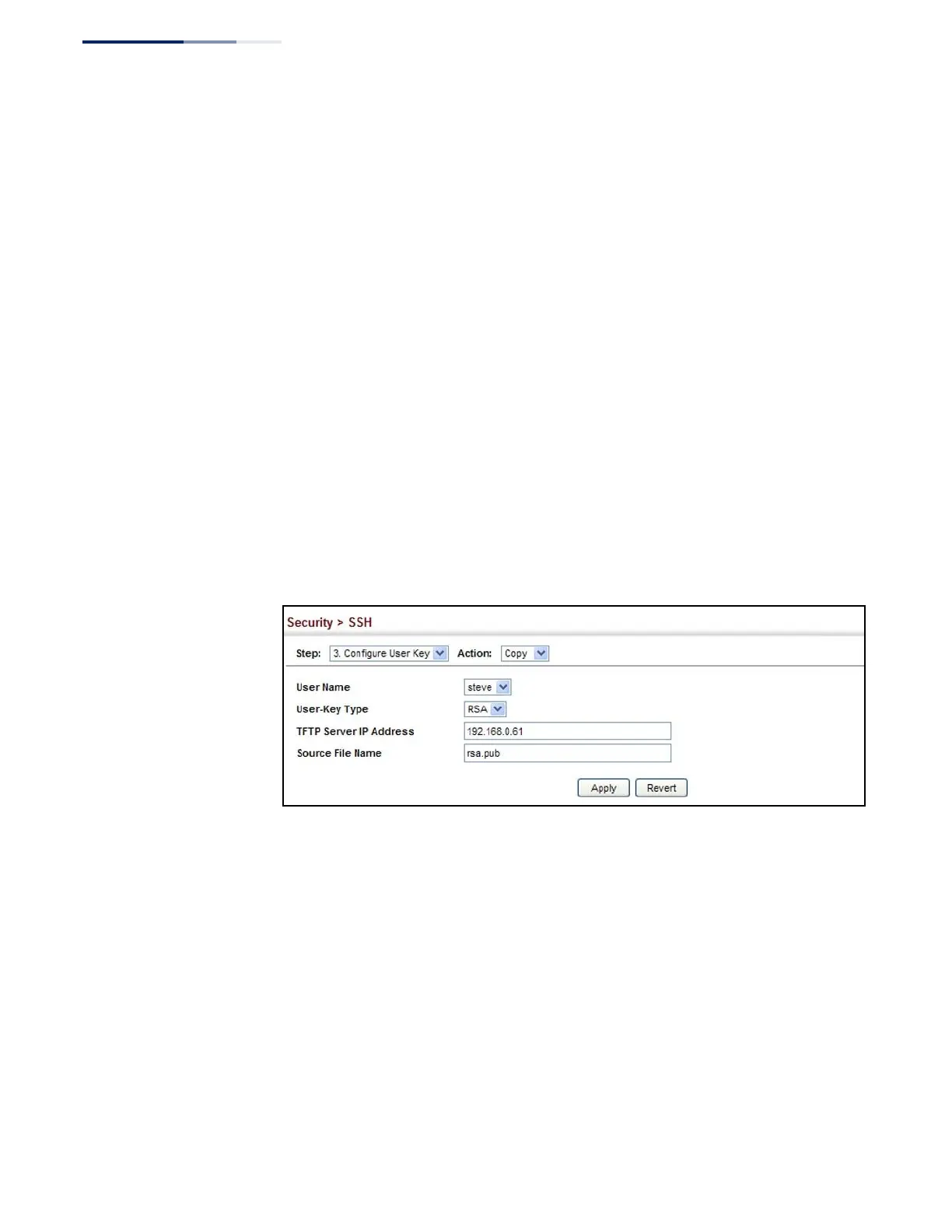
To copy the SSH user’s public key:
1.
Click Security, SSH.
2.
Select Configure User Key from the Step list.
3.
Select Copy from the Action list.
4.
Select the user name and the public-key type from the respective drop-down
boxes, input the TFTP server IP address and the public key source file name.
5.
Click Apply.
Figure 174: Copying the SSH User’s Public Key
To display or clear the SSH user’s public key:
1.
Click Security, SSH.
2.
Select Configure User Key from the Step list.
3.
Select Show from the Action list.
4.
Select a user from the User Name list.
5.
Select the host-key type to clear.
6.
Click Clear.















 To Next Page