Backup port receives more
useful BPDUs from the same
bridge and is therefore not
selected as the designated
port.
R R
A B
The criteria used for determining the port role is based on root bridge ID, root
path cost, designated bridge, designated port, port priority, and port number,
in that order and as applicable to the role under question.
Web Interface
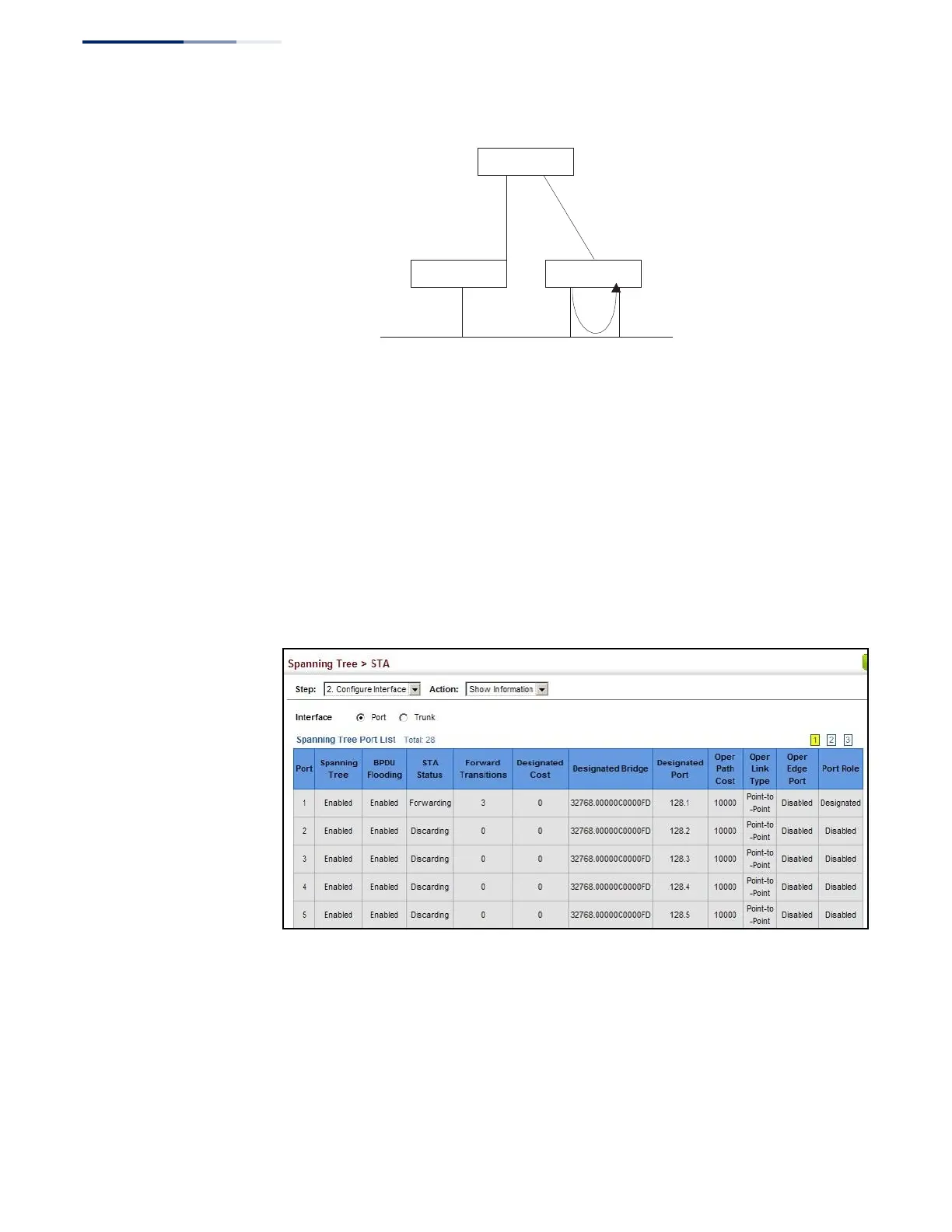
To display interface settings for STA:
1.
Click Spanning Tree, STA.
2.
Select Configure Interface from the Step list.
3.
Select Show Information from the Action list.
Figure 111: Displaying Interface Settings for STA















 To Next Page