Parameters
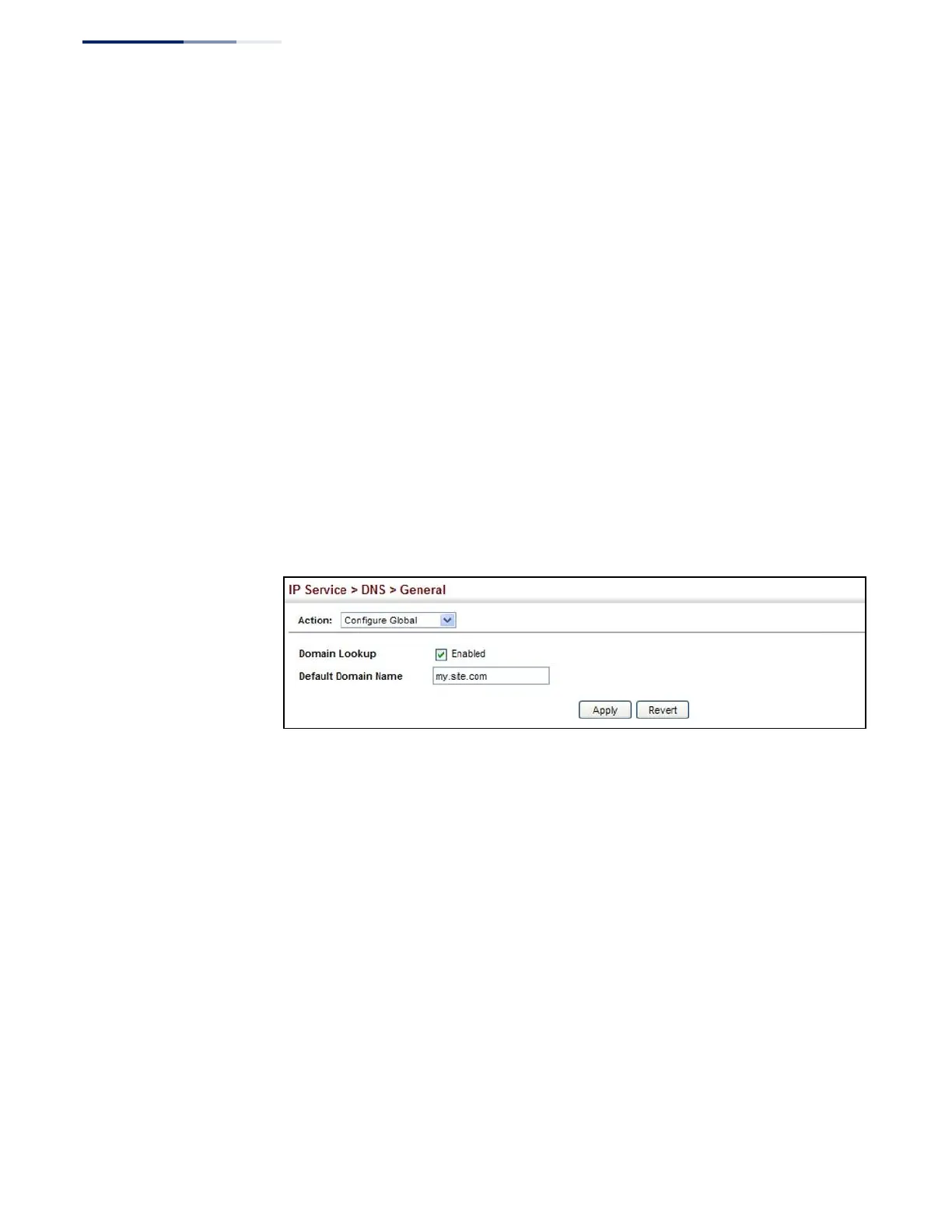
These parameters are displayed:
◆
Domain Lookup – Enables DNS host name-to-address translation.
(Default: Disabled)
◆
Default Domain Name – Defines the default domain name appended to
incomplete host names. Do not include the initial dot that separates the host
name from the domain name. (Range: 1-127 alphanumeric characters)
Web Interface
To configure general settings for DNS:
1.
Click IP Service, DNS.
2.
Select Configure Global from the Action list.
3.
Enable domain lookup, and set the default domain name.
4.
Click Apply.
Figure 345: Configuring General Settings for DNS
Configuring a List
of Domain Names
Use the IP Service > DNS - General (Add Domain Name) page to configure a list of
domain names to be tried in sequential order.
Command Usage
◆
Use this page to define a list of domain names that can be appended to
incomplete host names (i.e., host names passed from a client that are not
formatted with dotted notation).
◆
If there is no domain list, the default domain name is used (see “Configuring
General DNS Service Parameters” on page 527). If there is a domain list, the
system will search it for a corresponding entry. If none is found, it will use the
default domain name.
◆
When an incomplete host name is received by the DNS service on this switch
and a domain name list has been specified, the switch will work through the
domain list, appending each domain name in the list to the host name, and
checking with the specified name servers for a match (see “Configuring a List
of Name Servers” on page 530).















 To Next Page