Web Interface
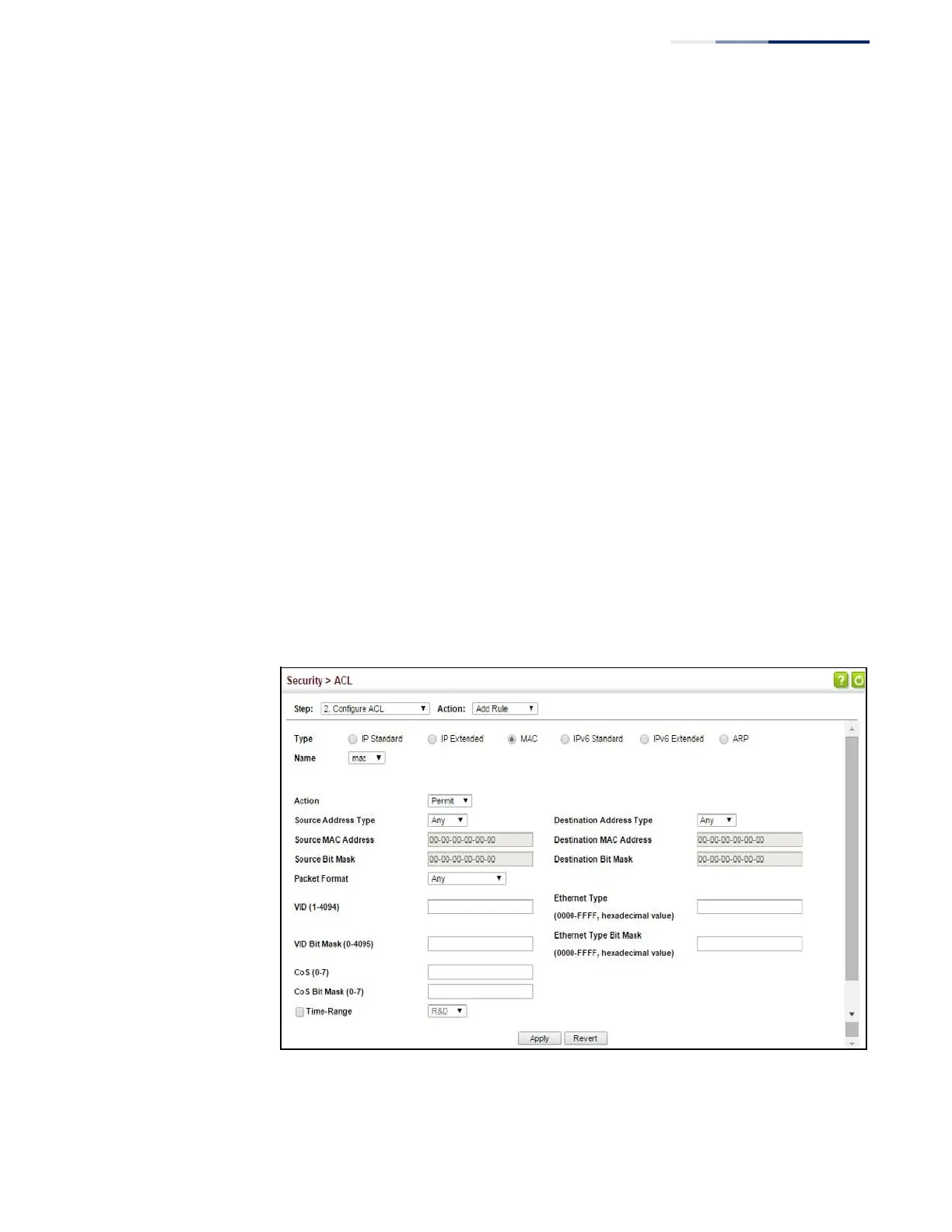
To add rules to a MAC ACL:
1.
Click Security, ACL.
2.
Select Configure ACL from the Step list.
3.
Select Add Rule from the Action list.
4.
Select MAC from the Type list.
5.
Select the name of an ACL from the Name list.
6.
Specify the action (i.e., Permit or Deny).
7.
Select the address type (Any, Host, or MAC).
8.
If you select “Host,” enter a specific address (e.g., 11-22-33-44-55-66). If you
select “MAC,” enter a base address and a hexadecimal bit mask for an address
range.
9.
Set any other required criteria, such as VID, Ethernet type, or packet format.
10.
Click Apply.
Figure 183: Configuring a MAC ACL















 To Next Page