◆
Subnet Mask – This mask identifies the host address bits used for routing to
specific subnets. (Default: None)
◆
Restart DHCP – Requests a new IP address from the DHCP server.
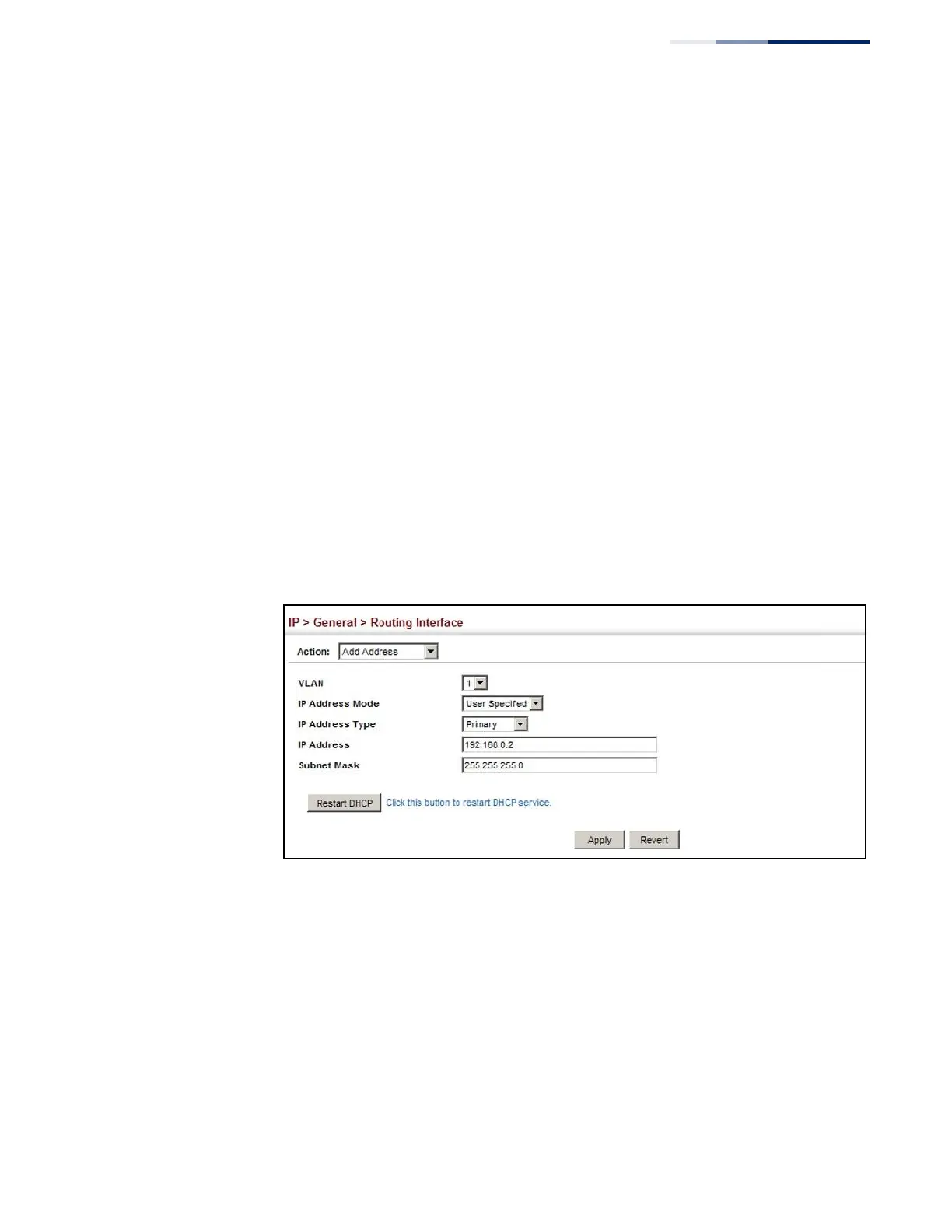
Web Interface
To set a static IPv4 address for the switch:
1.
Click IP, General, Routing Interface.
2.
Select Add Address from the Action list.
3.
Select Add Address from the Action list.
4.
Select any configured VLAN, set IP Address Mode to “User Specified,” set IP
Address Type to “Primary” if no address has yet been configured for this
interface, and then enter the IP address and subnet mask.
5.
Select Primary or Secondary Address Type.
6.
Click Apply.
Figure 329: Configuring a Static IPv4 Address
To obtain an dynamic IPv4 address through DHCP/BOOTP for the switch:
1.
Click IP, General, Routing Interface.
2.
Select Add Address from the Action list.
3.
Select any configured VLAN, and set IP Address Mode to “BOOTP” or “DHCP.”
4.
Click Apply to save your changes.
5.
Then click Restart DHCP to immediately request a new address.















 To Next Page