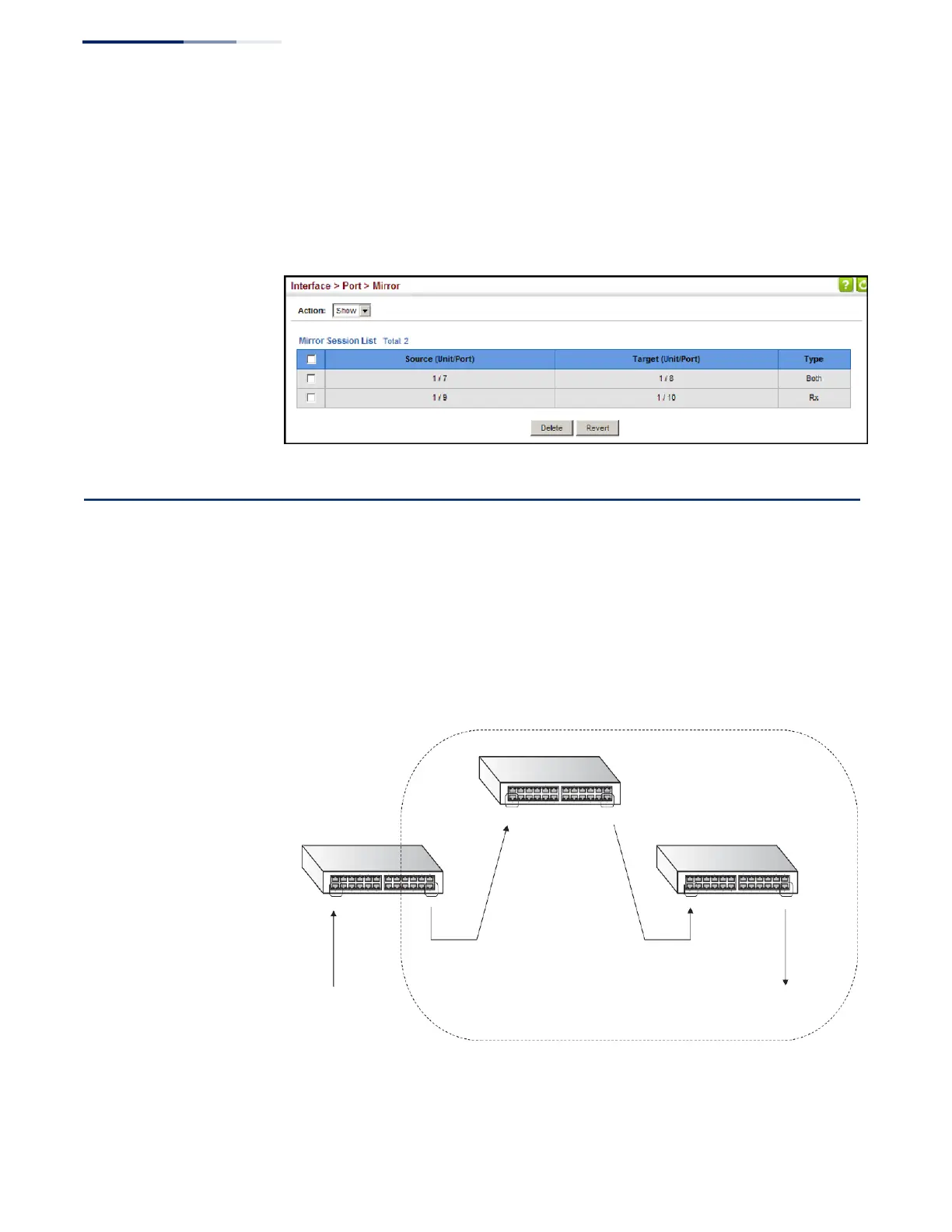
To display the configured mirror sessions:
1.
Click Interface, Port, Mirror.
2.
Select Show from the Action List.
Figure 62: Displaying Local Port Mirror Sessions
Configuring Remote Port Mirroring
Use the Interface > RSPAN page to mirror traffic from remote switches for analysis
at a destination port on the local switch. This feature, also called Remote Switched
Port Analyzer (RSPAN), carries traffic generated on the specified source ports for
each session over a user-specified VLAN dedicated to that RSPAN session in all
participating switches. Monitored traffic from one or more sources is copied onto
the RSPAN VLAN through IEEE 802.1Q trunk or hybrid ports that carry it to any
RSPAN destination port monitoring the RSPAN VLAN as shown in the figure below.
Figure 63: Configuring Remote Port Mirroring
Intermediate Switch
RPSAN VLAN
Source Switch
Uplink Port Uplink Port
Destination Switch
Source Port
Uplink Port Uplink Port
Destination Port
Ingress or egress traffic
is mirrored onto the RSPAN
VLAN from here.
Tagged or untagged traffic
from the RSPAN VLAN is
analyzed at this port.















 To Next Page