Web Interface
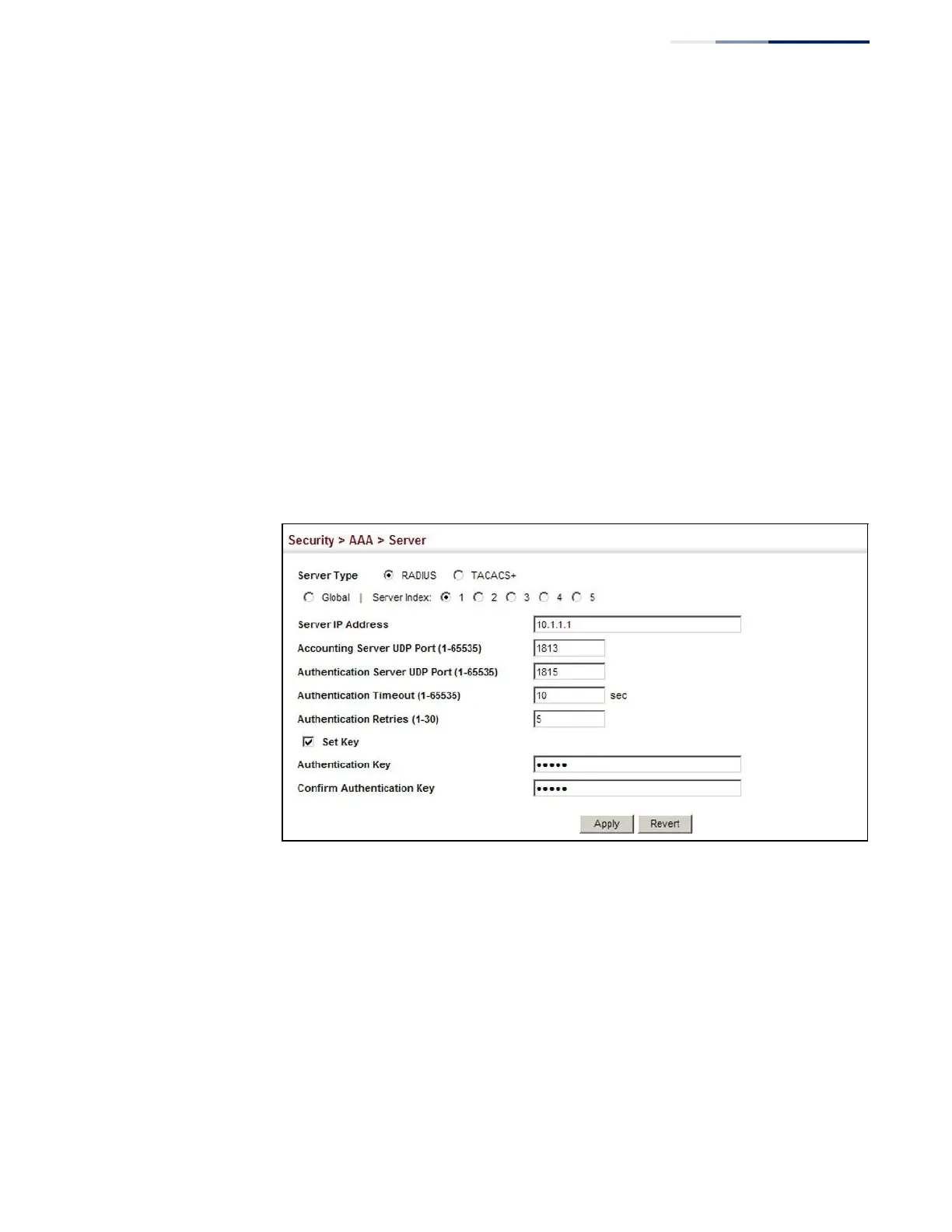
To configure the parameters for RADIUS or TACACS+ authentication:
1.
Click Security, AAA, Server.
2.
Select Configure Server from the Step list.
3.
Select RADIUS or TACACS+ server type.
4.
Select Global to specify the parameters that apply globally to all specified
servers, or select a specific Server Index to specify the parameters that apply to
a specific server.
5.
To set or modify the authentication key, mark the Set Key box, enter the key,
and then confirm it
6.
Click Apply.
Figure 144: Configuring Remote Authentication Server
(RADIUS)















 To Next Page