multicasting across the Internet. These routers may be dynamically discovered by
the switch or statically assigned to an interface on the switch.
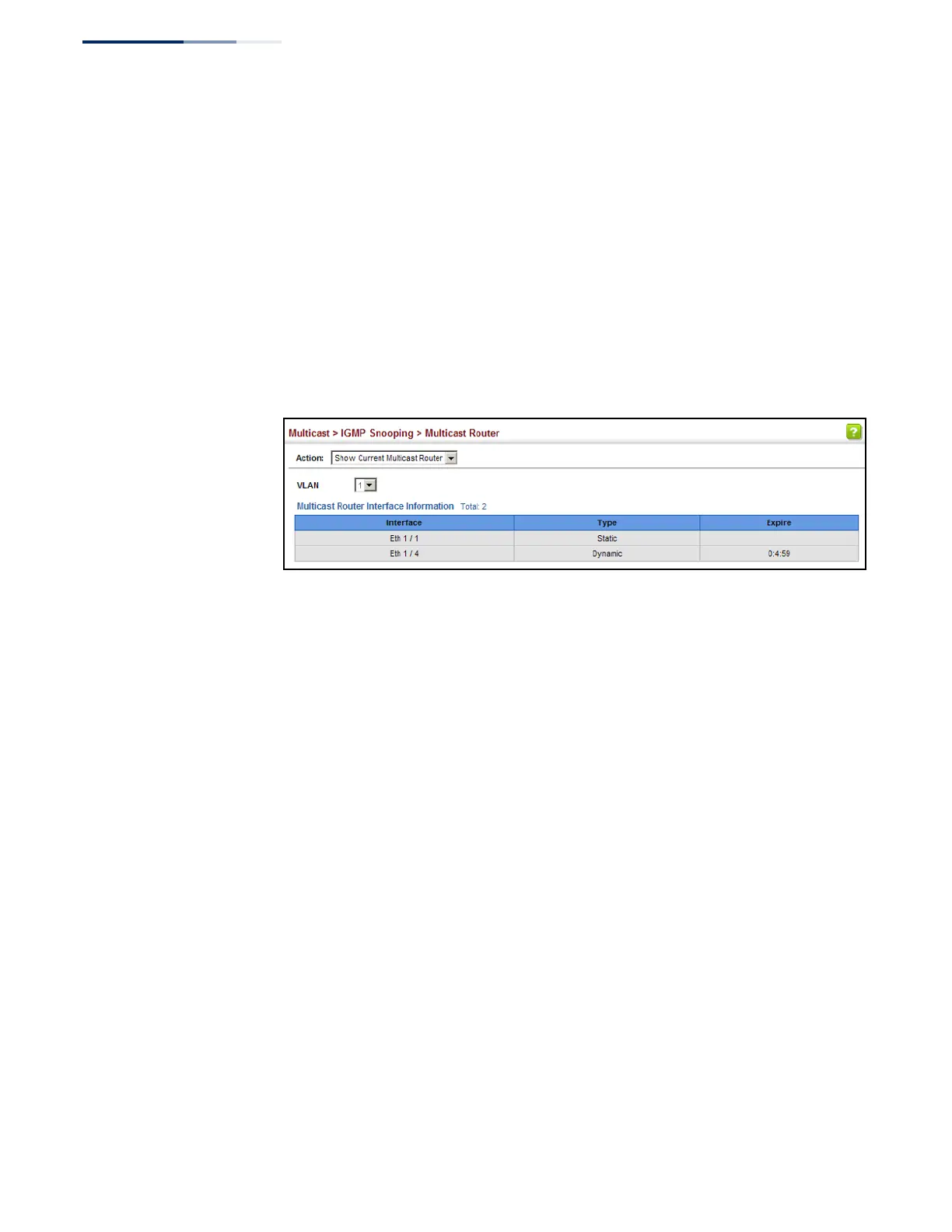
To show the all interfaces attached to a multicast router:
1.
Click Multicast, IGMP Snooping, Multicast Router.
2.
Select Current Multicast Router from the Action list.
3.
Select the VLAN for which to display this information. Ports in the selected
VLAN which are attached to a neighboring multicast router/switch are
displayed.
Figure 283: Showing Current Interfaces Attached a Multicast Router
Assigning Interfaces
to Multicast Services
Use the Multicast > IGMP Snooping > IGMP Member (Add Static Member) page to
statically assign a multicast service to an interface.
Multicast filtering can be dynamically configured using IGMP Snooping and IGMP
Query messages (see “Configuring IGMP Snooping and Query Parameters” on
page 440). However, for certain applications that require tighter control, it may be
necessary to statically configure a multicast service on the switch. First add all the
ports attached to participating hosts to a common VLAN, and then assign the
multicast service to that VLAN group.
Command Usage
◆
Static multicast addresses are never aged out.
◆
When a multicast address is assigned to an interface in a specific VLAN, the
corresponding traffic can only be forwarded to ports within that VLAN.
Parameters
These parameters are displayed:
◆
VLAN – Specifies the VLAN which is to propagate the multicast service.
(Range: 1-4094)
◆
Interface – Activates the Port or Trunk scroll down list.
◆
Port or Trunk – Specifies the interface assigned to a multicast group.















 To Next Page