◆
If a downlink port is not configured for the session, the assigned uplink ports
will operate as normal ports.
Parameters
These parameters are displayed:
◆
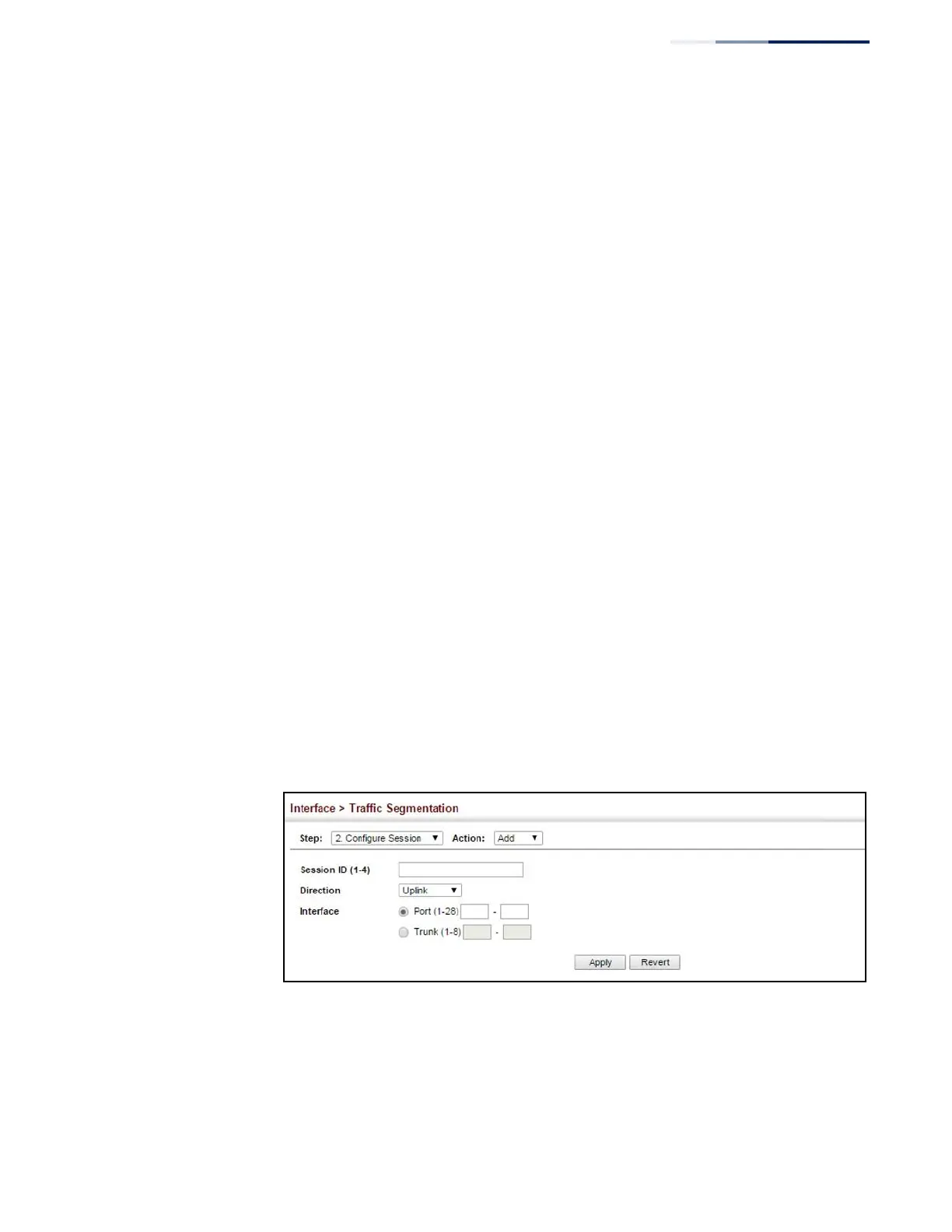
Session ID – Traffic segmentation session. (Range: 1-4)
◆
Direction
– Adds an interface to the segmented group by setting the direction
to uplink or downlink. (Default: Uplink)
◆
Interface – Displays a list of ports or trunks.
◆
Port – Port Identifier. (Range: 1-52)
◆
Trunk – Trunk Identifier. (Range: 1-8)
Web Interface
To configure the members of the traffic segmentation group:
1.
Click Interface, Traffic Segmentation.
2.
Select Configure Session from the Step list.
3.
Select Add from the Action list.
4.
Enter the session ID, set the direction to uplink or downlink, and select the
interface to add.
5.
Click Apply.
Figure 72: Configuring Members for Traffic Segmentation















 To Next Page