When the access mode is set to permit, MLD join reports are processed when a
multicast group falls within the controlled range. When the access mode is set to
deny, MLD join reports are only processed when the multicast group is not in the
controlled range.
Add Multicast Group Range
◆
Profile ID – Selects an IGMP profile to configure.
◆
Start Multicast IPv6 Address – Specifies the starting address of a range of
multicast groups.
◆
End Multicast IPv6 Address
– Specifies the ending address of a range of
multicast groups.
Web Interface
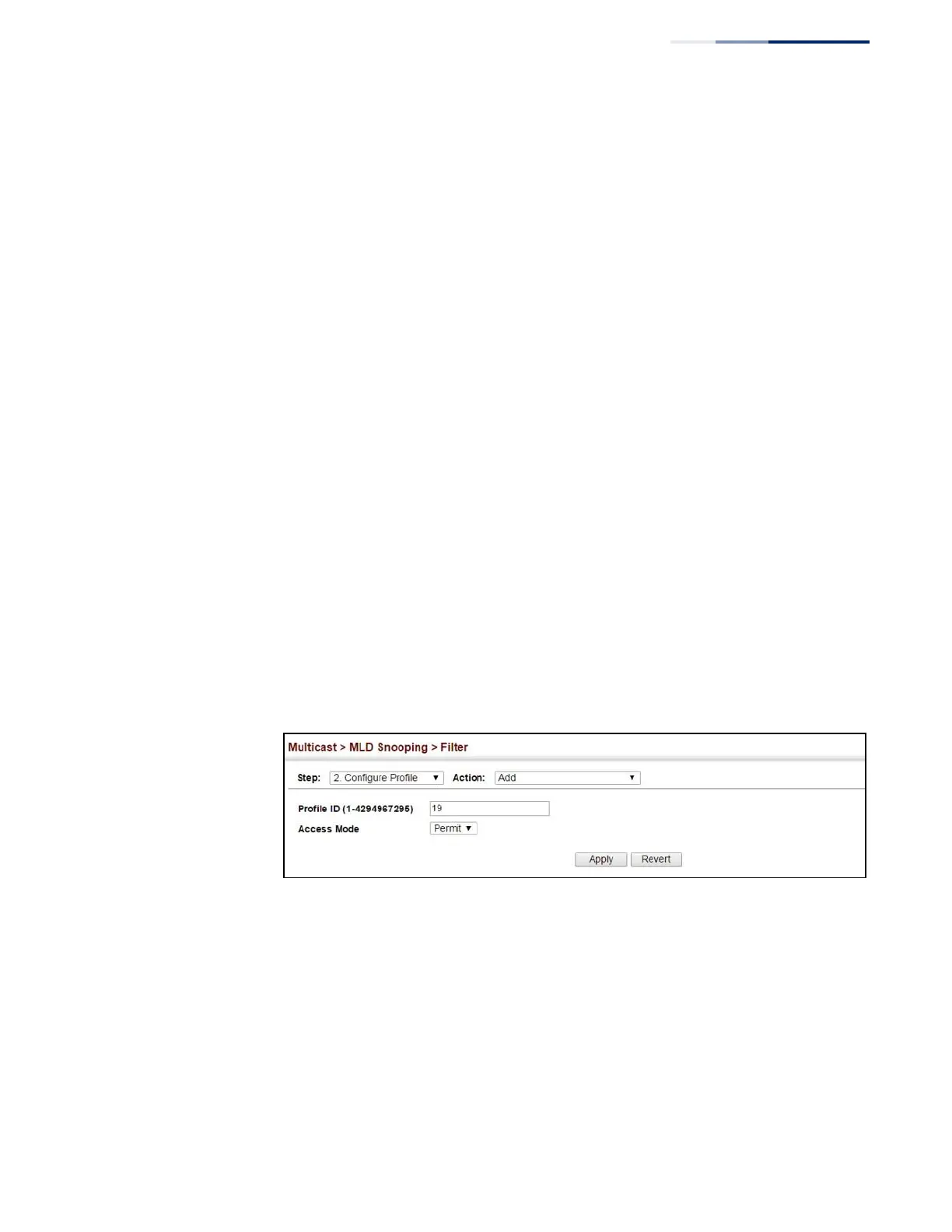
To create an MLD filter profile and set its access mode:
1.
Click Multicast, MLD Snooping, Filter.
2.
Select Configure Profile from the Step list.
3.
Select Add from the Action list.
4.
Enter the number for a profile, and set its access mode.
5.
Click Apply.
Figure 315: Creating an MLD Filtering Profile
To show the MLD filter profiles:
1.
Click Multicast, MLD Snooping, Filter.
2.
Select Configure Profile from the Step list.
3.
Select Show from the Action list.















 To Next Page