Displaying Multicast
Groups Discovered
by IGMP Snooping
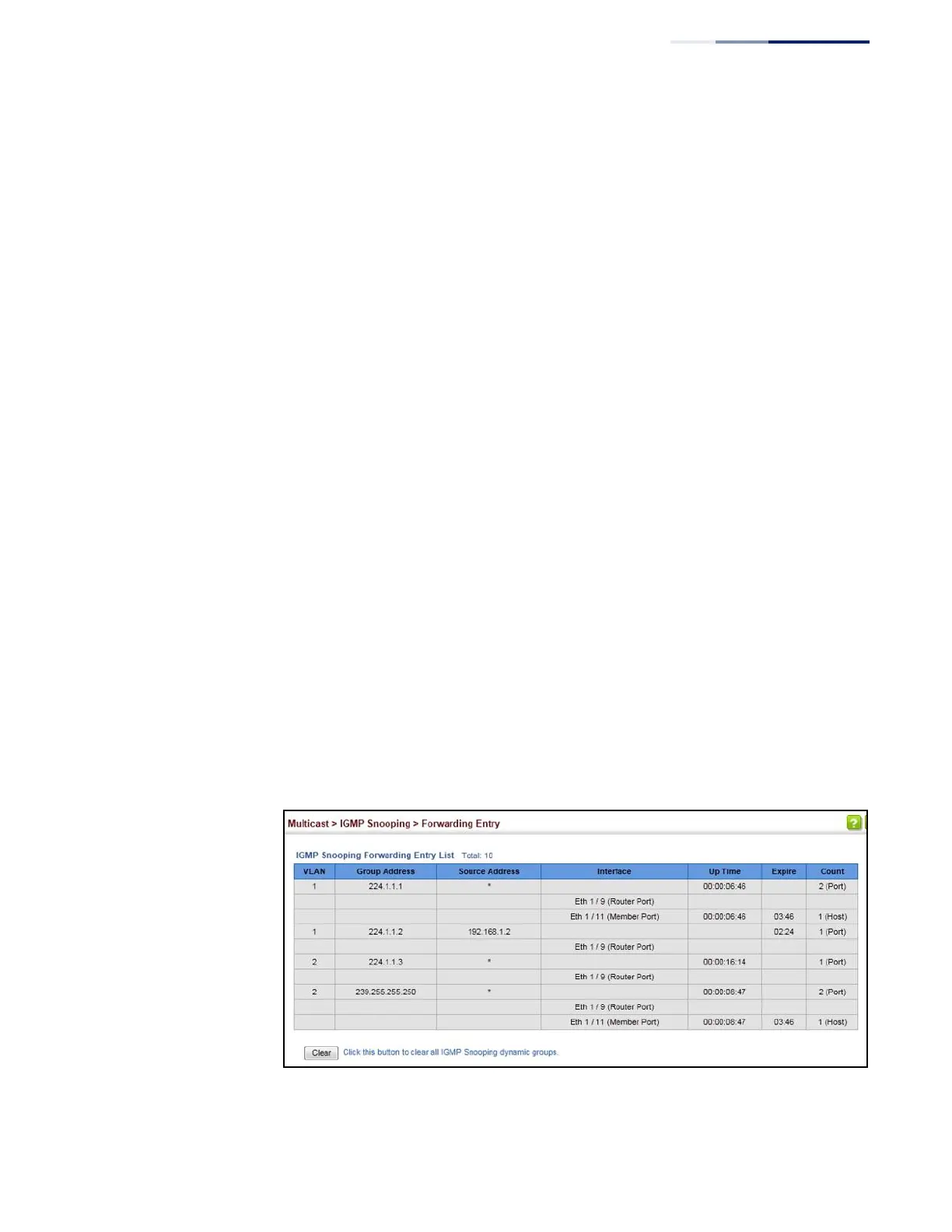
Use the Multicast > IGMP Snooping > Forwarding Entry page to display the
forwarding entries learned through IGMP Snooping.
Command Usage
To display information about multicast groups, IGMP Snooping must first be
enabled on the switch (see page 440).
Parameters
These parameters are displayed:
◆
VLAN – An interface on the switch that is forwarding traffic to downstream
ports for the specified multicast group address.
◆
Group Address – IP multicast group address with subscribers directly attached
or downstream from the switch, or a static multicast group assigned to this
interface.
◆
Interface – A downstream port or trunk that is receiving traffic for the specified
multicast group. This field may include both dynamically and statically
configured multicast router ports.
◆
Up Time – Time that this multicast group has been known.
◆
Expire – Time until this entry expires.
◆
Count – The number of times this address has been learned by IGMP snooping.
Web Interface
To show multicast groups learned through IGMP snooping:
1.
Click Multicast, IGMP Snooping, Forwarding Entry.
Figure 289: Showing Multicast Groups Learned by IGMP Snooping















 To Next Page