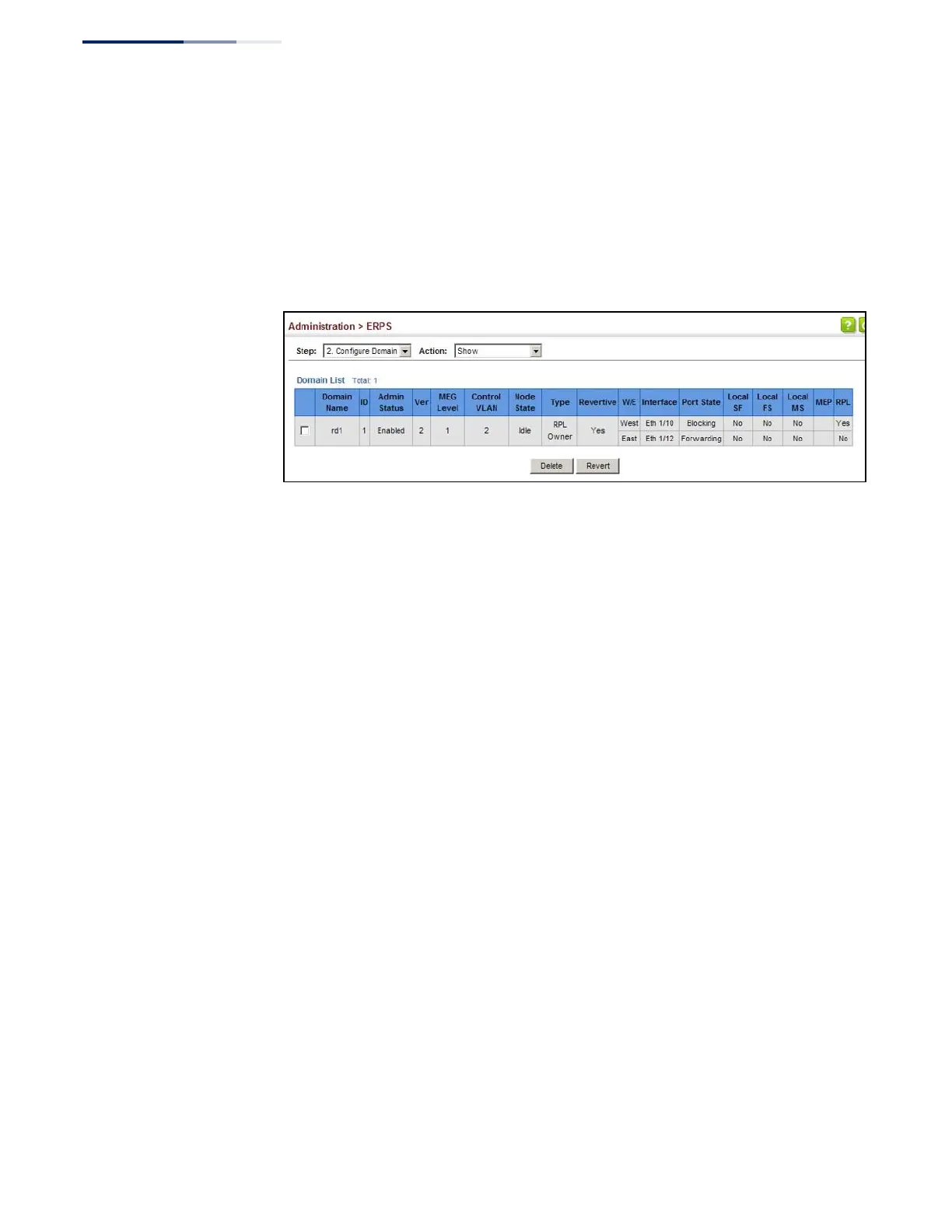
To show the configured ERPS rings:
1.
Click Administration, ERPS.
2.
Select Configure Domain from the Step list.
3.
Select Show from the Action list.
Figure 275: Showing Configured ERPS Rings
ERPS Forced and
Manual Mode
Operations
Use the Administration > ERPS (Configure Operation) page to block a ring port
using Forced Switch or Manual Switch commands.
Parameters
These parameters are displayed:
◆
Domain Name – Name of a configured ERPS ring.
◆
Operation – Specifies a Forced Switch (FS) or Manual Switch (MS) operation on
the east or west ring port.
■
Forced Switch – Blocks specified ring port. (Options: West or East)
■
A ring with no pending request has a logical topology with the traffic
channel blocked at the RPL and unblocked on all other ring links. In this
situation, the FS command triggers protection switching as follows:
a.
The ring node where an FS command was issued blocks the traffic
channel and R-APS channel on the ring port to which the
command was issued, and unblocks the other ring port.
b.
The ring node where the FS command was issued transmits R-APS
messages indicating FS over both ring ports. R-APS (FS) messages
are continuously transmitted by this ring node while the local FS
command is the ring node’s highest priority command (see
Table 28 on page 429). The R-APS (FS) message informs other ring
nodes of the FS command and that the traffic channel is blocked on
one ring port.















 To Next Page