Table 8: LACP Internal Configuration Information
(Continued)
Admin State,
Oper State
(continued)
◆
Aggregation – The system considers this link to be aggregatable; i.e., a
potential candidate for aggregation.
◆
Long timeout – Periodic transmission of LACPDUs uses a slow
transmission rate.
◆
LACP-Activity – Activity control value with regard to this link.
(0: Passive; 1: Active)
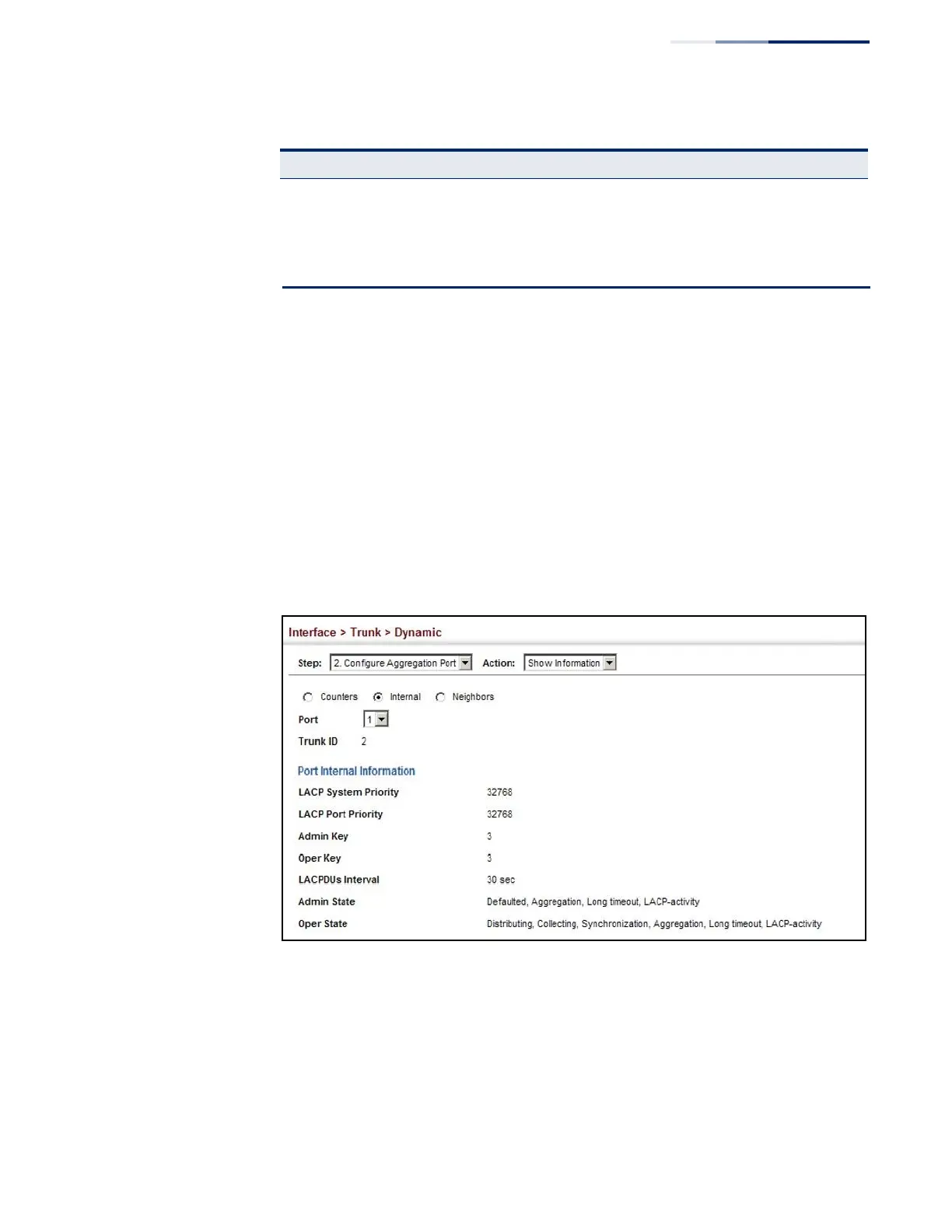
Web Interface
To display LACP settings and status for the local side:
1.
Click Interface, Trunk, Dynamic.
2.
Select Configure Aggregation Port from the Step list.
3.
Select Show Information from the Action list.
4.
Click Internal.
5.
Select a group member from the Port list.
Figure 56: Displaying LACP Port Internal Information















 To Next Page