3.
Use the Administration > SNMP (Configure Engine) page to change the local
engine ID. If you want to change the default engine ID, it must be changed
before configuring other parameters.
4.
Use the Administration > SNMP (Configure View) page to specify read and write
access views for the switch MIB tree.
5.
Use the Administration > SNMP (Configure User) page to configure SNMP user
groups with the required security model (i.e., SNMP v1, v2c or v3) and security
level (i.e., authentication and privacy).
6.
Use the Administration > SNMP (Configure Group) page to assign SNMP users
to groups, along with their specific authentication and privacy passwords.
Configuring
Global Settings
for SNMP
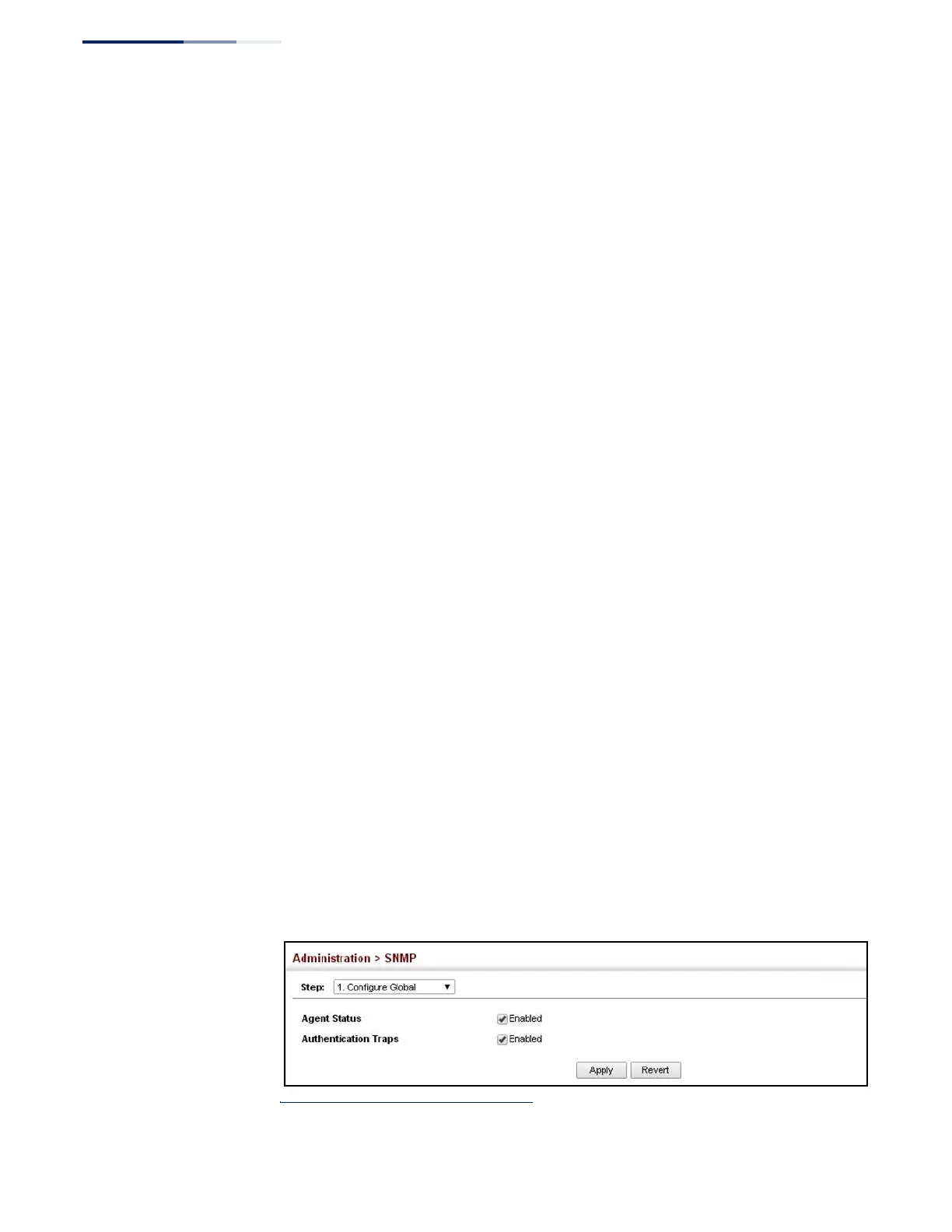
Use the Administration > SNMP (Configure Global) page to enable SNMPv3 service
for all management clients (i.e., versions 1, 2c, 3), and to enable trap messages.
Parameters
These parameters are displayed:
◆
Agent Status – Enables SNMP on the switch. (Default: Enabled)
◆
Authentication Traps
10
– Issues a notification message to specified IP trap
managers whenever an invalid community string is submitted during the
SNMP access authentication process. (Default: Enabled)
Web Interface
To configure global settings for SNMP:
1.
Click Administration, SNMP.
2.
Select Configure Global from the Step list.
3.
Enable SNMP and the required trap types.
4.
Click Apply
Figure 224: Configuring Global Settings for SNMP
10. These are legacy notifications and therefore when used for SNMPv3 hosts, they must be
enabled in conjunction with the corresponding entries in the Notification View (page 367).















 To Next Page