Filtering IGMP Query
Packets and Multicast
Data
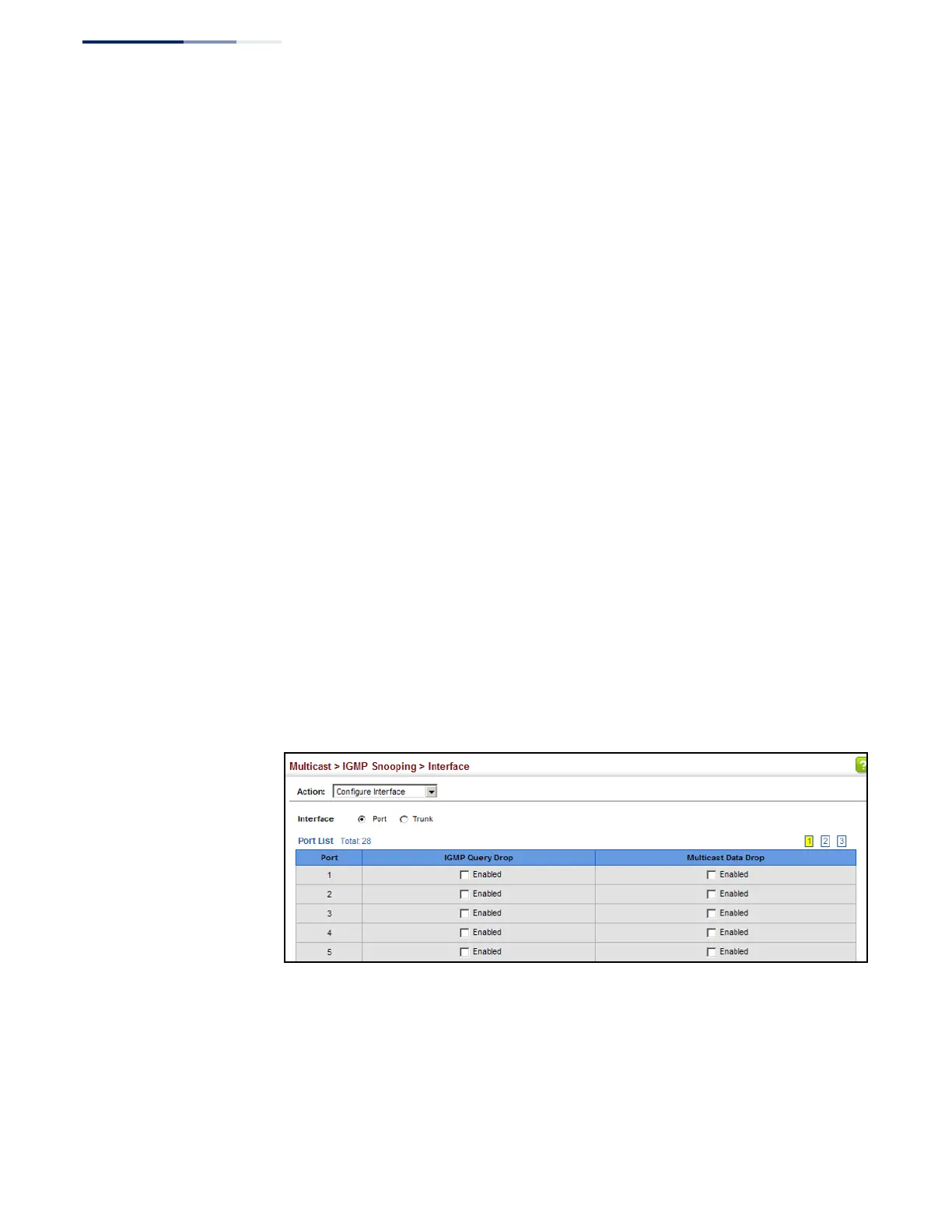
Use the Multicast > IGMP Snooping > Interface (Configure Interface) page to
configure an interface to drop IGMP query packets or multicast data packets.
Parameters
These parameters are displayed:
◆
Interface – Port or Trunk identifier.
◆
IGMP Query Drop – Configures an interface to drop any IGMP query packets
received on the specified interface. If this switch is acting as a Querier, this
prevents it from being affected by messages received from another Querier.
◆
Multicast Data Drop – Configures an interface to stop multicast services from
being forwarded to users attached to the downstream port (i.e., the interfaces
specified by this command).
Web Interface
To drop IGMP query packets or multicast data packets:
1.
Click Multicast, IGMP Snooping, Interface.
2.
Select Configure Interface from the Action list.
3.
Select Port or Trunk interface.
4.
Enable the required drop functions for any interface.
5.
Click Apply.
Figure 288: Dropping IGMP Query or Multicast Data Packets















 To Next Page