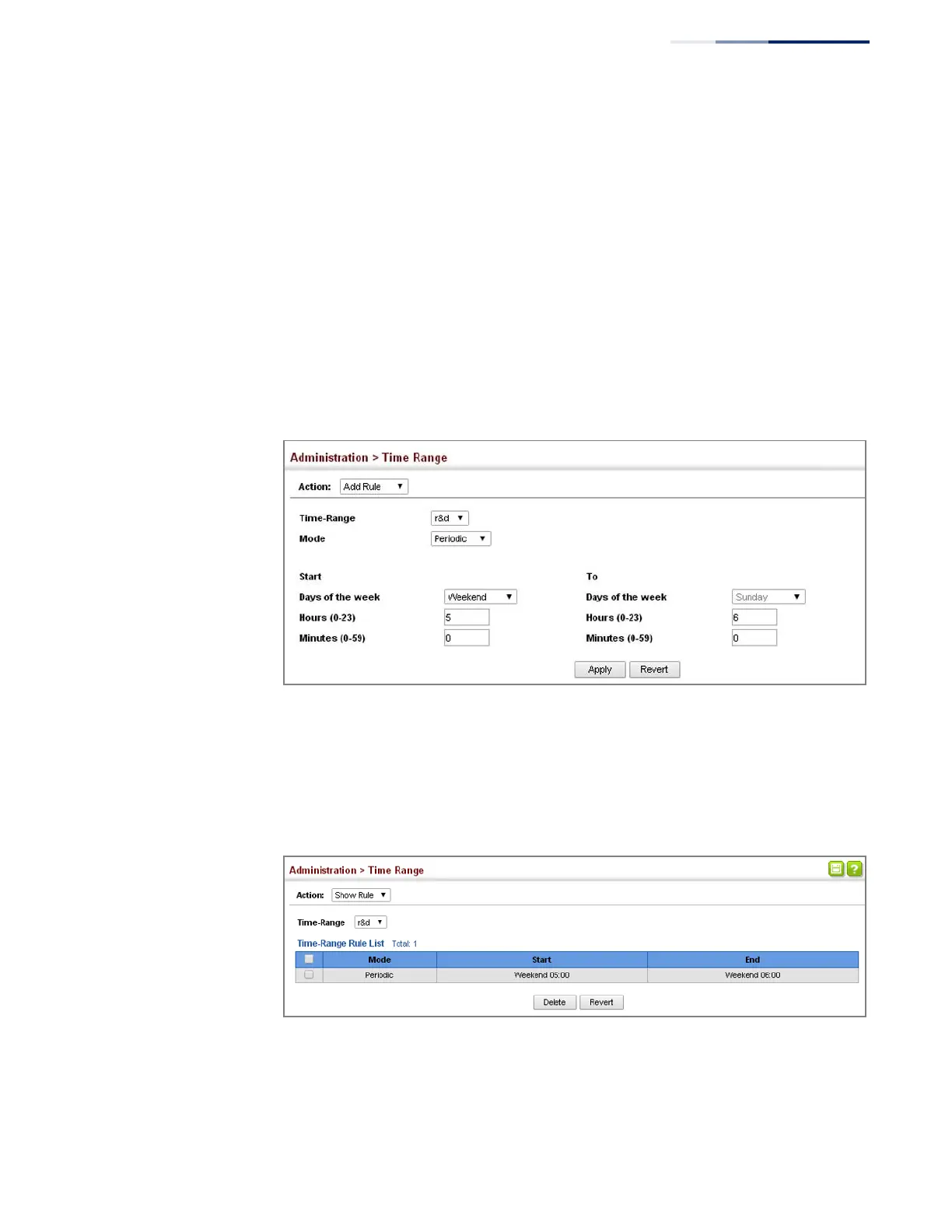
To configure a rule for a time range:
1.
Click Administration, Time Range.
2.
Select Add Rule from the Action list.
3.
Select the name of time range from the drop-down list.
4.
Select a mode option of Absolute or Periodic.
5.
Fill in the required parameters for the selected mode.
6.
Click Apply.
Figure 265: Add a Rule to a Time Range
To show the rules configured for a time range:
1.
Click Administration, Time Range.
2.
Select Show Rule from the Action list.
Figure 266: Showing the Rules Configured for a Time Range















 To Next Page