◆
Local FS
– Shows if a forced switch command was issued on this interface.
◆
Local MS
– Shows if a manual switch command was issued on this interface.
◆
MEP – Specifies the CCM MEPs used to monitor the link on a ring node.
If a MEP is used to monitor the link status of an ERPS node with CFM continuity
check messages, then the MEG Level parameter on this configuration page
must match the authorized maintenance level of the CFM domain to which the
specified MEP belongs.
To ensure complete monitoring of a ring node, specify the CFM MEPs used to
monitor both the east and west ports of the ring node.
If CFM determines that a MEP node which has been configured to monitor a
ring port with this command has gone down, this information is passed to
ERPS, which in turn processes it as a ring node failure. For more information on
how ERPS recovers from a node failure, refer to the description of the Revertive
parameter on this configuration page.
◆
RPL – If node is connected to the RPL, this shows by which interface.
Web Interface
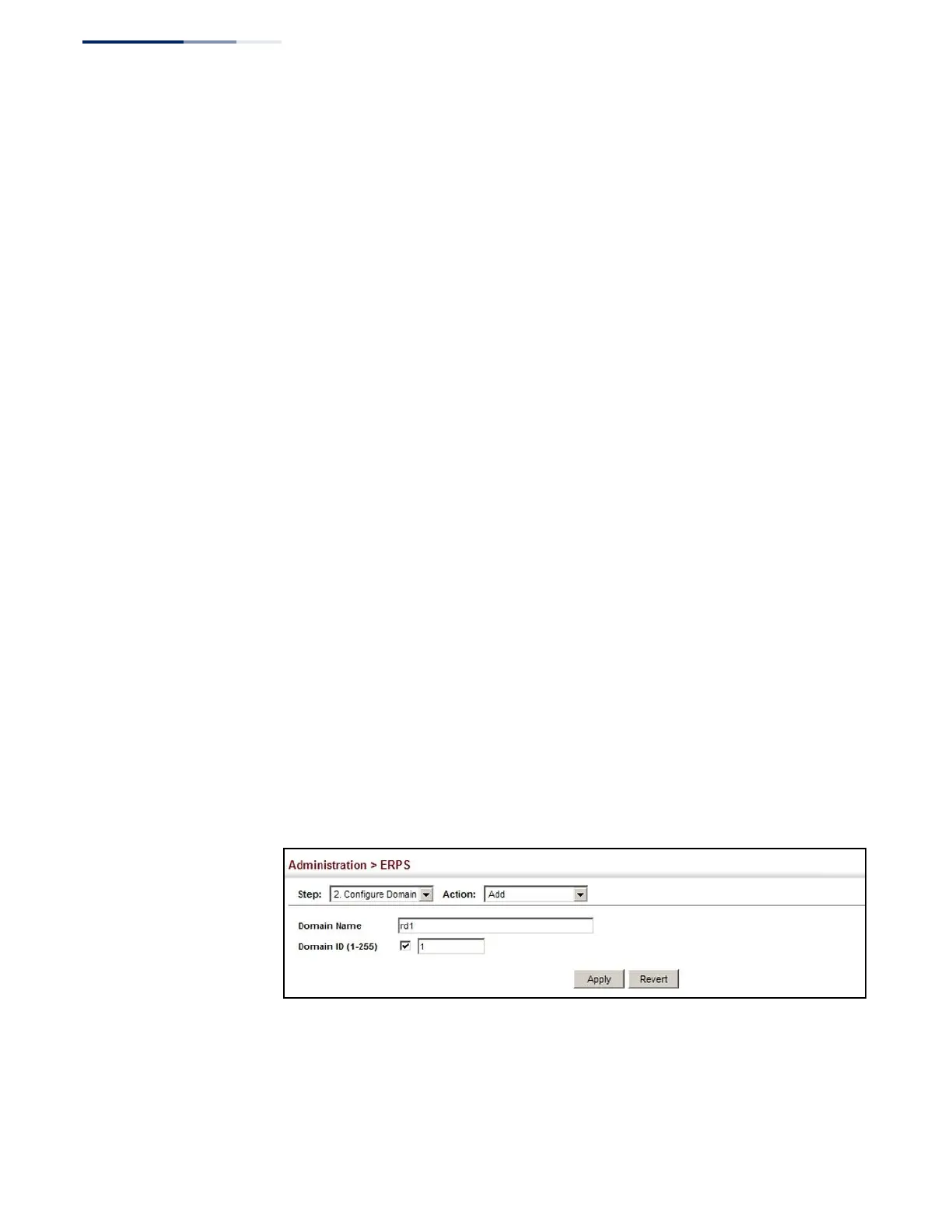
To create an ERPS ring:
1.
Click Administration, ERPS.
2.
Select Configure Domain from the Step list.
3.
Select Add from the Action list.
4.
Enter a name and optional identifier for the ring.
5.
Click Apply.
Figure 273: Creating an ERPS Ring















 To Next Page