authentication by a single global password as configured for the password
command, or by passwords set up for specific user-name accounts. The default is
for local passwords configured on the switch.
Web Interface
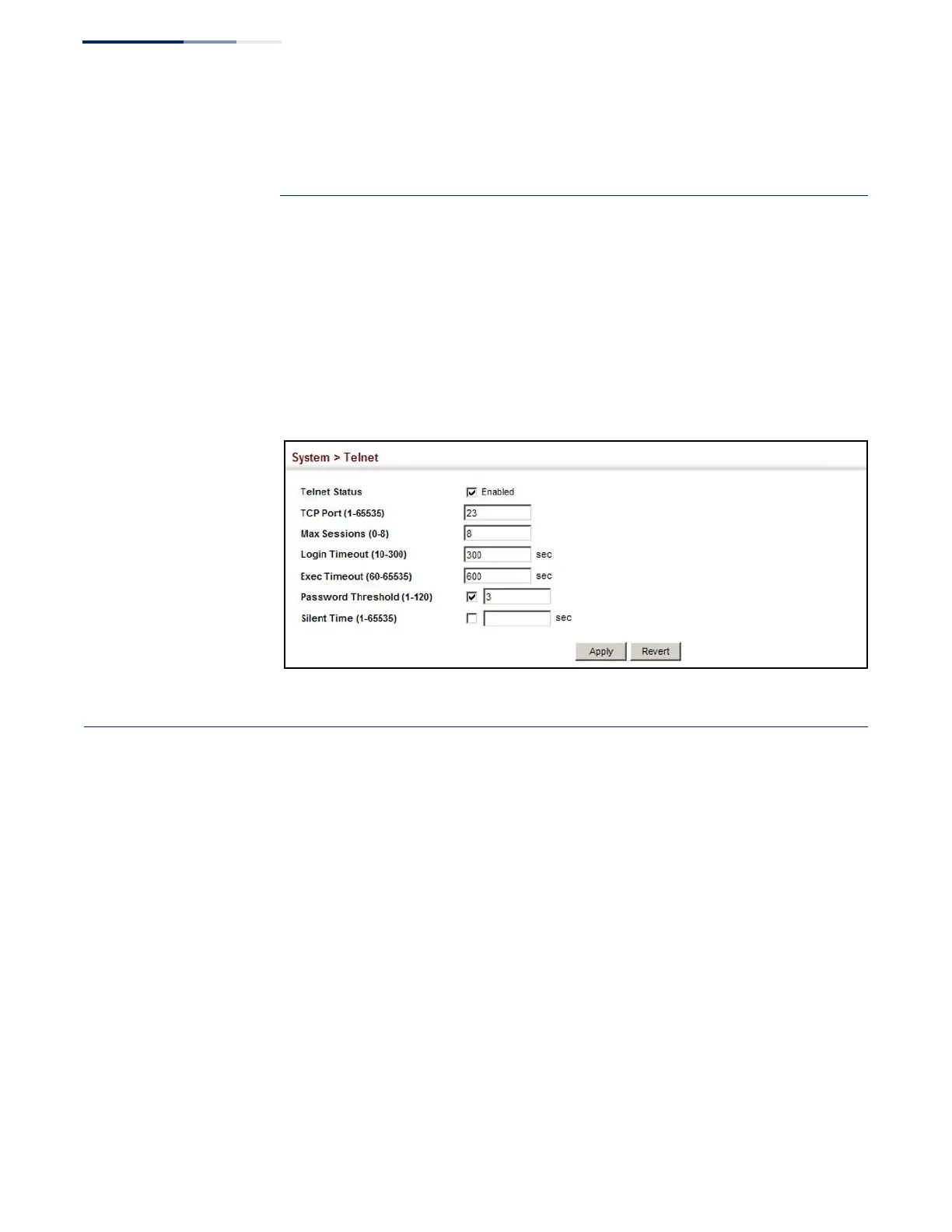
To configure parameters for the console port:
1.
Click System, then Telnet.
2.
Specify the connection parameters as required.
3.
Click Apply
Figure 22: Telnet Connection Settings
Displaying CPU Utilization
Use the System > CPU Utilization page to display information on CPU utilization.
Parameters
The following parameters are displayed:
◆
Time Interval – The interval at which to update the displayed utilization rate.
(Options: 1, 5, 10, 30, 60 seconds; Default: 1 second)
◆
CPU Utilization – CPU utilization over specified interval.
Web Interface
To display CPU utilization:
1.
Click System, then CPU Utilization.
2.
Change the update interval if required. Note that the interval is changed as
soon as a new setting is selected.





 To Next Page