used to indicate the appropriate number of zeros required to fill the
undefined fields.
◆
Receiver Socket Port
2
– The UDP port on which the sFlow Collector is listening
for sFlow streams. (Range: 1-65534)
◆
Maximum Datagram Size
– Maximum size of the sFlow datagram payload.
(Range: 200-1500 bytes)
◆
Datagram Version – Sends either v4 or v5 sFlow datagrams to the receiver.
Web Interface
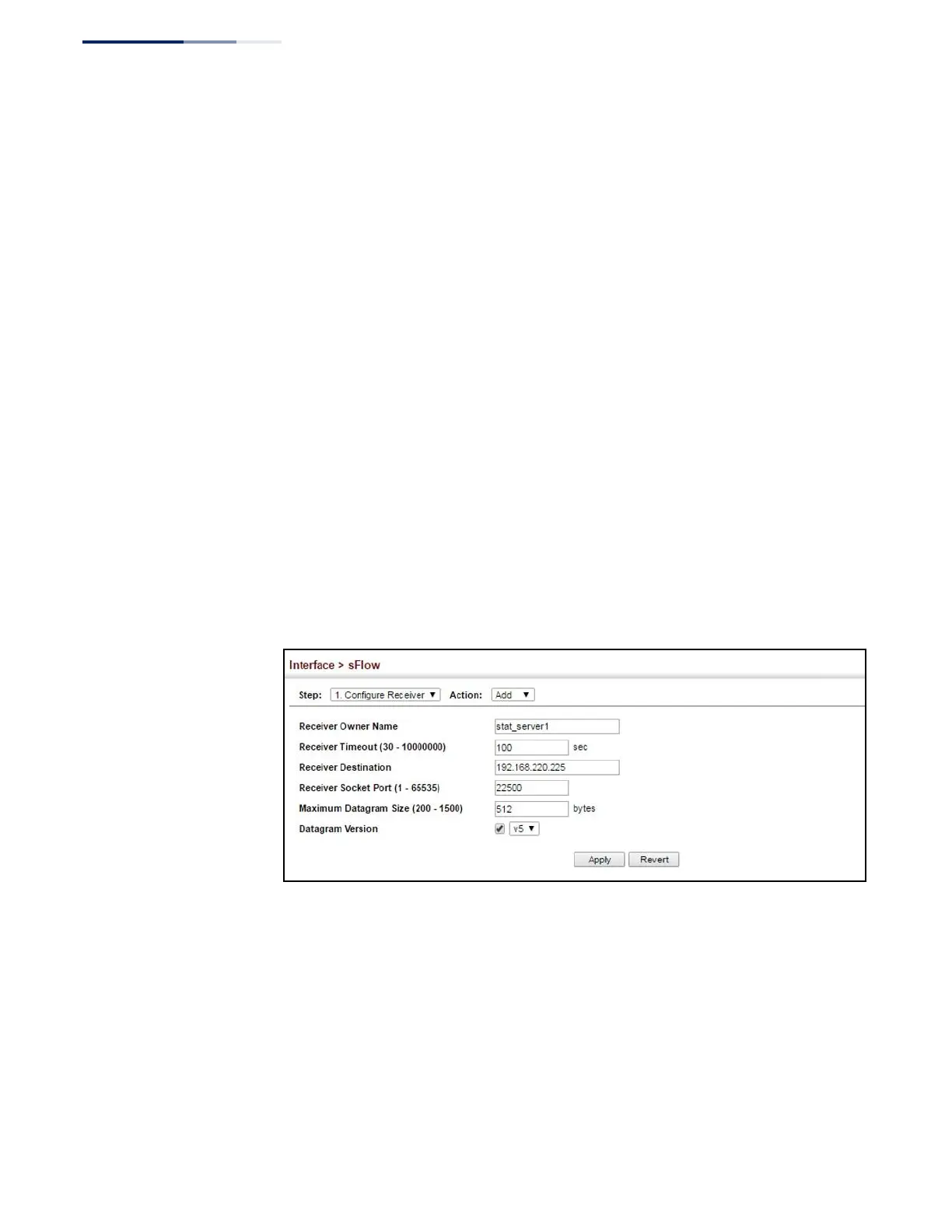
To configure an sFlow receiver:
1.
Click Interface, sFlow.
2.
Select Configure Receiver from the Step list.
3.
Select Add from the Action list.
4.
Fill in the parameters for the sFlow receiver and monitored traffic.
5.
Click Apply.
Figure 67: Configuring an sFlow Receiver
Web Interface
To show configured receivers:
1.
Click Interface, sFlow.
2.
Select Configure Receiver from the Step list.
3.
Select Show from the Action list.















 To Next Page