IP will be enabled but will not function until a BOOTP or DHCP reply is received.
Requests are broadcast every few minutes using exponential backoff until IP
configuration information is obtained from a BOOTP or DHCP server.
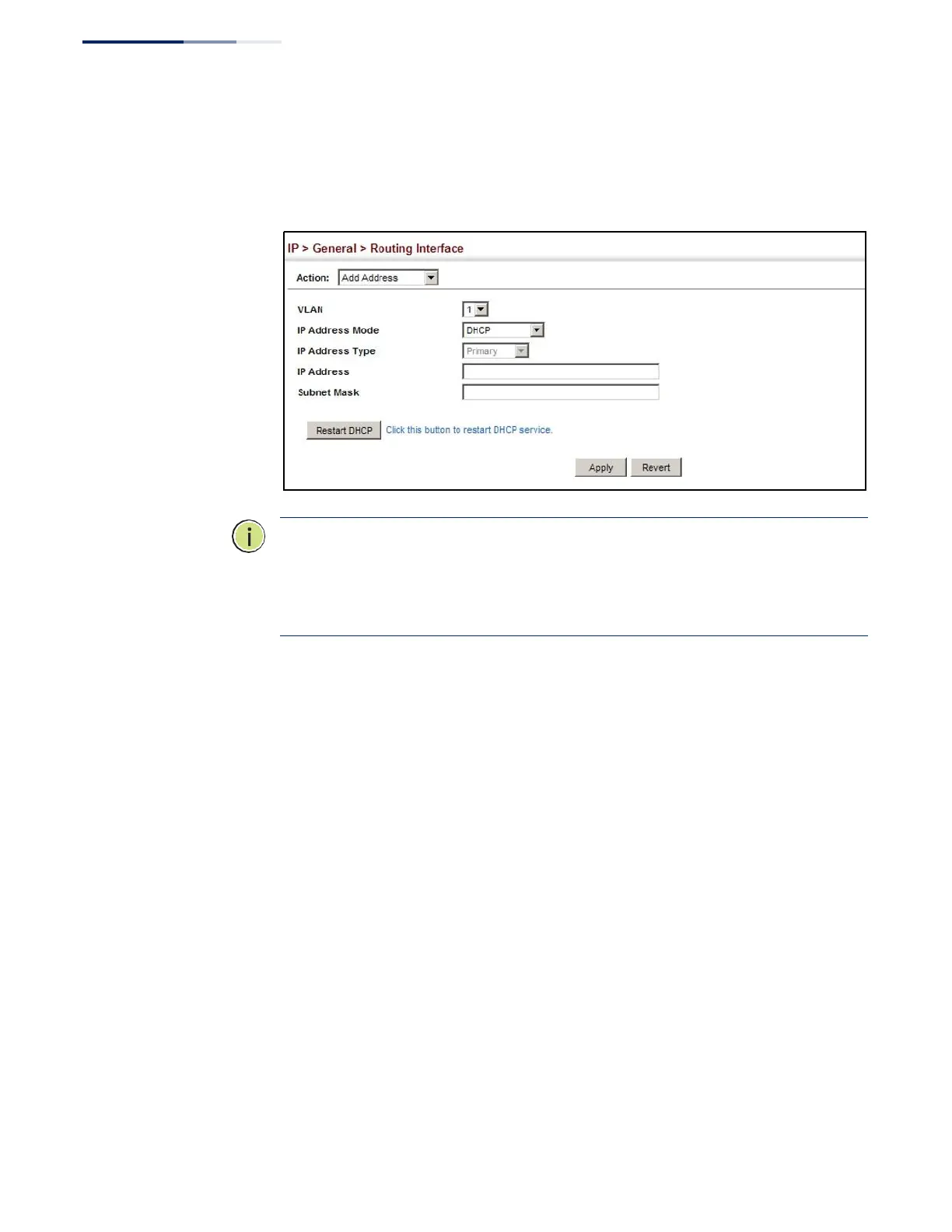
Figure 330: Configuring a Dynamic IPv4 Address
Note:
The switch will also broadcast a request for IP configuration settings on each
power reset.
Note: If you lose the management connection, make a console connection to the
switch and enter “show ip interface” to determine the new switch address.
Renewing DCHP – DHCP may lease addresses to clients indefinitely or for a specific
period of time. If the address expires or the switch is moved to another network
segment, you will lose management access to the switch. In this case, you can
reboot the switch or submit a client request to restart DHCP service via the CLI.
If the address assigned by DHCP is no longer functioning, you will not be able to
renew the IP settings via the web interface. You can only restart DHCP service via
the web interface if the current address is still available.
To show the IPv4 address configured for an interface:
1.
Click IP, General, Routing Interface.
2.
Select Show Address from the Action list.
3.
Select an entry from the VLAN list.















 To Next Page