◆
When a trap host is created using the Administration > SNMP (Configure Trap –
Add) page described on page 382, a default notify filter will be created.
Parameters
These parameters are displayed:
◆
IP Address – The IPv4 or IPv6 address of a remote device. The specified target
host must already have been configured using the Administration > SNMP
(Configure Trap – Add) page.
The notification log is stored locally. It is not sent to a remote device. This
remote host parameter is only required to complete mandatory fields in the
SNMP Notification MIB.
◆
Filter Profile Name – Notification log profile name. (Range: 1-32 characters)
Web Interface
To create an SNMP notification log:
1.
Click Administration, SNMP.
2.
Select Configure Notify Filter from the Step list.
3.
Select Add from the Action list.
4.
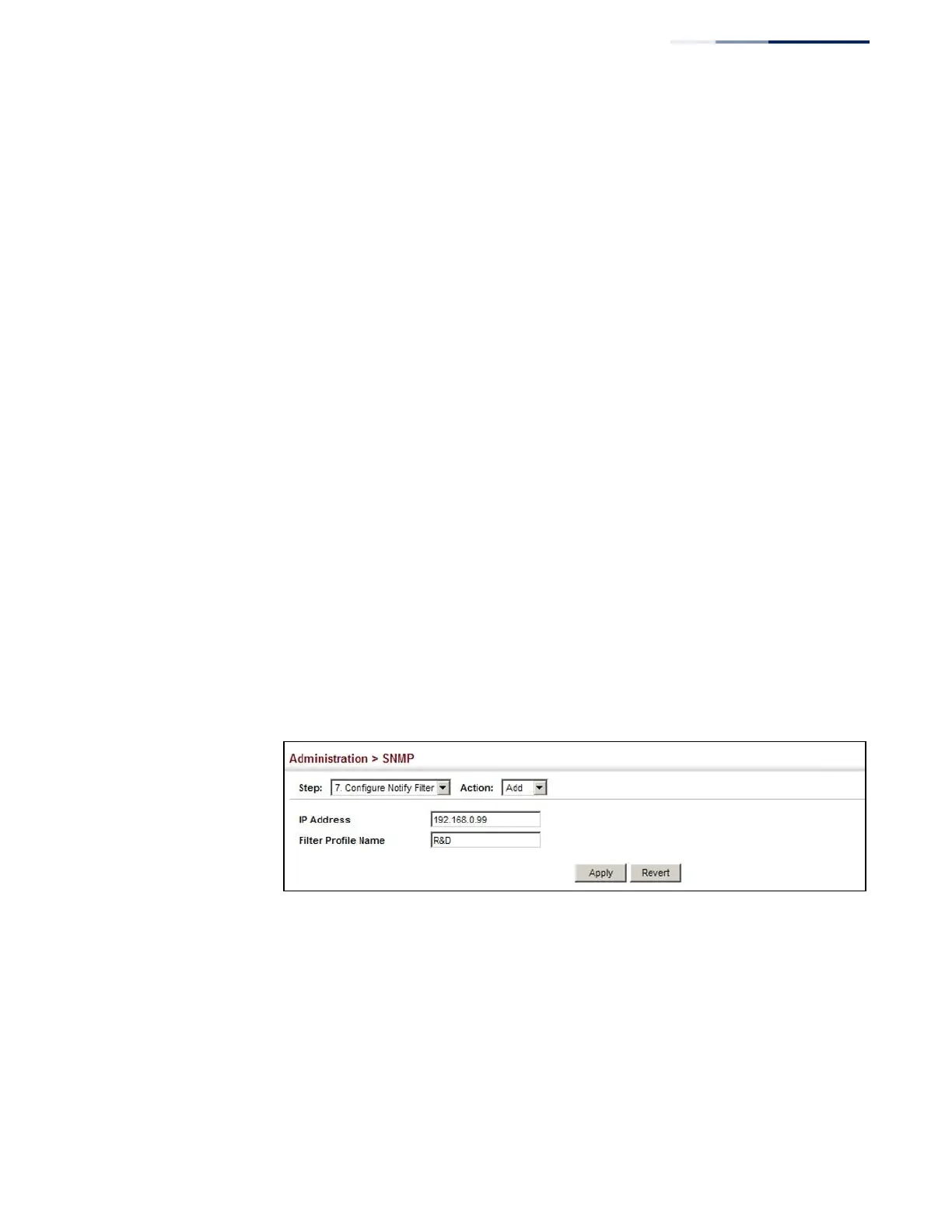
Fill in the IP address of a configured trap manager and the filter profile name.
5.
Click Apply
Figure 245: Creating SNMP Notification Logs
To show configured SNMP notification logs:
1.
Click Administration, SNMP.
2.
Select Configure Notify Filter from the Step list.
3.
Select Show from the Action list.















 To Next Page