992 Matrix ETERNITY NE System Manual
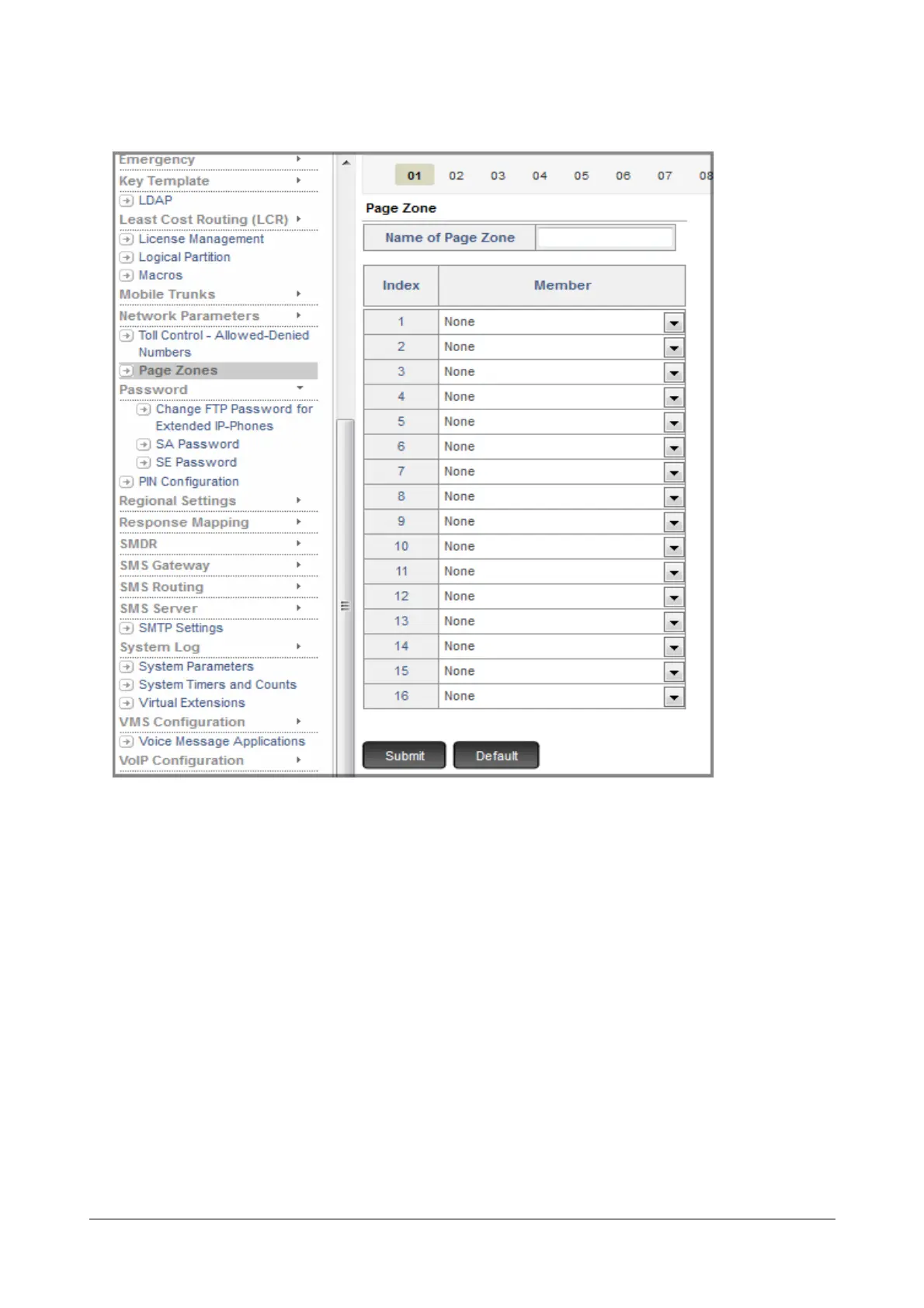
• Under Advanced Settings, click Page Zones.
• The Page zone tabs from 1 to 12 appear on this page.
• Configure Page Zone 01.
• Enter desired name in the Name of Page Zone. Default: Blank.
Name can be of maximum 16 characters. All ASCII characters (except Less than <, Greater than > and
Double Quote ") and digits 0 to 9 are allowed.
• For each Index number, select a Member extension. Select the extension number you want to include in
this Page Zone. Default: None.
• Click Submit.
• Similarly, you can create another Page Zone.



 To Next Page