1000 Matrix ETERNITY NE System Manual
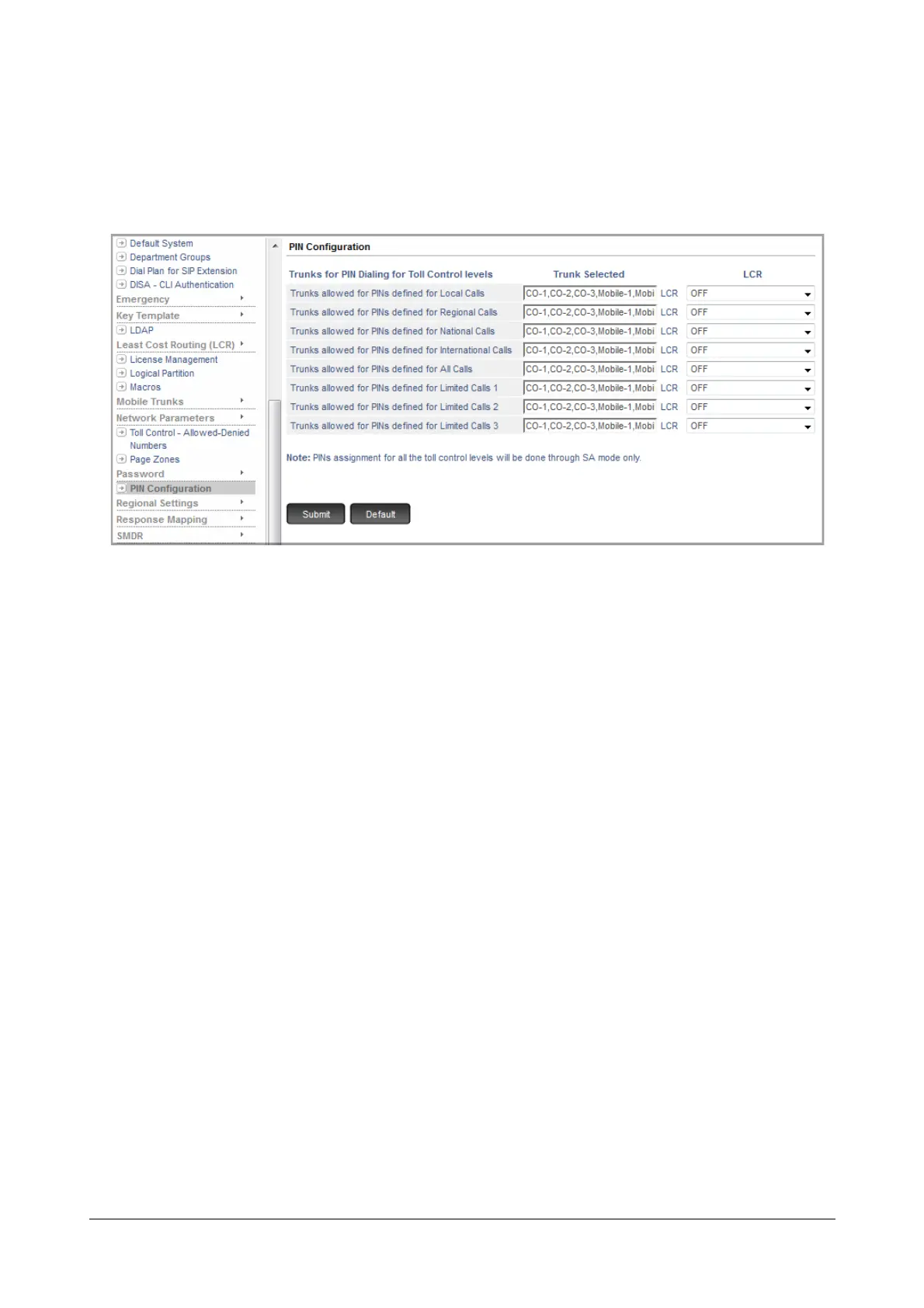
To configure Trunks and LCR
• Login as System Engineer.
• Under Advanced Settings, click PIN Configuration.
Under Trunks for PIN Dialing for Toll Control levels,
• For each Toll Control level, select the desired Trunks.
• For each Toll Control level, select the desired LCR type.
Make sure, you have configured the LCR table for the selected LCR type. See “Least Cost Routing (LCR)”
for more details.
How to use
For Extended IP Phone Users
To use PIN Dialing from any extension:
• Go OFF-Hook.
• Press DSS Key assigned to the ‘PIN Dialing’.
OR
•Dial *2
• Dial the PIN.
• You will hear the trunk dial tone.
• Dial the desired number.
OR
• Go OFF-Hook.
•Dial TAC.
• Dial the desired number.
• You get Feature tone/ Voice message.
• Dial the PIN.
• Speech with the Called Party.



 To Next Page